Keyword Insights is an AI SEO tool that clusters keywords by SERP similarity, showing which pages to build and where the topical gaps are.

Founded in London in 2021, Keyword Insights is a young tool that has moved fast. V3 dropped in August 2023, and a February 2025 changelog brought pricing updates. It has a genuinely interesting angle on SEO content planning, a few real limits, and a price structure that takes some squinting.
The short pitch: it's built for people who want to stop guessing which pages to build and start mapping out a content strategy that actually reflects how search engines group topics. That's a narrower brief than it sounds.
What is Keyword Insights?
At its core, Keyword Insights is a web-based SEO and content planning platform. The thing that sets it apart from the wider field isn't the keyword research. It's the clustering. The tool groups keywords not by rough semantic similarity but by actual SERP overlap. If Google is ranking the same pages for two keywords, the tool treats them as the same cluster. That's a meaningfully different approach from tools that just look for shared words in a query.
The other move worth paying attention to is the Reddit and Quora angle. Keyword Insights pulls real forum discussions into its brief-building workflow, which matters more now that AI-generated search answers are increasingly pulling from those same sources. Honestly, that's smarter than it sounds.
It's primarily built for SEO agencies, content marketing teams, and anyone trying to build topical authority at scale. Briefs and AI writing support 13 languages, which can still limit anyone working across many markets.
Keyword Insights Features: SEO & Content Tools Breakdown
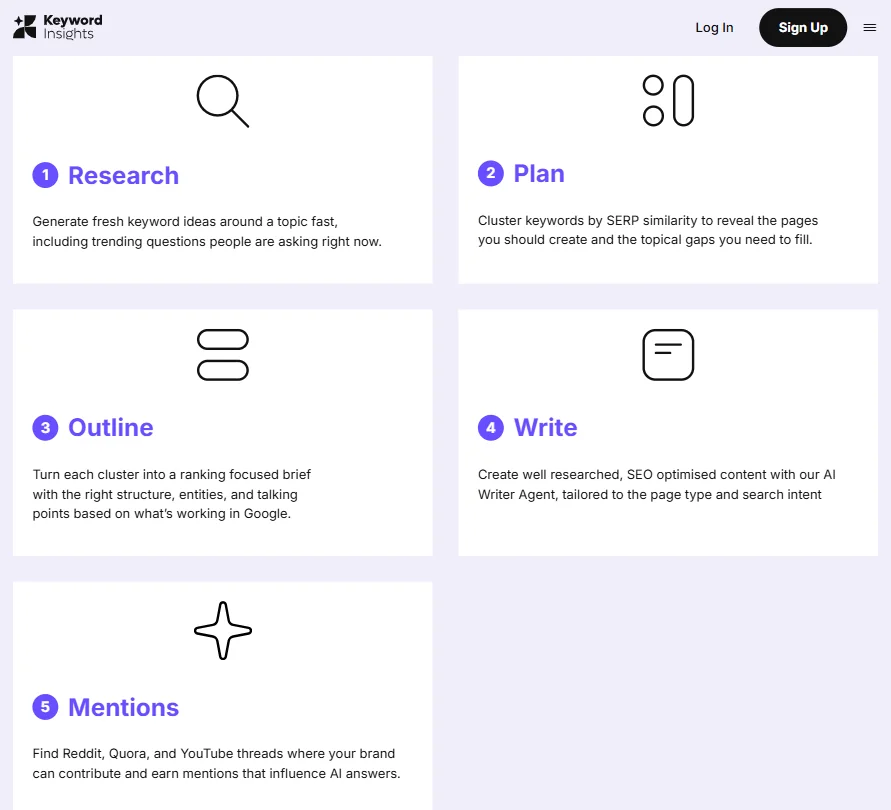
The feature set breaks into a few distinct areas. Keyword discovery and clustering on one side, content brief generation and AI writing on the other. Search Console integration and one-off rank checks sit underneath both.
The Keyword Clustering tool is the headliner. You feed it a list of keywords and it groups them using SERP similarity data. The output tells you which keywords can live on the same page and which ones need their own URL. That's genuinely useful for agencies mapping out large content plans. G2 reviewers in SEO roles consistently mention this as the feature that justifies the subscription. We kept seeing phrases like "saved us hours" and "finally made sense of our keyword list." That tracks.
The SERP Analyzer covers desktop, mobile, and tablet. It pulls the top 50 to 100 results and can filter by image search, news, and video. Solid. Not flashy.
Content briefs are generated using live SERP data, Reddit threads, and People Also Asked pulls. The underlying model uses something they call Information Gain, their proprietary ML approach to identifying what a piece of content needs to say that competitors haven't already covered. The concept is sound.
The AI Writing Agent produces full articles for 1,200 credits each. The AI Writing Assistant handles paragraph rewrites, tone adjustments, and metadata. One-off rank checks are also in there, billed per keyword.
Keyword Insights Keyword Research: How Deep Does It Go?
The Keyword Discovery tool pulls from Google Autocomplete, Reddit, Quora, and People Also Asked in real time. Volume, competition, and CPC data are included. That's a reasonable data stack. It doesn't have the depth of Ahrefs or Semrush on raw data volume, but it's not trying to be that.
What it does differently is the downstream use of that data. The research isn't just sitting in a spreadsheet. It feeds directly into clusters and then into briefs. That connected workflow is where the tool earns its money. We're not aware of many competitors that close that loop as tightly on SERP-similarity clustering specifically.
The forum data pull is worth calling out again. Pulling Reddit and Quora mentions into the research layer isn't just for content quality. The tool explicitly frames this as a way to influence AI search visibility, and the fact that they've built it into the core workflow rather than treating it as a later add-on is a deliberate product decision we'd bet more tools copy in the next 18 months.
No backlink analysis. Worth knowing before you buy.
Keyword Insights Content Creation: AI Writing Quality Tested
The review record gives a decent picture of the AI Writer.
The G2 sample is small. Eleven reviews, and Capterra has three. Most of the positive comments focus on the clustering and brief quality, not the writing output specifically. Public reviews don't show the long-form AI writing as a reason people buy this tool. It reads more like a feature that came along with the brief workflow than a standalone reason to subscribe.
The AI Writing Agent costs 1,200 credits per article. On the Basic plan at $58 a month, credits are finite. We dug into the credit math and it gets expensive fast if you're producing high volume. Honestly, if long-form AI writing is your main need, there are cheaper entry points elsewhere. Scalenut is one worth comparing on that specific dimension.
The brief quality is where Keyword Insights seems to actually compete. The Information Gain model, the live SERP pulls, the forum data layer. That combination produces briefs that users describe as more actionable than what they were building manually. Fair.
Is Keyword Insights Easy to Use?
Mostly yes. The web interface is the only option, no Chrome extension, no mobile app. For a research-heavy workflow, that's probably fine. You're not using this on your phone.
G2 reviewers don't raise UX complaints in any volume. The bigger friction point is the credit system. Understanding how many credits you have, how fast you'll burn them, and what each action costs takes time. It's not a dealbreaker, but it's the kind of thing that causes frustration in the first two weeks. The Professional plan's 20,000 credits look generous until you run a few AI Writing Agent jobs at 1,200 credits each.
The $1 trial covers 7 days and 5,000 one-time credits with access to all features. That's a genuinely generous entry point for evaluating a tool this specific. We'd use it hard before committing to a paid plan.
Keyword Insights Pricing: Is It Worth It vs Free Alternatives?
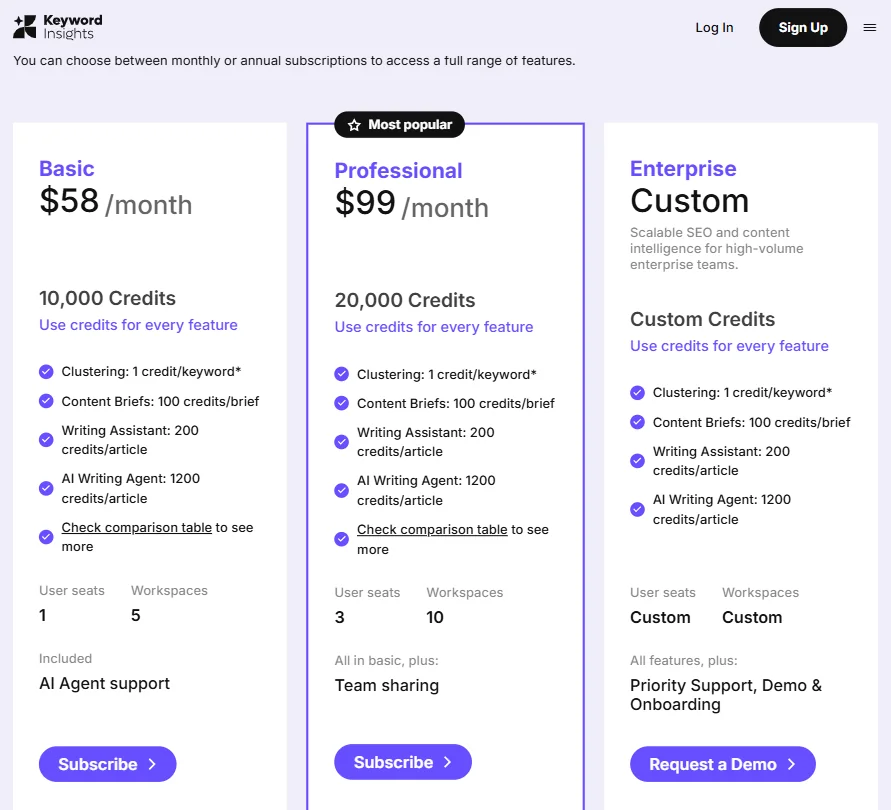
Three public tiers. Basic at $58 a month, Professional at $99, and Enterprise at custom pricing. The Basic plan gives you 10,000 credits, one user seat, and five workspaces. Professional doubles the credits to 20,000, expands to three seats and ten workspaces, and adds team sharing. Enterprise runs on custom credits with custom seat and workspace counts.
Support is less tiered than some older documentation suggests. All paying customers get live-chat support. Basic also includes AI Agent support, while Enterprise adds priority support, onboarding, and a dedicated demo. Not a Premium-only wall. Worth correcting, because we've seen that misreported.
We don't know the refund policy. It's not stated publicly. That's a gap. Not a red flag on its own, but it should be clearer.
On the "vs free alternatives" question: there aren't really free tools that do SERP-similarity clustering well. The free tier of Semrush or Ahrefs gives you keyword data, not structured clustering at this level. The pricing looks reasonable for an agency building 50-page content plans. For a small team doing occasional keyword research, the math is harder to justify.
Keyword Insights vs Semrush: Head-to-Head Comparison
Semrush is a platform. Keyword Insights is a focused tool. That's the frame to hold.
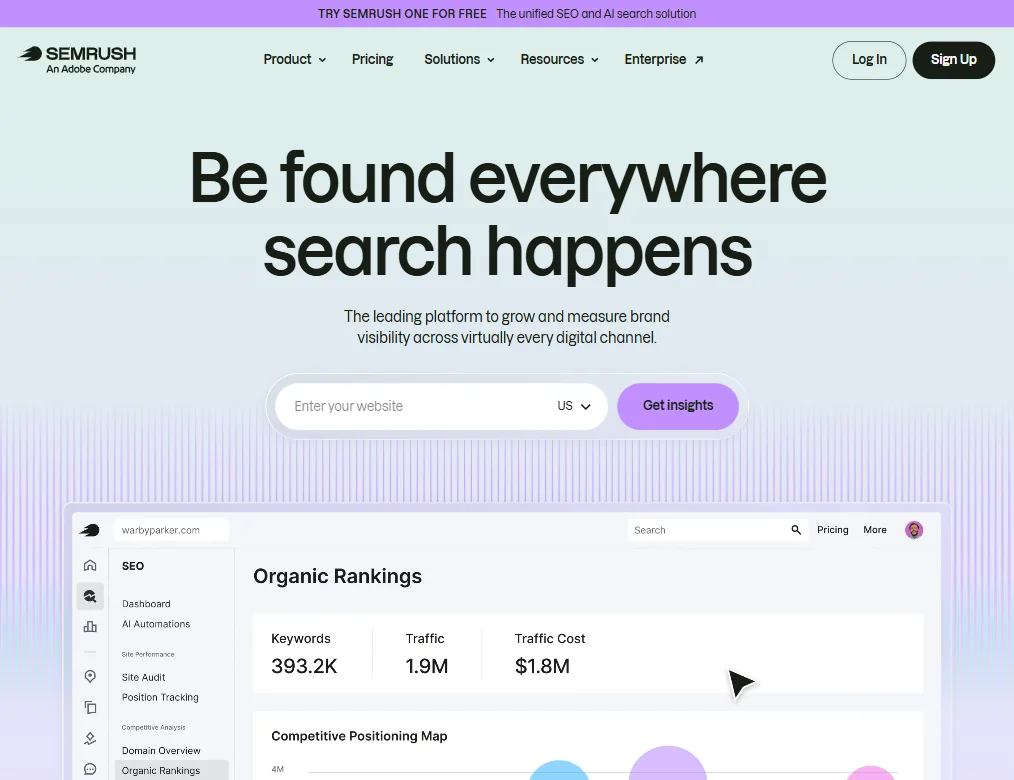
Semrush has backlink analysis, site auditing, and paid search data in the same interface. Keyword Insights doesn't touch backlinks. Not pretending to. What it does instead is build a much tighter loop from keyword discovery through clustering through brief generation. Semrush's content tools exist but they feel bolted on compared to Keyword Insights, where the content workflow is the product.
The pricing difference is significant. Semrush's Pro plan runs $139.95 a month. Keyword Insights Professional is $99. If you're already paying for Semrush or Ahrefs and need clustering on top of it, Keyword Insights can sit alongside either without breaking the budget. That's how a lot of agencies seem to use it, based on reviews.
For teams that want one tool for everything, SearchAtlas is probably a more direct answer than Keyword Insights. Keyword Insights earns its place as a specialist, not a generalist.
Who Should Use Keyword Insights? (And Who Shouldn't)
SEO agencies managing large content calendars. Clear fit. The clustering workflow is built for scale, and the GSC integration makes it practical for client reporting.
Content teams at growth-stage companies trying to build topical authority from scratch. The cluster-to-brief pipeline is genuinely useful for that problem.
Solo bloggers or small teams doing light keyword research. Probably overkill. The credit system and pricing don't favor low-volume users, and the complexity of the clustering output requires someone who knows what they're doing with it.
Anyone who needs backlink analysis as part of their workflow. Not the tool for that. Full stop.
Keyword Insights Review Verdict
Three years old, already at V3, with a February 2025 pricing update that suggests the team is still actively shaping the product. That's a good sign for a tool at this price point.
The SERP-similarity clustering is the real differentiator, and it's hard to find done better at this price. The Reddit and Quora integration into the brief workflow is genuinely forward-thinking given where search is heading.
The limits are real but specific. No backlinks. No Chrome extension. The small review base makes AI writing quality hard to judge. The credit math can surprise you, especially if the AI Writing Agent becomes a regular part of the workflow.
For the right buyer, this is a well-built specialist tool that does a hard thing well. For anyone who needs a broader SEO platform, there are fuller options available. But on the specific problem of turning a messy keyword list into a structured content plan, we'd be comfortable recommending it to someone willing to spend a week learning the system.
How Keyword Insights compares
Keyword Insights scores 5.0 out of 10 among the content optimizers we rate. These two do the same job and are the closest to it, compared on what each vendor publishes.
Clearscope
Keyword Insights costs $58 a month against Clearscope's $129 for Essentials, less than half the price to start. Clearscope answers with unlimited seats on every plan, where Keyword Insights gives just one on Basic. Keyword Insights includes live chat support on weekdays; Clearscope's support is a ticket form only. Both cluster keywords, write full articles and publish directly to WordPress.
Pick Clearscope if unlimited seats matter more than starting price.
Pick Keyword Insights if you want a lower price and live chat.
MarketMuse
MarketMuse offers a free plan with keyword research and clustering included; Keyword Insights has no free tier, starting at $58 a month after a $1 seven day trial. Keyword Insights writes full articles with its AI Writer Agent; MarketMuse dropped full-draft generation when it retired that product and instead edits section by section. Both give one seat on their cheapest paid plan and cluster keywords by SERP.
Pick MarketMuse if you want to try keyword research for free.
Pick Keyword Insights if you need full AI-written articles, not just edits.
Frequently Asked Questions
Does Keyword Insights have a free plan?
No free plan exists. There's a $1 trial that gives you 7 days of access and 5,000 one-time credits across all features. That's enough runway to run a real clustering job and evaluate whether the tool fits your workflow before paying full price.
How is Keyword Insights different from Surfer SEO?
Surfer focuses primarily on on-page content optimization, grading your content against top-ranking pages. Keyword Insights is further upstream. It's about figuring out which pages to build in the first place, and grouping keywords before any writing starts. Different jobs. Some teams use both.
Is Keyword Insights good for small businesses?
Depends on what they're trying to do. A small business doing occasional blog research probably won't get enough out of it to justify $58 a month. A small agency running SEO for multiple clients is a different story. The tool is built around scale and structure, and that shows in how it's priced.