SAASINSPECTOR
DaVinci Resolve logo

DaVinci Resolve Review

DaVinci Resolve is a professional video editor that also holds colour grading with scopes, node-based compositing and a full audio suite in the same application. The free edition never expires, and a one-time Studio licence adds the Neural Engine tools and the deeper HDR work.

Research-based review. Features and prices are checked on the vendor's own website, and the score is worked out from those facts. We haven't tested it hands-on yet.

The verdict

DaVinci Resolve suits editors and colourists who want a complete finishing toolset on their own machine, and who would rather buy an upgrade once than rent it.

Pros

  • The free edition never expires and includes editing, color correction up to Ultra HD, visual effects, motion graphics, audio post and multi-user collaboration.
  • Studio is a one-time $295 purchase rather than a subscription, so you own it once you buy it.
  • Color grading includes professional scopes such as a waveform monitor and vectorscope alongside HDR color wheels, power windows and a node editor.
  • Workflow integration and encoding APIs let you connect DaVinci Resolve to your own asset management and production tools.

Cons

  • Magic Mask, advanced HDR grading and the AI Fairlight audio effects only unlock in the paid Studio edition.
  • There is no built-in stock media library, so footage, music and graphics have to come from elsewhere.
From $0/moFree plan YesFree trial No
9.3/10

Spec Score

DaVinci Resolve against 3 professional video editors
#1
of 3 professional video editors
+1.1
vs the average
100%
from published facts
Ahead of other professional video editors
Pricing+3.0Workflow and teams+2.1
Behind other professional video editors
AI in the editor-0.5
Every criterion
Tap a row for the facts
Pro editing10.0
+0.0 vs 10.0 avg30 of 30 points
Colour grading with scopesyes1.8 / 1.8
Multicam editingyes1.5 / 1.5
HDR editing and exportyes1.3 / 1.3
Camera raw videoyes1.3 / 1.3
Compositing and effects in the same appyes1.3 / 1.3
Proxy editingyes1 / 1
Motion trackingyes1 / 1
Third-party pluginsyes1 / 1
Why these numbers

Colour grading with scopes: Free and Studio; scopes include waveform, vectorscope, parade and more.

Multicam editing: Free and Studio.

HDR editing and export: Free version has HDR grading; Studio adds "advanced HDR grading".

Camera raw video: Names Blackmagic RAW specifically; "virtually all native camera RAW formats" stated generically, R3D/ARRIRAW not individually named on the pages checked.

Compositing and effects in the same app: Fusion page and node compositing are built into the same DaVinci Resolve app, not a separate product; free and Studio.

Proxy editing: Free and Studio.

Motion tracking: Free and Studio.

Third-party plugins: Open FX (OFX) plug-ins and third-party control panels.

AI in the editor6.2
-0.5 vs 6.7 avg9.3 of 15 points
Generates new frames or footageno0 / 2.3
Edit the video by editing its transcriptyes2.3 / 2.3
Masks a person or object by itselfyes1.8 / 1.8
Translates captions or audiono0 / 1.5
One-click dialogue clean-upyes1.3 / 1.3
Reframes to vertical or square by itselfyes1 / 1
Why these numbers

Generates new frames or footage: Checked product, edit, color and Fusion pages for a clip-extend or generate-new-footage AI feature; none found (AI features found are UltraSharpen upscaling, Magic Mask, smart reframing and speed warp retiming, not generative extension).

Edit the video by editing its transcript: Free and Studio.

Masks a person or object by itself: Magic Mask is Studio-only (listed under the DaVinci Resolve Studio feature list).

Translates captions or audio: Subtitle tracks support multiple languages the user adds, but no automatic translation of a finished video was found; checked edit and Fairlight pages.

One-click dialogue clean-up: Fairlight FX; Studio for the AI variants.

Reframes to vertical or square by itself: DaVinci Neural Engine; hand-checked 2026-09-22.

Workflow and teams9.2
+2.1 vs 7.1 avg13.8 of 15 points
Several editors on one projectyes4 / 4
Where it runswindowsmacios3.5 / 3.5
Scripting or workflow APIyes1.8 / 1.8
Built-in stock mediano0 / 0.8
Why these numbers

Several editors on one project: Free and Studio; hosted remotely via Blackmagic Cloud.

Where it runs: Desktop app also runs on Rocky Linux (not in the enum). iOS is DaVinci Resolve for iPad, confirmed via Apple's own App Store listing (developer Blackmagic Design Inc, https://apps.apple.com/us/app/davinci-resolve-for-ipad/id1581363826).

Built-in stock media: No built-in stock footage, image or music library found on product, edit or Fairlight pages.

Pricing10.0
+3.0 vs 7.0 avg30 of 30 points
Cheapest way to pay, monthly$06 / 6
Free edition you can keep usingyes1.8 / 1.8
Sells a licence you own outrightyes1.8 / 1.8
Free trialdoes not applyn/a
Why these numbers

Cheapest way to pay, monthly: Free is a price (the rule GIMP set in Design, 2026-09-21): the free edition is the whole editor and never expires, so the cheapest way to pay monthly is nothing. Studio is a one-time US$295, carried in package_price_usd and scored by the perpetual licence rule.

Free edition you can keep using: Free version never expires, is not a time-limited trial.

Sells a licence you own outright: Studio is a one-time $295 purchase, not a subscription; free edition has no purchase at all.

Privacy and support10.0
+0.0 vs 10.0 avg10 of 10 points
Does not train AI on your videosdoes not applyn/a
SOC 2does not applyn/a
GDPRdoes not applyn/a
Ways to reach supportemailphonecommunity3 / 3
Why these numbers

Ways to reach support: No live chat found.

yesnonot published average for professional video editors
How the Spec Score works

Scored from what DaVinci Resolve publishes on its own site. Not a hands-on test.

Compared with 3 professional video editors. Facts checked 22 Sep 2026.

A fact the vendor does not publish gets half the points, or the typical value for a number, and says so. It never counts as a no. How we score.

DaVinci Resolve is desktop editing, color grading, visual effects and audio software that Blackmagic Design gives away for free, with a one-time $295 upgrade to Studio for its AI tools and top-end grading. What decides whether it suits you is less the price and more whether you need those Studio-only extras, since the free edition already covers full editing, color and audio work.

What is DaVinci Resolve?

DaVinci Resolve is made by Blackmagic Design. It installs on Windows, Mac and Rocky Linux, and a version called DaVinci Resolve for iPad runs the same editing tools on Apple's tablet. There is no browser version: everything happens in the desktop or iPad app, on your own machine.

Editing in DaVinci Resolve
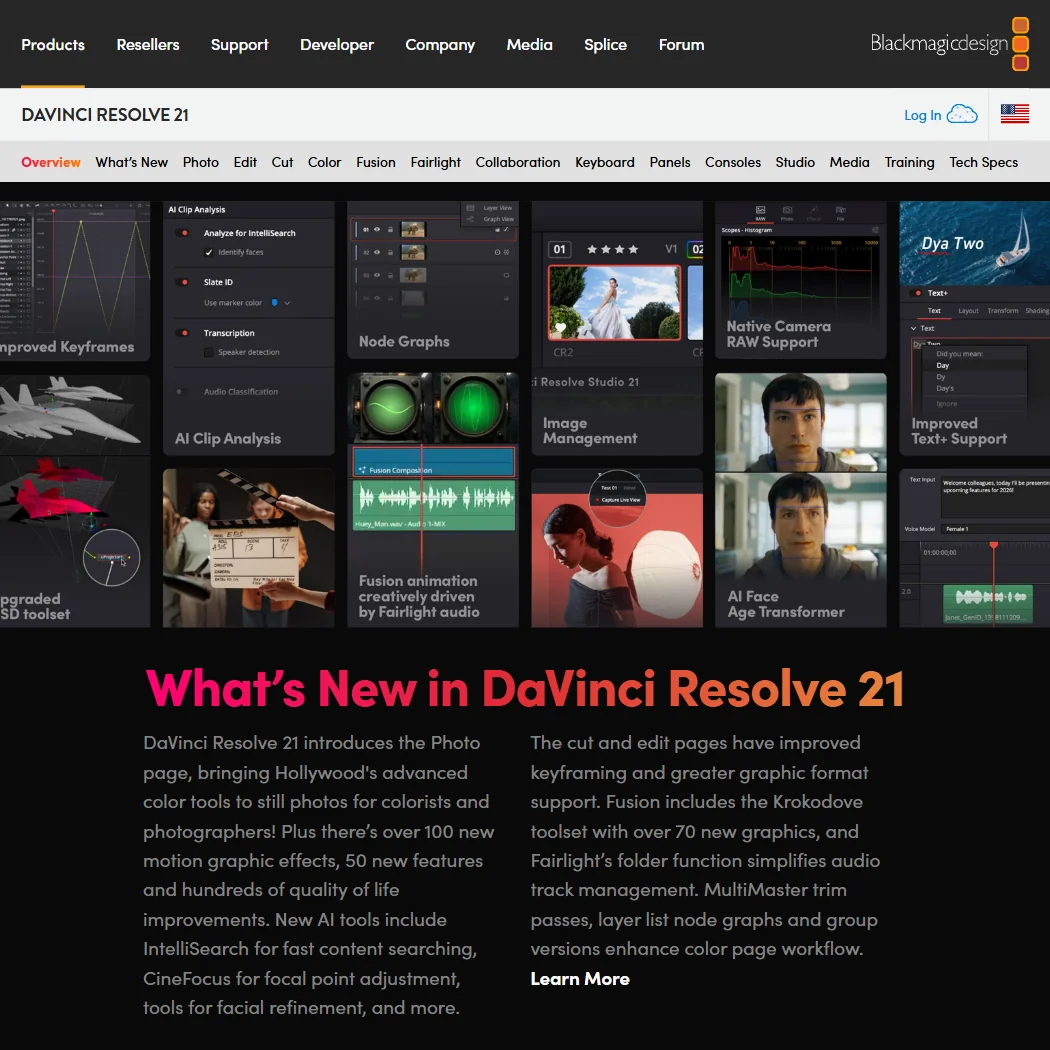
Editing covers multicam programs, with a sync bin and source overwrite tools for cutting between camera angles. Color grading runs on professional scopes, including a waveform monitor and vectorscope, alongside HDR color wheels, power windows and a node editor for building a grade step by step. HDR grading itself is included in the free edition, and Studio adds a more advanced version of it.

DaVinci Resolve reads Blackmagic RAW natively and works with what Blackmagic Design calls virtually all native camera raw formats, and it includes a proxy workflow for editing on lower-resolution stand-ins before switching back to full-resolution media. Motion tracking covers both power window tracking for a grade and point, planar and 3D camera tracking in Fusion, the compositing tool built into the same app for rotoscoping, keying and node-based visual effects. Third-party Open FX and audio plugins extend it further, along with third-party title and motion graphics templates.

Color correction in the free edition goes up to Ultra HD, 3840 by 2160. Studio is needed for resolutions beyond that, and DaVinci Resolve can edit and grade footage up to 8K in real time.

What the AI does

DaVinci Resolve features screenshot
DaVinci Resolve, Features

Magic Mask, an AI masking tool, is one of the features that only unlocks in Studio. The DaVinci Neural Engine also powers smart reframing, which fits a shot to another aspect ratio by itself, and facial recognition that sorts clips into bins by who appears in them. Text-based editing lets you cut by working from a transcript, and the same transcription engine generates timed subtitles for auto captions. On the audio side, Fairlight includes Voice Isolation and a Music Remixer, with the AI versions of these effects again reserved for Studio.

Working with other people

DaVinci Resolve supports multi-user collaboration so more than one editor can work on the same project, using Blackmagic Cloud when you want it hosted remotely rather than on a local server. Workflow integration and encoding APIs let developers connect DaVinci Resolve to asset management and other production systems. It runs on Windows, Mac, Rocky Linux and iPad, so a project can move between a desktop suite and a tablet.

DaVinci Resolve pricing: what you actually pay
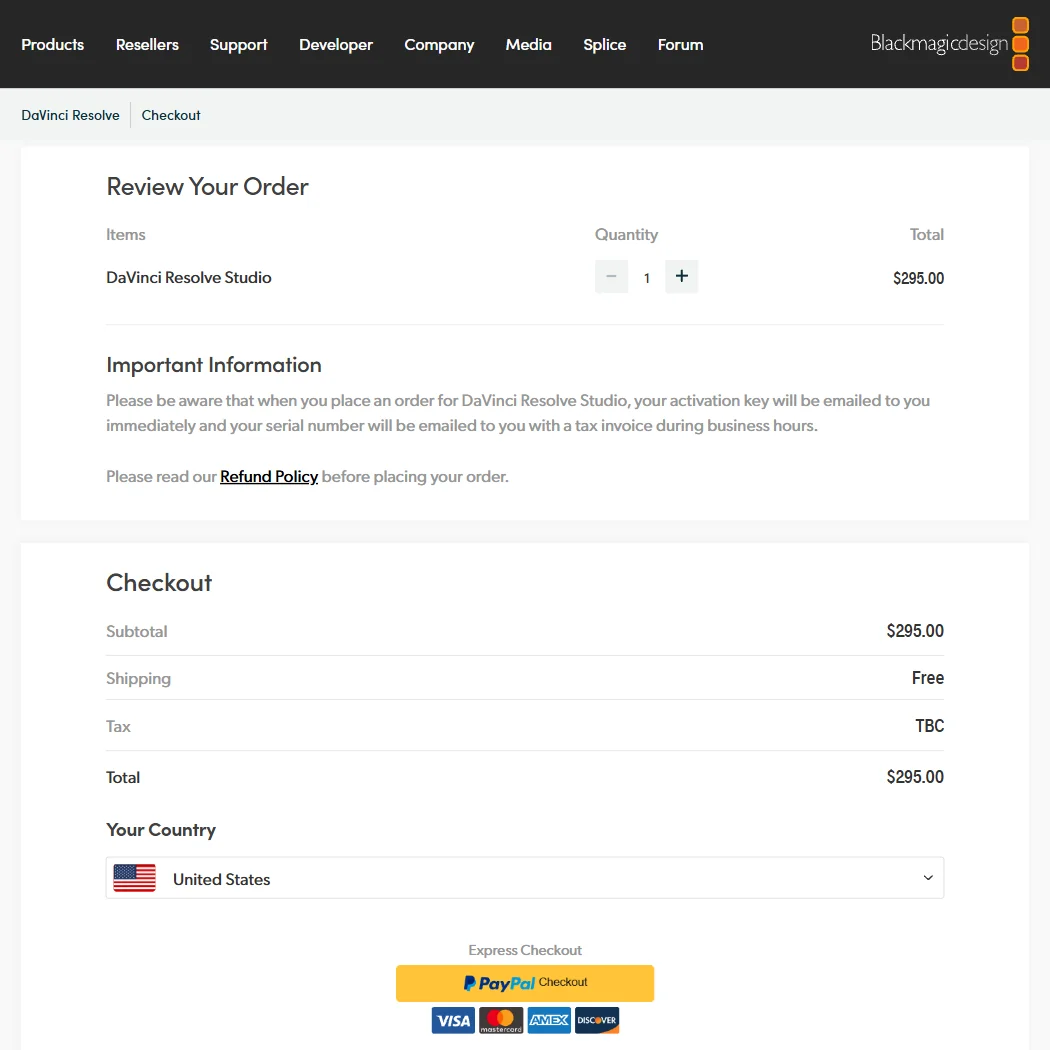
The free edition of DaVinci Resolve never expires and is not a trial: it includes editing, color correction up to Ultra HD, visual effects, motion graphics, audio post and multi-user collaboration. Studio costs $295 once, with no subscription and no trial period, and unlocks Magic Mask, the AI versions of the Fairlight effects, extra Resolve FX, advanced HDR grading and resolutions beyond 4K. Whichever edition you use, DaVinci Resolve is yours to keep after installing it, since neither one is billed monthly.

Privacy and support

DaVinci Resolve edits on your own machine, so there is no service holding your project: your footage stays local unless you choose to use Blackmagic Cloud for multi-user collaboration. Blackmagic Design is regulated under GDPR. Support runs through email, phone and a community forum.

Who DaVinci Resolve suits

DaVinci Resolve suits editors and colorists who want a full professional toolset, including scopes-based grading, Fusion compositing and Fairlight audio, without paying anything for it, and who are willing to spend $295 once for Magic Mask, advanced HDR grading and the rest of Studio's extras.

It suits less well anyone who wants those AI extras without the up-front Studio purchase, or anyone who needs a browser-based tool rather than a desktop or iPad install.

How DaVinci Resolve compares

DaVinci Resolve scores 9.3 out of 10 among the professional video editors we rate. These two do the same job and are the closest to it, compared on what each vendor publishes.

9.3DaVinci Resolve
vs
8.0Adobe Premiere

Adobe Premiere

DaVinci Resolve lets several editors share a project through Blackmagic Cloud and includes a scripting API; Premiere also allows several editors, through Frame.io. Premiere is subscription only at $22.99 a month, while DaVinci Resolve's free edition never expires and Studio costs a one-time $295 instead of a subscription. Premiere generates new footage with Generative Extend and translates captions; DaVinci Resolve does neither.

Pick Adobe Premiere if you need generative footage extension or caption translation.
Pick DaVinci Resolve if you want a free permanent editor or to buy Studio once.

DaVinci Resolve vs Adobe Premiere →
9.3DaVinci Resolve
vs
7.2Final Cut Pro

Final Cut Pro

DaVinci Resolve runs on Windows, Mac and iPad; Final Cut Pro runs only on Mac and iPad. Final Cut Pro has no free tier at all, and its cheapest figure is the $12.99 a month Apple Creator Studio bundle, which also carries Logic Pro, Motion and other Apple apps. DaVinci Resolve's own free edition never expires, and Studio is a one-time $295 purchase instead of a subscription. Masking needs Resolve Studio, while Final Cut Pro has it in the app itself.

Pick Final Cut Pro if you're on Mac or iPad and want masking without an upgrade.
Pick DaVinci Resolve if you want several editors on one project or a free permanent editor.

DaVinci Resolve vs Final Cut Pro →

Frequently Asked Questions

How much does DaVinci Resolve cost?

The base edition of DaVinci Resolve is free and never expires. Studio, which adds Magic Mask, advanced HDR grading and the AI Fairlight effects, is a one-time purchase of $295 rather than a subscription.

What machines does DaVinci Resolve run on?

DaVinci Resolve installs on Windows, Mac and Rocky Linux, and DaVinci Resolve for iPad brings the same core tools to Apple's tablet.

Do I need to buy Studio to use DaVinci Resolve's color grading?

No. Color grading with scopes and HDR grading are both in the free edition. Studio's grading additions are the more advanced HDR tools and resolutions beyond 4K, alongside Magic Mask and the AI audio effects.

Does DaVinci Resolve keep my footage private?

Yes, since it edits on your own machine rather than in the cloud. Multi-user collaboration through Blackmagic Cloud is optional, and Blackmagic Design is regulated under GDPR.


DaVinci Resolve is featured in

Alternatives to DaVinci Resolve

Other AI Video Tool options we've reviewed.

HeyGen logo

HeyGen

Solo creators and advanced individuals creating AI videos at scale

8.9
Rank #1 of 7 AI avatar video tools
Best:Avatars10
Weakest:Pricing6.9
Free plan: yesFree trial: noAPI: yes
From $29Free plan
95% from published facts · checked 16 Sep
Riverside logo

Riverside

Podcast and video recording, live streaming, and webinars

8.0
Rank #2 of 5 AI video editors
Best:Recording10
Weakest:Pricing6.9
Records remote guests on separate tracks: yes
From $29No free plan
100% from published facts · checked 16 Sep
Adobe Firefly logo

Adobe Firefly

Creative Cloud users who want generation inside the apps they already use, from a vendor that does not train on their content

7.0
Rank #4 of 7 AI image generators
Best:What it makes8.8
Weakest:Openness and support3
Does not train on what you make: yes
From $9.99Free plan
74% from published facts · checked 22 Sep

Creatify

Creators and solopreneurs

6.4
Rank #2 of 4 AI ad video tools
Best:Making the ad7.5
Weakest:Assets and teams4.5
Free plan: yesFree trial: yesAPI: yes
From $39Free plan
91% from published facts · checked 16 Sep
Kling AI logo

Kling AI

Filmmakers, content creators, and creative professionals seeking high-quality AI video and image generation with cinematic control

8.9
Rank #1 of 7 AI video generators
Best:What it can generate9.8
Weakest:Privacy and platforms3.2
Free plan: yesFree trial: noAPI: yes
From $8.80Free plan
94% from published facts · checked 19 Sep
Krea logo

Krea

Designers who want one of the broadest model menus, plus a node canvas, an AI agent and an API

9.0
Rank #2 of 13 multi-model AI platforms
Best:For video10
Weakest:Pricing6
SOC 2: yesOffers Veo 3.1: yesOffers Nano Banana Pro: yes
From $35Free plan
93% from published facts · checked 19 Sep

User reviews

Review DaVinci Resolve

Your rating

Reviews are moderated and appear once approved.






