Our research on ClickUp Brain² started with low expectations. Another project management tool, another AI badge on the pricing page. What we found across vendor documentation, G2 threads, Reddit, and Capterra feedback was more specific than that. ClickUp has been building since 2017, and Brain² reads less like a chatbot add-on and more like a genuine attempt to make AI the operating layer of an entire organization. Whether that ambition holds in practice is a different question.
What is ClickUp Brain²?
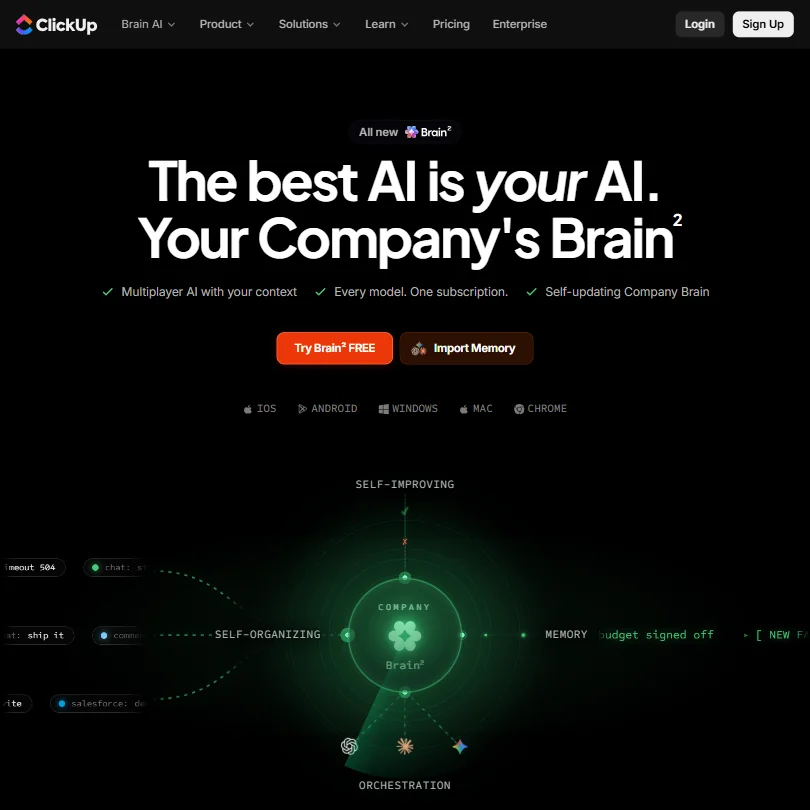
A multiplayer AI that routes work across multiple frontier models, GPT, Claude, and Gemini, using organizational context from tasks, docs, and chats all at once. That's the pitch that separates it from a writing assistant. It's not trying to draft your emails. It's trying to know your company well enough to act on its behalf.
The "multiplayer" framing is deliberate. Brain² is designed for teams, not individuals, and ClickUp's 10 million user base is the target. If your organization already runs projects, communications, and documentation inside ClickUp, Brain² is supposed to be the AI layer that already knows everything those teams have built. That context-first design is either a genuine differentiator or a very good story. Possibly both.
It doesn't make sense as a standalone tool. Worth stating upfront.
ClickUp Brain² Features: Automation, AI Assistant & Workflow Capabilities
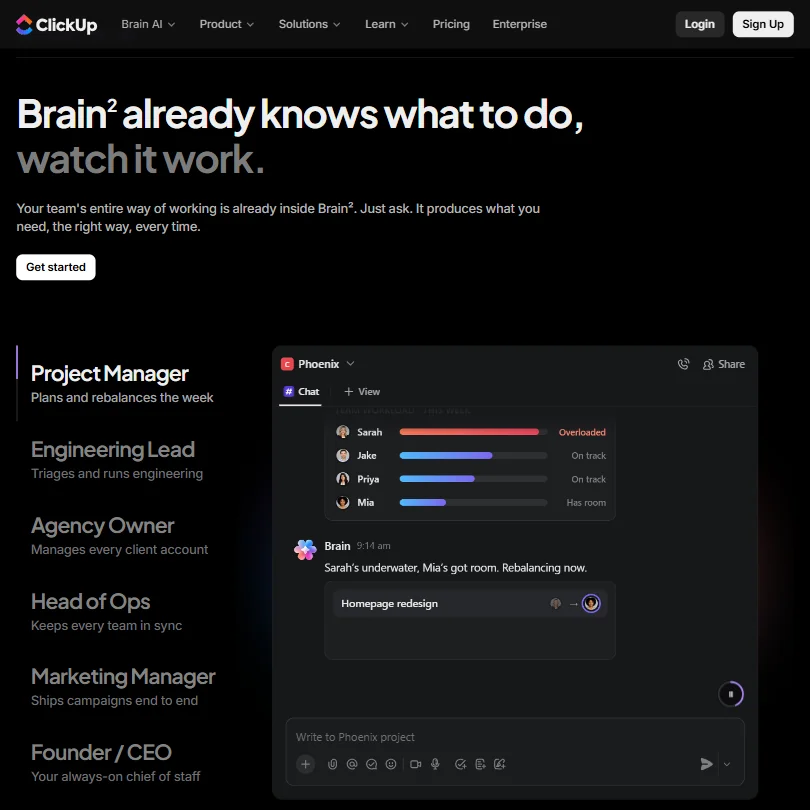
Autopilot Agents are what ClickUp leads with in documentation, and that's probably the right call. These aren't simple trigger-and-action automations. They're configurable agents designed to take over full workflows. AI Assign and AI Prioritize handle task routing, and AI Time Blocking specifically drew consistent attention in project management threads we cross-referenced across G2 and Reddit.
AI Notetaker joins calls without per-meeting configuration, transcribes, and drops action items directly into your ClickUp workspace. That's meaningfully different from a standalone notetaker like Fathom AI Notetaker, which does the recording job well but carries none of the surrounding project context with it.
Brain² will also write docs and generate slides from a single prompt. It parses CSV files and exports charts. Useful if you're already deep in the platform. Not a migration reason if you're not.
The Everything AI plan, at $33 per user per month on monthly billing, includes Unlimited Image Generation alongside Unlimited AI Automations and Dashboards, and bundles 5,000 AI Super Credits per user per month specifically for Super Agents. Brain AI at $14 per user per month gets you 1,500 credits and the core assistant features. Enterprise Search is the feature we kept returning to in our research, indexed at workspace level on Brain AI and extended to private sources on Everything AI. The idea is that you ask "what did we decide about the Postgres migration?" and get an answer assembled from a Slack thread, a ClickUp doc, and a GitHub comment simultaneously. That cross-source retrieval is where the product has real potential. The reliability of that retrieval at scale is something we'd need hands-on time to assess properly.
Honestly, the feature count is exhausting. Most teams will touch maybe half of it.
ClickUp Brain² AI Quality: How Smart and Useful Is the Assistant?
The multi-model routing is the central claim. ClickUp's own routing layer supposedly selects between GPT, Claude, and Gemini based on what the task actually requires, which means you're theoretically getting the strongest available model for each job rather than one provider's ceiling on everything.
We can't validate that directly. What we can say is that the architecture is described with enough technical specificity to be plausible rather than pure marketing copy.
The "personality learning" angle is murkier. That's the kind of adaptive-AI claim that tends to be more aspirational than functional until months of real use have accumulated, and it's hard to verify from documentation and community threads alone. We're skeptical of that one until we see it demonstrated over time.
What we kept seeing in 2025 Reddit threads was a consistent pattern. ClickUp's AI features land well early, then run into friction as workflows get more complex and edge cases pile up. That tracks. It's not unique to ClickUp either. Most AI tools have a strong demo and a harder reality six weeks in.
The self-improving memory design makes theoretical sense. Organizational context compounds over time, and the AI is supposed to get more useful as more of that context accumulates. That's also an argument for patience during early adoption, before the system has much to work with. Not a flaw. Just a reality to factor in.
ClickUp Brain² Integrations: What Does It Connect To?
The native integration list is wide. On the development side, GitHub feeds PR activity and branch merges into Brain²'s context engine, not just ClickUp tasks. That matters for engineering teams in a way that generic integrations don't. Salesforce pulls in deal data, which means revenue context sits alongside project status rather than in a separate silo.
Gmail and Outlook are covered for email context. Slack threads get indexed alongside everything else. Beyond those, ClickUp offers its own API and Zapier support for gaps the native list doesn't cover.
The real question is context fidelity across sources. When Brain² pulls from a Slack thread and a Google Drive doc at the same time, does the assembled answer actually hold together? Documentation says yes. User reports from teams running it at any real scale are more mixed, and that's the honest read from what we aggregated.
We've seen worse integration coverage in this category. This one holds up on paper.
Is ClickUp Brain² Easy to Use?
ClickUp has a long, well-documented history of being powerful and confusing at the same time. That's not new information. The platform tries to do everything, and the interface has always reflected that ambition in ways that aren't always kind to new users.
Brain² doesn't fix the underlying complexity. It layers AI on top of a platform that many users already find overwhelming. Reddit complaints from the past two years are consistent on this: new users spend significant time learning ClickUp before they can use Brain² effectively at all.
Ease of use is the lowest-performing dimension across our aggregated research, and it isn't close. The AI features are coherent in isolation. The onboarding cost for the full platform is steep enough that smaller teams without a dedicated ops person frequently stall out.
Teams already living in ClickUp will find Brain² a natural extension. Teams arriving fresh should budget real time for the platform itself before Brain² becomes useful. That's our honest concern, and it's based on enough consistent feedback to take seriously.
ClickUp Brain² Pricing: Is It Worth It vs Free Alternatives?
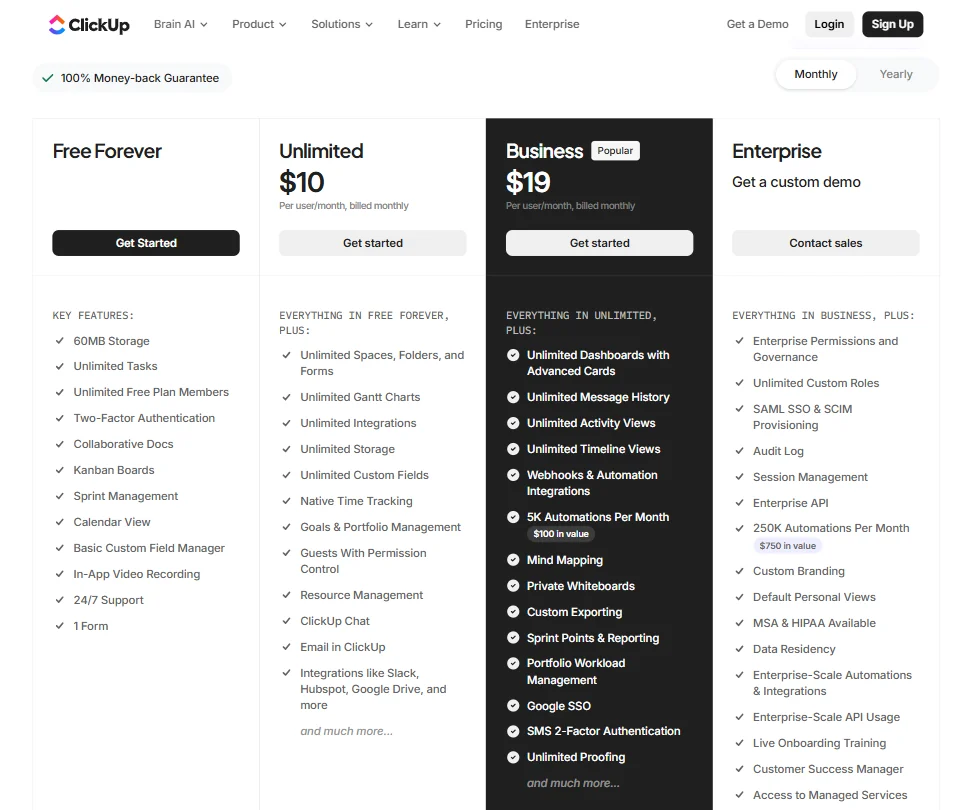
The Free Forever plan exists and includes trial access to Brain features. Reasonable evaluation path before committing money. Beyond that, Brain AI runs $14 per user per month on monthly billing, or $9 per user per month on annual, and Everything AI sits at $33 per user per month on monthly billing. Both paid plans carry AI Super Credits, 1,500 per user per month on Brain AI and 5,000 per user per month on Everything AI, priced at $0.001 each, or $10 per 10,000 credits if you need more.
The Everything AI plan is the one ClickUp marks as recommended, and for teams that need Unlimited AI Automations alongside the full Autopilot Agent suite, the math against stacking a separate project management tool, a standalone AI assistant, and a meeting notetaker is genuinely not outrageous.
Notion AI's core features are now bundled with the $20-per-seat Business plan, while Custom Agents use separate credit-based pricing. ClickUp's bundled approach competes directly with that structure, and for teams that need the automation depth, it holds up on value.
ClickUp claims Brain² costs 85% less than running equivalent tasks through standalone LLM subscriptions. We don't buy that as an audited figure. Directionally, bundling multiple AI functions under one subscription is genuinely cheaper than stacking them. As a precise number, it's marketing math.
The refund policy isn't publicly stated. Minor annoyance.
ClickUp Brain² vs Notion AI: Which Productivity Tool Wins?
Notion AI lives inside a doc-and-database tool. It works best when your team's knowledge already lives in Notion pages, and for that use case it's genuinely good. Brain² is trying to do something wider, indexing tasks, chats, meeting notes, and external tools all at once rather than just the documents your team has written.
That cross-source context is the real argument for Brain² over Notion AI, assuming the retrieval layer actually delivers on it. For teams running complex projects with engineering activity, sales context, and cross-functional communication happening simultaneously, ClickUp's architecture is the more credible choice. For teams that mostly work in documents and databases, Notion AI probably covers enough ground at a lower adoption cost.
Asana's AI remains closely tied to structured work management, but its newer AI Teammates also use shared organizational context and execute cross-team workflows. Worth acknowledging. The gap between Asana and ClickUp Brain² is narrower than it used to be, though ClickUp's multi-model routing and meeting intelligence still represent a wider scope.
Microsoft Copilot is the other name worth mentioning. It has the structural advantage of sitting inside tools most enterprise teams already use daily, and that's a real edge Brain² can't match without those same native touchpoints.
Different bets. Fair.
Who Should Use ClickUp Brain²? (And Who Shouldn't)
Teams already inside ClickUp. That's the clearest answer our research produces. If your organization already runs projects, docs, and communication on ClickUp, Brain² is a meaningful upgrade and the pricing math works.
Engineering teams with active GitHub workflows have the most direct integration value. Project managers running sprint reviews and workload rebalancing have the clearest automation gains from AI Assign and AI Prioritize. Revenue teams that want Salesforce deal context sitting alongside project status have a use case here that competitors don't cover as cleanly.
Solo users. Thin context means thin results, and Brain²'s value compounds with team size and platform depth. One person's workspace doesn't give the system much to work with.
Small teams arriving fresh to ClickUp face the steepest path to getting value from Brain². The platform learning curve is real, and it will absorb productivity gains before Brain² has a chance to deliver them.
If meeting notes are the specific pain point rather than the full project workflow problem, something like Read AI is a leaner path. No platform adoption cost, just better meetings. Not every team needs the whole stack.
ClickUp Brain² Review Verdict
The multi-model routing, the cross-source context engine, and the Autopilot Agents together make a case that's harder to dismiss than the average "we added AI" announcement. This is a coherent architecture, not a feature badge.
It also carries the ClickUp complexity tax. That's not new, and Brain² doesn't change it. Teams with the ops maturity to adopt the platform properly will find the payoff real. Teams looking for something deployable in an afternoon will run into the same wall that ClickUp users have always described.
The multi-model architecture and organizational memory features are the strongest reasons to take this seriously, alongside the automation depth that runs from AI Assign through to Enterprise Search with private source indexing on the Everything AI plan. That combination is genuinely hard to match inside a single subscription at $33 per user per month, or closer to $14 if you don't need the full agentic suite.
The pricing is reasonable for what's included. The ease-of-use gap is documented and consistent. The AI quality claims are plausible but unverified by us directly, and we'd want extended hands-on time before calling them fully credible rather than well-constructed marketing.
We recommend it for teams that fit the profile. For everyone else, pump the brakes.
Frequently Asked Questions
Does ClickUp Brain² work as a standalone AI tool, or do I need the full ClickUp platform?
It requires the full ClickUp platform. Brain² draws its intelligence from existing ClickUp data, tasks, docs, and chats, so the more of your work that already lives inside ClickUp, the more useful it becomes. Running it on an empty workspace is roughly like asking someone to summarize a meeting they weren't invited to. The Free Forever plan gives you a starting point, but the AI value scales with platform depth.
How does ClickUp Brain² choose which AI model to use for a given task?
ClickUp's documentation describes a proprietary routing layer that selects between GPT, Claude, and Gemini based on the nature of each request. The design premise is that different models handle different task types better, and Brain² is supposed to direct each job to the best fit automatically. We haven't observed the routing logic ourselves. It's one of the things we'd want to watch over extended use before calling it fully validated.
Is ClickUp Brain² worth it compared to just using ChatGPT or Claude directly?
Depends entirely on where your work lives. A general-purpose model like Claude is excellent for standalone tasks, and if your workflows aren't inside ClickUp, it's almost certainly the cleaner choice. Brain²'s argument is that context makes AI dramatically more useful, and context means your actual tasks, decisions, and communications rather than whatever you paste into a chat window. For teams running their operations inside ClickUp, that argument is genuinely compelling. For everyone else, the standalone models are probably enough.





