
Every score is worked out from the vendor's own pages · How we score →Disclosure
SAASINSPECTOR
CyberLink PowerDirector logo

CyberLink PowerDirector Review

As a professional video editor, CyberLink PowerDirector generates new footage via cloud AI models, dubs audio into other languages, and reframes clips to vertical or square automatically. It runs on Windows and Mac, with proxy editing, called shadow files, for smoother playback, and sells both a subscription and an outright licence.

Visit CyberLink PowerDirector →From $24.99/mo

Research-based review. Features and prices are checked on the vendor's own website, and the score is worked out from those facts. We haven't tested it hands-on yet.

The verdict

CyberLink PowerDirector suits solo editors who want AI dubbing and generative footage tools without a shared-project workflow; like Filmora, it also sells a one-time licence alongside the subscription.

Pros

  • AI Voice Translator dubs a video's audio into other languages with matched lip sync, and AI Object Mask isolates a subject across a scene.
  • A one-time PowerDirector 2027 licence is available alongside the subscription editions.
  • A separate free app, PowerDirector Essential, gives a no-cost basic editor to start with.
  • A bundled stock library of Getty Images footage and the Meta Sound Collection is pre-cleared for commercial and personal use.

Cons

  • It has no node- or layer-based compositing system; it offers chroma-key keying and motion graphics titles instead.
  • It has no shared-project collaboration feature for editing with other people.
  • Its colour tool offers auto correction, Color Match and LUT import, not a grading tool built on video scopes.
From $24.99/moFree plan Yes
6.6/10

Spec Score

CyberLink PowerDirector against 10 professional video editors
#7
of 10 professional video editors
-0.6
vs the average
100%
from published facts
Ahead of other professional video editors
AI in the editor+4.5Privacy and support+1.2
Behind other professional video editors
Pro editing-2.8Workflow and teams-1.7Pricing-0.9
Every criterion
Tap a row for the facts
Pro editing4.8
-2.8 vs 7.6 avg14.4 of 30 points
Colour grading with scopesno0 / 1.8
Multicam editingyes1.5 / 1.5
HDR editing and exportyes1.3 / 1.3
Camera raw videono0 / 1.3
Compositing and effects in the same appno0 / 1.3
Proxy editingyes1 / 1
Motion trackingyes1 / 1
Third-party pluginsno0 / 1
Why these numbers

Colour grading with scopes: Checked features and specs pages for colour wheels/curves and scopes (waveform, vectorscope); only one-click auto colour correction and LUT import were found, no dedicated grading tool with scopes.

HDR editing and export: Imports and exports HDR10/HLG.

Camera raw video: Supports standard Apple ProRes import, not a camera raw format; no ProRes RAW, Blackmagic RAW, R3D or ARRIRAW mentioned on the specs page checked.

Compositing and effects in the same app: Has chroma-key keying and Motion Graphics Title, but no node or layer compositing system or 3D title/compositing suite was found; checked features and pricing comparison pages.

Proxy editing: QC 2026-09-26: was false after checking only marketing pages. The PowerDirector 365 help (General Preferences) documents shadow files, CyberLink's name for proxies.

Third-party plugins: Checked features and specs pages for third-party plugin or OpenFX support; none found. Specs page mentions an internal "AI Plugin" GPU requirement, which is CyberLink's own AI runtime component, not a third-party plugin system.

AI in the editor10.0
+4.5 vs 5.5 avg15 of 15 points
Generates new frames or footageyes2.3 / 2.3
Edit the video by editing its transcriptyes2.3 / 2.3
Masks a person or object by itselfyes1.8 / 1.8
Translates captions or audioyes1.5 / 1.5
One-click dialogue clean-upyes1.3 / 1.3
Reframes to vertical or square by itselfyes1 / 1
Why these numbers

Generates new frames or footage: Runs via third-party cloud AI models (named Gemini Omni, Wan 3.0, Seedance, Veo, Kling in the AI Model Lab) inside the editor, not a local model; no dedicated clip-extend tool found, only new-footage generation.

Translates captions or audio: Dubs the video's audio into another language; feature is named AI Voice Translator.

Workflow and teams3.2
-1.7 vs 4.9 avg4.8 of 15 points
Several editors on one projectno0 / 4
Where it runswindowsmac2.5 / 3.5
Scripting or workflow APIno0 / 1.8
Built-in stock mediayes0.8 / 0.8
Why these numbers

Several editors on one project: Checked overview, features and pricing pages for a shared workspace or multi-user collaboration feature; none found. Single-user desktop licence/subscription only.

Where it runs: Windows is the primary product in scope; PowerDirector 365 for Mac is CyberLink's own separate product page for the Mac version.

Scripting or workflow API: Checked overview and support pages for a public API for creating or editing videos; none found. FaceMe SDK/API is a separate CyberLink enterprise product, not PowerDirector.

Built-in stock media: 365 subscription; Getty download allowance vs unlimited depends on plan.

Pricing7.4
-0.9 vs 8.3 avg22.2 of 30 points
Cheapest way to pay, monthly$24.993.5 / 6
Free edition you can keep usingyes1.8 / 1.8
Sells a licence you own outrightyes1.8 / 1.8
Free trialdoes not applyn/a
Why these numbers

Cheapest way to pay, monthly: Cheapest paid recurring plan. PowerDirector Essential is free but is CyberLink's separate basic app, not part of this record's paid ladder.

Free edition you can keep using: Separate free app from CyberLink, distinct from the PowerDirector 365/2027 record; not the same download as the paid product's trial.

Sells a licence you own outright: PowerDirector 2027 edition; PowerDirector 365 and Director Suite are subscriptions only.

Privacy and support10.0
+1.2 vs 8.8 avg10 of 10 points
Does not train AI on your videosdoes not applyn/a
SOC 2does not applyn/a
GDPRdoes not applyn/a
Ways to reach supportphoneemailcommunity3 / 3
Why these numbers

Ways to reach support: Support Center also lists a Community/Member Zone; email is via a support ticket/contact form. No live chat found.

yesnonot published average for professional video editors
How the Spec Score works

Scored from what CyberLink PowerDirector publishes on its own site. Not a hands-on test.

Compared with 10 professional video editors. Facts checked 26 Sep 2026.

A fact the vendor does not publish gets half the points, or the typical value for a number, and says so. It never counts as a no. How we score.

CyberLink PowerDirector is a desktop video editor for Windows and Mac, sold as the PowerDirector 365 subscription, a one-time PowerDirector 2027 licence, or a bundled Director Suite with two other CyberLink apps. What decides whether it suits you is whether you need a node-based compositing tool or colour grading with scopes, since it offers neither, alongside how you want to pay for it.
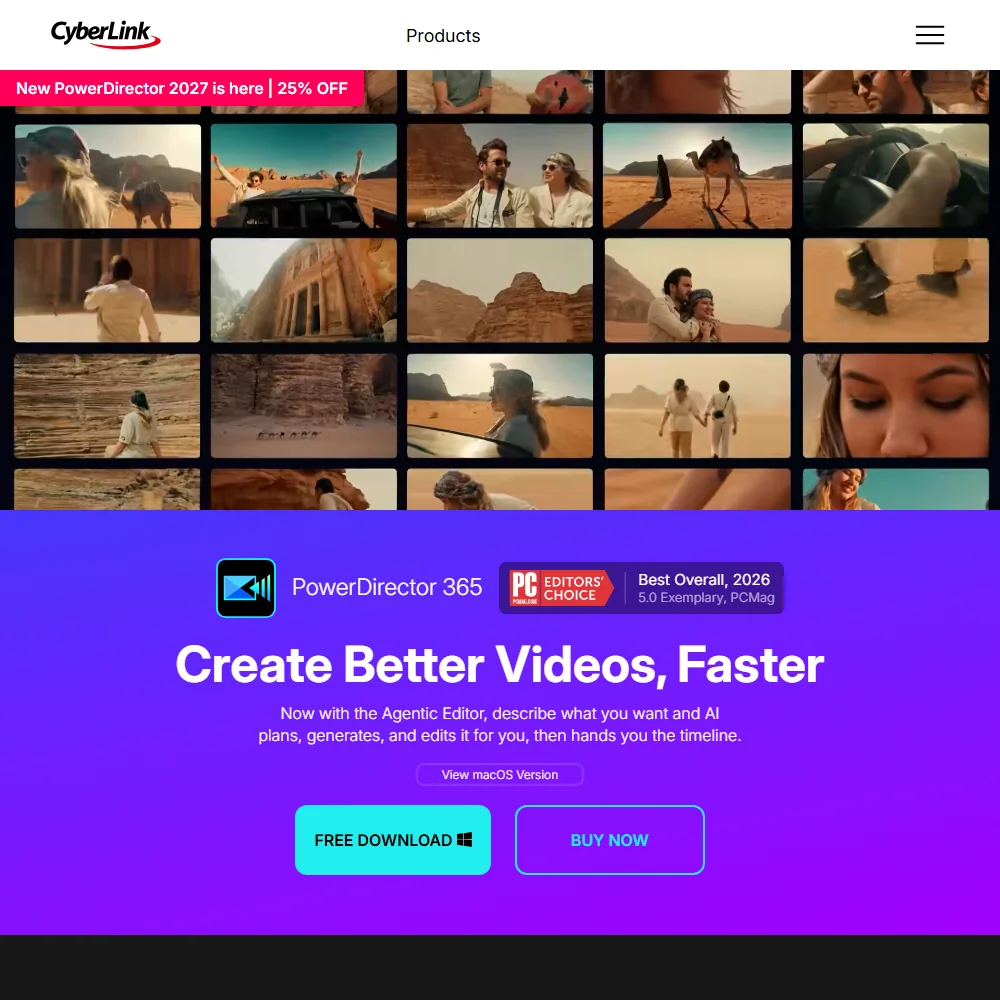
CyberLink PowerDirector homepage screenshot
CyberLink PowerDirector, Homepage

What is CyberLink PowerDirector?

PowerDirector is made by CyberLink. It installs on Windows and Mac. There is no browser version: editing happens in the desktop app, on your own machine. A separate free app called PowerDirector Essential is CyberLink's own no-cost basic editor.

Editing in PowerDirector
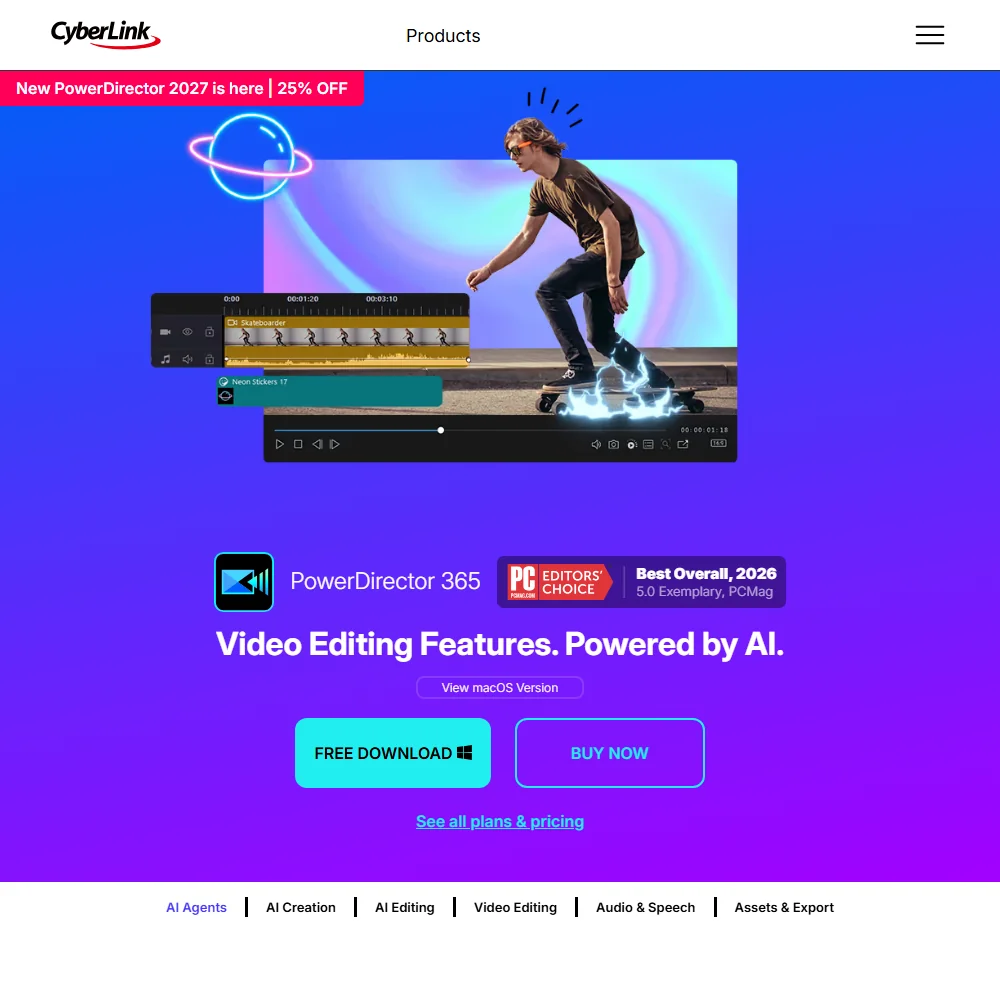
CyberLink PowerDirector features screenshot
CyberLink PowerDirector, Features

Editing covers multicam production through a MultiCam Designer, plus AI Motion Tracking that follows objects frame by frame. For colour, PowerDirector offers Color Enhancement for automatic colour correction and contrast adjustment and Color Match, rather than colour wheels, curves or video scopes. It imports and exports HDR10 and HLG. A shadow files option, CyberLink's name for a proxy workflow, speeds up editing of high-resolution and 4K video.

Chroma-key and green-screen keying with multi-key colour sampling run inside the app, alongside AI Object Mask for isolating an object across a scene. It has no node- or layer-based compositing system, and its import codecs do not include a camera raw video format.

What the AI does

AI Speech To Text Transcription generates captions in multiple languages, and AI Text-Based Editing lets you cut a video by deleting its transcribed text. AI Voice Translator dubs a video's audio into other languages with matched lip sync. AI Text to Speech and Voice Cloning generate narration, including a cloned version of your own voice for a consistent voice across a project. AI Creation generates videos, images and audio from a prompt, comparing several third-party AI models inside an AI Model Lab rather than running a model of CyberLink's own. AI Audio Denoise removes unwanted noise in one click, and Auto Reframe keeps a subject centred when a whole project is reshaped for another aspect ratio.

Working with other people

A stock library of Getty Images footage and the Meta Sound Collection is bundled with PowerDirector 365, pre-cleared for commercial and personal use. Brand Kits are available for reusing a saved look across projects. PowerDirector runs on Windows and Mac. It has no shared-project collaboration feature and no public API.

CyberLink PowerDirector pricing: what you actually pay
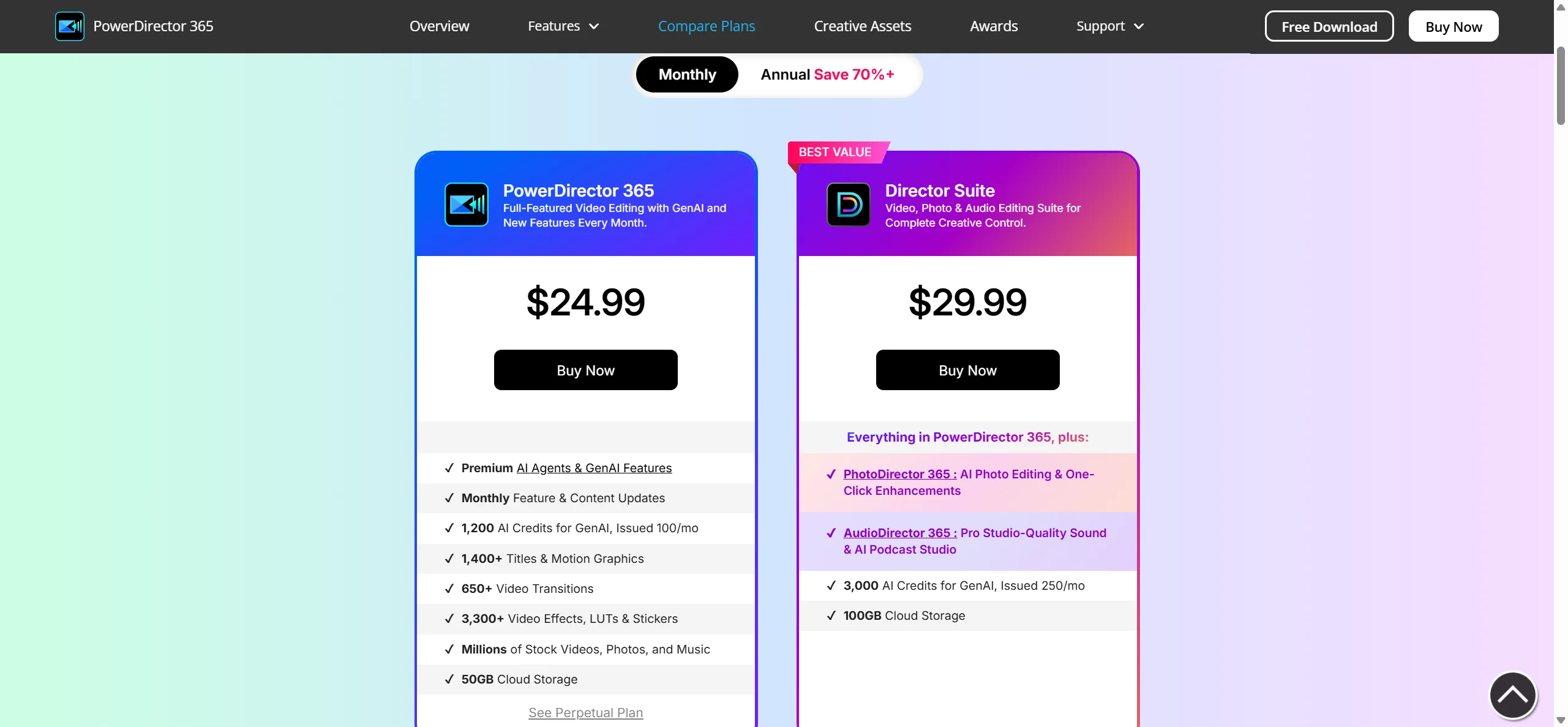
CyberLink PowerDirector pricing screenshot
CyberLink PowerDirector, Pricing

PowerDirector 365 is billed monthly at $24.99 or annually at $79.99 a year. Director Suite, which bundles PowerDirector 365 with PhotoDirector 365 and AudioDirector 365, is billed monthly at $29.99 or annually at $149.99 a year. Both are subscriptions with no stated trial length. A one-time PowerDirector 2027 licence costs $139.99 and is described as a full editor with core AI and generative AI features, billed once with no monthly updates. The free PowerDirector Essential app is CyberLink's separate, no-cost basic editor rather than a limited trial of PowerDirector 365.

Privacy and support

PowerDirector edits on your own machine, so your footage stays local; a CyberLink Account and cloud storage are used for the 365 subscription's premium content, not for the editing itself. CyberLink names an EU representative for data protection in its privacy policy. Support runs through phone, email and a community area.

Who PowerDirector suits

PowerDirector suits editors who want a named set of AI tools such as AI Voice Translator, AI Object Mask and AI Creation's model comparison, and who are comfortable with a subscription for most editions or a one-time PowerDirector 2027 licence for the rest.

It suits less well anyone who wants colour grading with scopes, a node-based compositing tool, or a shared-project workflow for editing with other people, since it offers none of these.

How CyberLink PowerDirector compares

CyberLink PowerDirector scores 6.6 out of 10 among the professional video editors we rate. These three do the same job and are the closest to it, compared on what each vendor publishes.

6.6CyberLink PowerDirector
vs
8.6Filmora

Filmora

CyberLink PowerDirector's monthly plan is $24.99 a month, alongside a separate free app and a one time purchase edition. Filmora also gives you a free tier plus a Perpetual one time licence, but sells its AI features as credits bought apart from the plan. Filmora grades colour with a full set of video scopes; PowerDirector has no scopes and relies on one-click auto colour correction and LUTs. Both dub translated audio into the video and generate new AI footage.

Pick Filmora if you want colour scopes and built in compositing tools.
Pick CyberLink PowerDirector if you already want a one time purchase edition and cloud AI models.

CyberLink PowerDirector vs Filmora →
6.6CyberLink PowerDirector
vs
8.0Adobe Premiere

Adobe Premiere

Adobe Premiere costs $22.99 a month on the annual plan with a 7 day trial, and never sells a perpetual licence. CyberLink PowerDirector costs $24.99 a month, but does sell a one time purchase edition and runs a separate free app. Premiere adds colour scopes, camera raw import and Frame.io collaboration for several editors on one project, none of which PowerDirector has. PowerDirector answers with cloud AI models that generate new footage and dub translated audio.

Pick Adobe Premiere if you need colour scopes, camera raw and multi editor collaboration.
Pick CyberLink PowerDirector if you want a one time purchase edition and cloud AI dubbing.

CyberLink PowerDirector vs Adobe Premiere →
6.6CyberLink PowerDirector
vs
7.9Vegas Pro

Vegas Pro

Vegas Pro sells as a yearly subscription or a one time outright purchase, with a 15 day trial and no free tier that never expires. CyberLink PowerDirector costs $24.99 on its monthly plan and also offers a separate free app and a one time purchase edition. Vegas Pro covers colour grading with wheels, curves and a full scope set, camera raw import and a scripting API, none of which PowerDirector has. PowerDirector instead generates new AI footage from cloud models and dubs translated audio.

Pick Vegas Pro if you want colour scopes, camera raw and a scripting API.
Pick CyberLink PowerDirector if you want a free app plus cloud AI footage generation and dubbing.

CyberLink PowerDirector vs Vegas Pro →

Frequently Asked Questions

How much does PowerDirector cost?

PowerDirector 365 is $24.99 a month or $79.99 a year. A one-time PowerDirector 2027 licence is $139.99, and the free PowerDirector Essential app is CyberLink's separate no-cost basic editor.

What machines does PowerDirector run on?

PowerDirector installs on Windows and Mac.

Does PowerDirector do colour grading?

Not in the scopes-and-wheels sense. It offers Color Enhancement for automatic colour correction, Color Match, and LUT import, without a dedicated grading tool built on video scopes.

Does PowerDirector keep my footage private?

Yes, editing runs on your own machine. A CyberLink Account and cloud storage cover the 365 subscription's premium content, and CyberLink names an EU representative for data protection in its privacy policy.


CyberLink PowerDirector is featured in

Alternatives to CyberLink PowerDirector

Other AI Video Tool options we've reviewed.

HeyGen logo

HeyGen

Solo creators and advanced individuals creating AI videos at scale

8.9
Rank #2 of 8 AI avatar video tools
Best:Avatars10
Weakest:Pricing6.9
Free plan: yesFree trial: noAPI: yes
From $29Free plan
95% from published facts · checked 16 Sep
→
Riverside logo

Riverside

Podcast and video recording, live streaming, and webinars

8.4
Rank #2 of 8 AI video editors
Best:Recording10
Weakest:Pricing6.9
SOC 2: yesRecords remote guests on separate tracks: yes
From $24Free plan
100% from published facts · checked 15 Oct
→
Adobe Firefly logo

Adobe Firefly

Creative Cloud users who want generation inside the apps they already use, from a vendor that does not train on their content

8.1
Rank #1 of 7 AI image generators
Best:Rights and privacy9.2
Weakest:Openness and support3
Weights published under a named licence: noDoes not train on what you make: yes
From $9.99Free plan
78% from published facts · checked 8 Oct
→
Creatify logo

Creatify

Creators and solopreneurs

6.4
Rank #4 of 6 AI ad video tools
Best:Making the ad7.5
Weakest:Assets and teams4.5
SOC 2: yes
From $39Free plan
91% from published facts · checked 16 Sep
→
Kling AI logo

Kling AI

Filmmakers, content creators, and creative professionals seeking high-quality AI video and image generation with cinematic control

8.9
Rank #2 of 8 AI video generators
Best:What it can generate9.8
Weakest:Privacy and platforms3.2
Does not train AI on your videos: no
From $8.80Free plan
94% from published facts · checked 28 Oct
→
Krea logo

Krea

Designers who want one of the broadest model menus, plus a node canvas, an AI agent and an API

9.4
Rank #1 of 13 multi-model AI platforms
Best:For video10
Weakest:Privacy and trust7.2
SOC 2: yesOffers Veo 3.1: yesOffers Nano Banana Pro: yes
From $9Free plan
93% from published facts · checked 28 Oct
→

User reviews

Review CyberLink PowerDirector

Your rating

Reviews are moderated and appear once approved.