Google's move into AI design tooling has been quiet but deliberate. Stitch evolved from Galileo AI after Google acquired the product in 2025, launched publicly at Google I/O that May, and has been accumulating a thin but readable review trail ever since. We've pulled from vendor documentation, Product Hunt threads, and early Reddit chatter. No hands-on testing. What we kept seeing is a tool that knows exactly what it is and mostly delivers on it.

What is Stitch?
Web-based. Lives at stitch.withgoogle.com. The entire product is built around a single workflow: describe a UI screen in text, receive a UI screen, export it to Figma. No logo tools. No brand kits. No social asset generators. Just screen generation, powered by Google's Gemini model.
Stitch received a major AI-native canvas redesign in March 2026, followed by real-time design updates at Google I/O in May 2026. That second wave added a real-time streaming AI agent and multi-user collaboration, which is when it started looking like something a small product team could actually share. Before that it was a solo instrument. The shift from single-user generation to collaborative canvas is the most significant thing Google has done with it so far, and it happened fast.
The target user is a developer or designer who needs app screens on a canvas before the next standup. Not polished. Not branded. Just there.
Stitch Features: Logo, Graphics, UI & Brand Design Capabilities

No logo generation. No print output. No Adobe export path. If that's what you need, wrong tool.
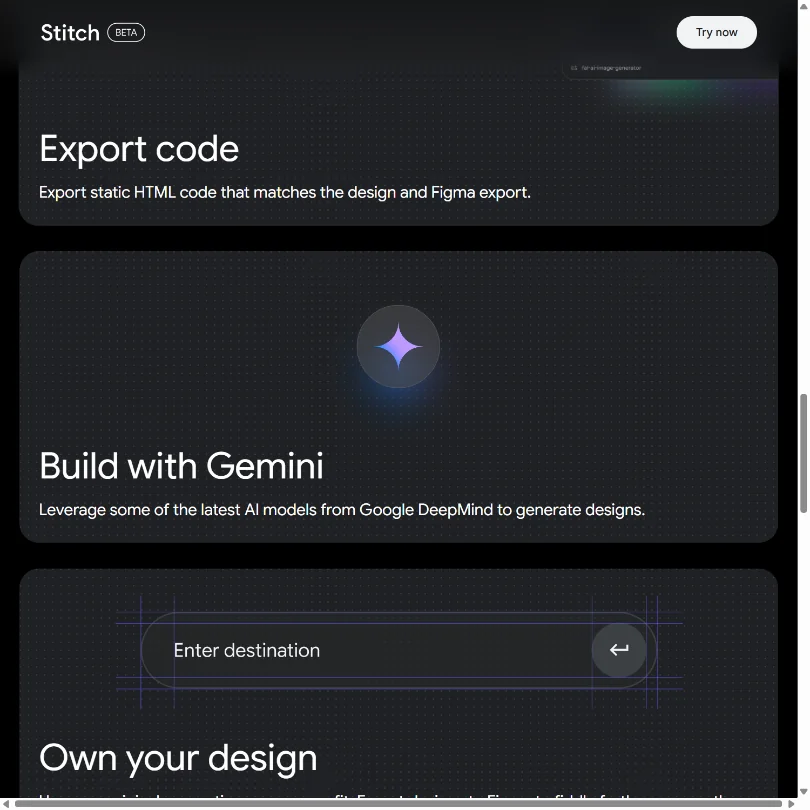
What it does: prompt-to-UI generation for mobile and web screens, multiple design variants from one prompt, and voice input. The AI handles component generation and also returns production-ready HTML and CSS alongside the visual output. That last part is underrated in early coverage.
The native Figma export is what people keep coming back to in community threads. One action and generated screens appear in Figma without redrawing or manual handoff. For anyone whose daily work lives inside Figma, that's genuinely useful. Honestly, it's the feature that makes the tool worth trying.
Multi-screen generation also arrived with the 2026 updates. Describe a flow, get multiple connected screens back, not just one isolated frame. That's a real step up.
What we couldn't confirm: API access, animation support, specific vector output options. The documentation doesn't address them, which suggests they're either not ready or not planned.
Stitch Design Quality: How Good Are the AI-Generated Results?
Hardest section to write without hands-on testing. We won't pretend otherwise.
The pattern across Product Hunt comments and early Reddit threads is consistent enough to trust. Stitch produces clean, functional-looking screens. Not breathtaking. Clean. Outputs read like solid mid-fidelity wireframes rather than finished product design. Components are consistent. Layouts follow recognizable UI logic. The Gemini model has a reasonable grasp of standard patterns.
Where things slip: complex or unconventional layouts don't always land on the first prompt. Users report needing two or three iterations to get something genuinely usable, which is not unusual for this category but worth knowing before you expect magic from prompt one.
We're cautiously positive. The quality sits above rough wireframe territory, but it's not replacing a senior product designer. For rapid early-stage mockups, it seems to do the job it's promising to do.
Stitch Templates & Assets: How Deep Is the Library?
Not deep. That's the short answer.
There's no template catalogue to browse. No shelf to pull components from. The asset library is whatever the AI generates in response to your prompt. Want a specific button style or input component, you describe it. You don't select it.
We cross-referenced homepage claims with what users describe in early threads. Nobody raved about asset depth. Nobody complained loudly either. Fair. That's probably intentional. Stitch is a generation tool, not a design system tool, and those are genuinely different things.
Anyone expecting something like Figma's community file library is going to find this sparse. Framer has a considerably deeper template offering for comparison.
Is Stitch Easy to Use for Non-Designers?
This is where Stitch earns real points. The interface is a text box and an output panel. Type, generate, export. The core workflow has essentially no learning curve.
Voice input is a nice addition. Not a core differentiator, but it signals Google is thinking about input speed and accessibility beyond keyboard-first users.
Developers specifically gravitate toward Stitch in the community discussions we tracked. The HTML and CSS output means they can take generated screens and actually build from them, skipping the design-to-code translation step entirely. That workflow is probably the strongest real-world use case here.
The multi-user collaboration added in 2026 is functional, but we couldn't find detailed user reports about how it holds up under real team conditions. Collaborative AI generation is technically tricky to do well. We'd want more evidence before calling it reliable.
Stitch Pricing: Is It Worth It vs Hiring a Designer?
Free. Completely free, as far as current documentation shows. Sign in with a Google account, start generating. No credit card, no trial clock.
There's no publicly listed paid tier. No enterprise page. Nothing suggesting what a premium plan might look like or whether one is planned. We looked. There wasn't much to look at.
At zero dollars, the value case is hard to argue with. Figma-ready UI screens from a text prompt at no cost is a meaningful offer, even with real limitations baked in. You're not replacing a designer's full engagement. You're accelerating the first hour of one.
The sustainability concern is real. Google has shut down free tools before, sometimes without much warning. Stitch is early, the company has enormous runway, and right now it's asking nothing of users. That's a good deal. Whether it stays that way is a separate question.
Stitch vs Galileo AI: Which AI Design Tool Wins?
Worth getting the history straight here. Galileo AI is not a current competitor. Google acquired Galileo AI in 2025 and Stitch is its direct successor. Existing Galileo users were migrated to Stitch. The G2 listing for Galileo has extremely limited review evidence and no current standalone pricing to compare against anything.
Uizard is the more useful comparison. Uizard leans harder on templates and guided flows, which makes it friendlier for users with no design instincts at all. Stitch rewards people who can think in UI terms, even roughly. Different crowds.
Locofy is a different category entirely. It converts existing designs into code. Stitch goes the opposite direction. Worth keeping separate in your head before you compare them.
Stitch wins on Figma integration speed and zero cost. Uizard wins on template depth and a longer review trail. For teams already inside Google Workspace, the Stitch workflow is probably too convenient to skip. For teams needing deeper customization from the first generation pass, Uizard likely has more flexibility right now. That tracks.
Who Should Use Stitch? (And Who Shouldn't)
Developers who need to visualize app flows before writing code. Clearest fit we found. The HTML and CSS output gives them something to actually work from.
Early-stage product teams of two or three people trying to align on a screen before a sprint. Stitch generates variants fast enough to make that conversation happen in minutes.
Freelance designers in initial client discovery. Generating a handful of layout options from a brief and exporting to Figma is a defensible workflow. Not a final deliverable, but a useful starting point.
Brand designers. Not here. No kit upload, no color palette enforcement, no consistency controls across generated outputs. If maintaining visual standards across a design system is the job, Stitch isn't built for it. Figma directly, or something with proper brand layer controls, is the right answer.
Marketing teams building social graphics or presentation assets are also in the wrong place. UI only. Full stop.
Stitch Review Verdict
Stitch does one thing with a reasonable amount of competence. Prompt in, UI out, Figma export done. The Gemini model produces screens that land somewhere between a rough sketch and a real mockup, clean enough to align a team, not polished enough to hand to a client untouched.
The limits are real. No template library worth mentioning. No brand tools. No confirmed API. Community is young enough that vendor documentation is often your only reference.
For a tool launched publicly in 2025 and substantially updated in 2026, that's a credible foundation by the standards of this category. We've seen paid tools with worse Figma integrations. We don't buy the idea that it replaces a designer, but we also don't think that's the pitch.
It's free, it's backed by Google, and it exports natively to Figma. If UI mockups are a regular bottleneck for your team, adding Stitch costs nothing to try. That's worth something.
Frequently Asked Questions
Is Stitch by Google actually free to use?
Yes, based on everything we've found. No paid tier is publicly listed. You sign in with a Google account and start generating screens without entering payment details. Whether that changes as the product matures is genuinely unclear. Enjoy the free access while the arrangement holds.
Does Stitch integrate with Figma?
Figma export is the headline integration and appears to be native and one-click from what Google's documentation describes. Users in early threads confirm it works and lands in Figma without manual reconstruction. Adobe XD export doesn't exist, so teams running Illustrator-centric workflows will need a workaround.
How does Stitch compare to Uizard for non-designers?
Both tools are accessible to non-designers, but they aim at different users. Uizard puts more weight on templates and guided flows, which makes it friendlier for people with no design background whatsoever. Stitch rewards users who can describe what they want in prompt form and think in UI terms, even loosely.
Developers and technical product managers tend to gravitate toward Stitch. Users with no technical frame of reference at all may find the handoff from Stitch outputs into Figma steeper than they expected. Not great for that specific audience.