Founded in 2017, San Jose-based Kommunicate has spent the better part of seven years building toward a single pitch: AI-driven customer support where humans stay in the loop. It delivers on some of its promises more clearly than others.
What is Kommunicate?
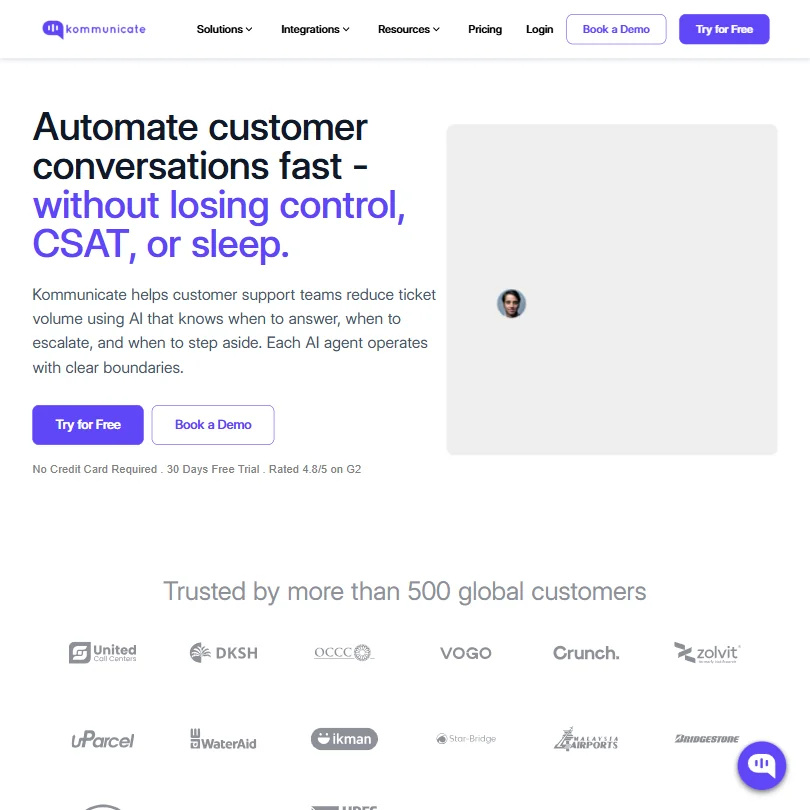
Not another black-box chatbot. Kommunicate positions itself as an AI customer service platform built for SMBs and mid-market support teams who want automation without surrendering control of the queue to a model they can't inspect or adjust.
The core setup is a no-code AI agent that handles repetitive queries upfront, then hands anything complicated to a human without losing the conversation thread. Model-agnostic by design. OpenAI, Anthropic, and Google Gemini all sit behind the same builder, and you can swap between them. That's genuinely rare. Most competitors in this space, Intercom and Freshchat included, are betting on a single provider and not advertising that bet.
Their global customer count sits around 500. Modest. Intercom has that beat by a wide margin. But Kommunicate isn't chasing that market. They're building for teams that don't have six months and don't want to hand their support queue to an AI they can't configure. Coherent positioning. Whether the product earns it is a different question.
Kommunicate Features: Chatbot, Helpdesk & Support Automation Breakdown

The no-code AI agent builder is the centerpiece. Point it at a URL or upload help docs, configure escalation rules, and you're mostly done. The documentation is cleaner than most competitors we've reviewed.
AI Email Automation and a Voice AI agent both appear on the Starter plan at $40 a month, which is rarer than you'd expect at that price. Agent Assist, the real-time suggestion tool for human agents during live conversations, is locked behind Professional at $200 a month. Worth knowing before the trial ends.
The human handoff logic is native, not bolted on via a third-party connector. When we cross-referenced docs with G2 reviews, reviewers in support roles confirmed that full conversation history moves with the ticket during escalation. Not always a given in this category. That tracks.
CRM connections are tiered in a way that will frustrate buyers. Zendesk and Freshdesk unlock at Professional. Salesforce and HubSpot are Enterprise-only, as is Zapier. API access also sits behind Professional. Honestly, Zapier at Enterprise is a squeeze, and we'd push back on that call without hesitation.
Kommunicate Bot Quality: How Well Does It Handle Real Customer Queries?
G2 reviewers consistently flag the bot as competent on structured, repetitive queries. FAQ lookups, status checks, and insurance queries come up as examples. The 90% automation rate Kommunicate cites from their Conte case study is real. It's also a cherry-picked use case with a well-defined query set, so don't expect that number to apply broadly.
Edge cases are where things get shakier. Ambiguous or unscripted queries expose how well the training data actually covers the product surface. That problem isn't unique to Kommunicate, every AI chatbot in this category has it, but Reddit threads from 2024 noted that when the bot fails, it doesn't always fail cleanly. It loops, or produces a confident wrong answer before escalating. That's a support team's nightmare.
The model-agnostic architecture is a real buffer. If OpenAI's current model starts hallucinating on your use case, you can switch to Anthropic. Most competitors don't offer that option. Not sure it's obvious from their marketing, but it should be.
Kommunicate Channel Coverage: Which Platforms Does It Support?
Wide. Web and mobile apps are covered via native Android and iOS SDKs. WhatsApp and Telegram are in. Instagram rounds it out on messaging, and email support is included too.
G2 reviewers skew toward the web widget and WhatsApp as the most commonly mentioned channels. The others appear less frequently in feedback, which could mean they work fine or could mean fewer teams are using them. Test WhatsApp and web first, then check the rest before relying on them.
Shopify isn't listed. Slack isn't either. E-commerce teams that depend on Shopify-native integrations will hit a real gap here, and there's no clean workaround below Enterprise tier once Zapier is locked out. Gorgias is built around that exact workflow and worth a look as an alternative.
Is Kommunicate Easy to Set Up and Manage?
Their own positioning says "live in days, not months." G2 reviewers in customer success roles backed that up more often than not. One reviewer noted an initial issue with mobile app integration, and G2's summary flags a learning curve on some advanced features. Fair. But there's no recurring pattern of complaints about setup specifically.
No community forum exists. No user community of any kind that we could find. For a tool where you're configuring AI behavior, that's a real gap when something breaks at an inconvenient hour. The help center covers documentation, videos, and case studies, but peer troubleshooting on edge cases isn't something you can replicate with a knowledge base alone.
Support tiers follow standard structure. Starter gets live chat and email support. Professional adds priority support. Enterprise gets SLA-backed coverage. That's fine. Just don't expect a Slack community of power users to help you debug a bot configuration at 9pm, because that community doesn't exist.
Kommunicate Pricing: Is It Worth It for Support Teams?
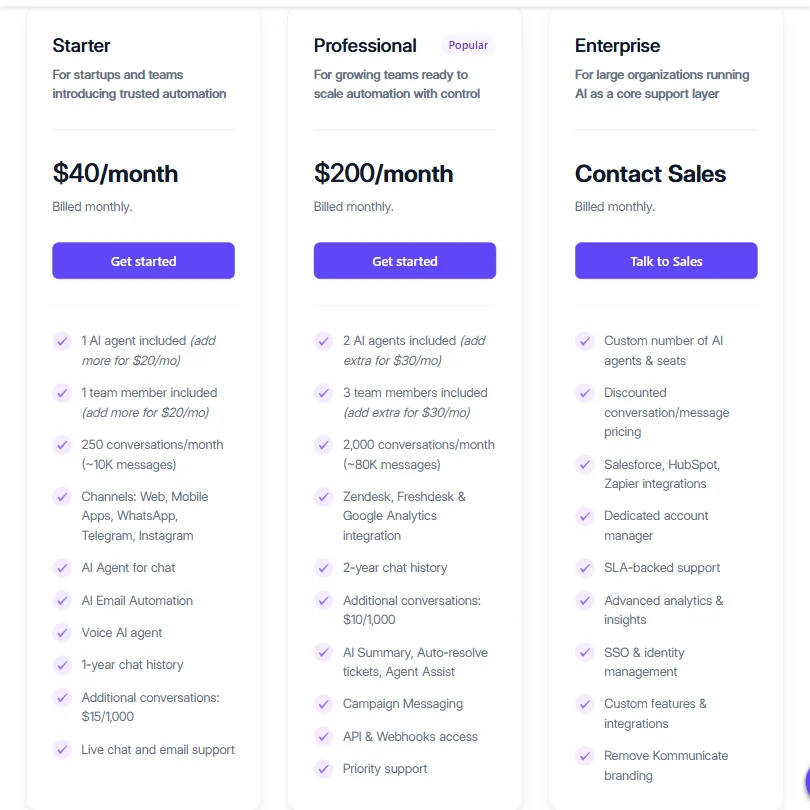
Starter is $40 a month, billed monthly. Professional is $200 a month. Enterprise is custom pricing via a sales call. No free plan. The 30-day trial requires no credit card, which is the right move for a tool that needs time to prove value.
Starter includes 1 AI agent, 1 team member, and 250 conversations a month, with additional conversations at $15 per 1,000. Professional steps that up to 2 AI agents, 3 team members, and 2,000 conversations a month. Additional conversations drop to $10 per 1,000 at that tier. Those are real differences, not cosmetic ones.
The $160 jump from Starter to Professional is steep, and most of the features that matter operationally, Agent Assist, CRM integrations, API access, and campaign messaging, live entirely behind that paywall. Starter is functional. It'll also push most serious support teams toward Professional within a few months. That's a pricing structure designed to upgrade you, not give you room to grow at your own pace.
Ask about the refund policy before you pay. If you commit annually and decide in month two it isn't working, you want to know your options. Raise it on a sales call before signing anything.
Kommunicate vs Intercom: Which Customer Service AI Wins?
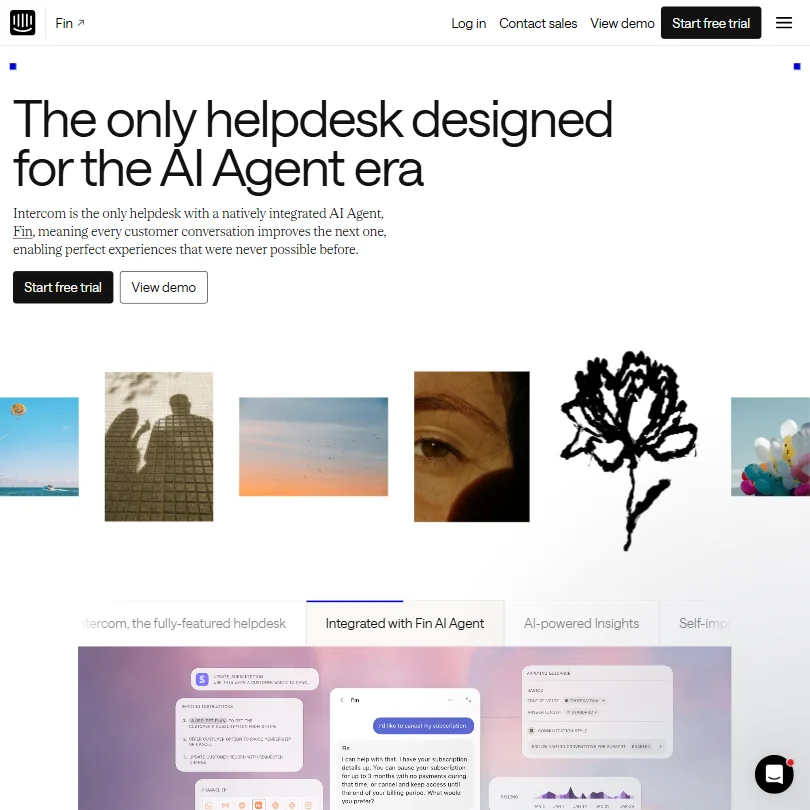
Intercom is the obvious comparison. Bigger brand, larger ecosystem, and substantially higher cost at scale. Kommunicate wins on price at the SMB level. It also wins on model flexibility, which Intercom doesn't offer.
Intercom wins on integration depth and reporting maturity. Intercom's analytics are considerably more detailed than what Kommunicate surfaces, and the reporting picture on Kommunicate is mixed. Some G2 reviewers praised the analytics dashboard, and one noted it improved after initially being limited. Others didn't mention it at all. Not a ringing endorsement either way. For enterprise-scale operations with complex support trees, Fin by Intercom is the more complete fit.
Freshchat is the closer price comparison. The meaningful difference is that Kommunicate's human handoff logic feels more deliberate and configurable. Freshchat's is functional but less granular from what we've seen in documentation and reviews. If your team's biggest fear is an AI agent confusing customers without a clean exit path, Kommunicate's escalation controls are better thought out.
Who Should Use Kommunicate? (And Who Shouldn't)
SMB and mid-market support teams handling high volumes of repetitive queries across chat and WhatsApp. That's the core fit. Specifically teams that need a human escalation path that doesn't break the conversation, and who want AI vendor flexibility built into the platform rather than locked to a single provider.
E-commerce teams dependent on Shopify. Not the right tool. The integration gap is real and Zapier is Enterprise-only, which closes the workaround route. Teams running support inside Salesforce or HubSpot should also proceed carefully, those connectors are Enterprise-only and require a sales conversation before you know the price.
Support teams that report weekly on deflection rates and CSAT trends will want to verify what the reporting dashboard actually surfaces before committing. The evidence suggests it's improved, but it's not a strength reviewers lead with. Verify on the trial before signing anything longer than a month.
Kommunicate Review Verdict
The handoff logic is real. The model-agnostic builder is a genuine differentiator, not marketing copy. The 30-day trial is generous, and the control-first approach will feel like a relief to any team that's been burned by an AI tool that answers confidently and wrong.
The weak spots are also real. Analytics won't satisfy teams with serious reporting requirements. The pricing gap between Starter and Professional is aggressive. Key integrations sit behind Enterprise pricing in a way that catches mid-market buyers off guard. And the missing refund policy is just poor form for a product asking for an annual commitment.
Solid mid-tier tool. Not a category leader, not trying to be. If control and handoff logic matter more to your team than raw integration depth, this is worth a serious trial run.
Frequently Asked Questions
Does Kommunicate have a free plan?
No permanent free tier exists. The 30-day free trial doesn't require a credit card, which is the closest you'll get to trying before buying. After that, the cheapest entry point is the Starter plan at $40 a month.
How does Kommunicate's human handoff actually work?
Native to the platform. No third-party integration required. When the AI agent hits a configured escalation trigger, whether that's a specific query type, a sentiment signal, or a direct customer request, the conversation routes to a human agent with the full chat history intact. G2 reviewers specifically called this out as working as described. Not something you can say about every tool in this category.
Which AI models does Kommunicate use?
Model-agnostic. OpenAI and Anthropic are the headline options. Google Gemini is available too. You choose the model that fits your use case, and you can switch if it stops performing. That operational flexibility is one of the stronger arguments for choosing Kommunicate over a competitor that locks you into a single provider and doesn't advertise that fact.