SAASINSPECTOR
Final Cut Pro logo

Final Cut Pro Review

Final Cut Pro is Apple's professional video editor for Mac, with a companion app on iPad. It covers multicam editing, curve-based colour grading, ProRes RAW and compositing, and the Mac app can still be bought outright.

Visit Final Cut ProFrom $12.99/mo

Research-based review. Features and prices are checked on the vendor's own website, and the score is worked out from those facts. We haven't tested it hands-on yet.

The verdict

Final Cut Pro suits editors working on Apple hardware who want a fast professional timeline they can own, and who do not need several people in the same project at once.

Pros

  • You can buy the Mac app outright for a one-time price instead of only subscribing.
  • Camera raw footage is supported through ProRes RAW, which Final Cut Pro can also color correct directly.
  • Magnetic Mask separates a subject from the background without a green screen or manual rotoscoping.

Cons

  • Final Cut Pro for iPad is a free download, but its full features need the Apple Creator Studio subscription rather than a one-time purchase.
  • There is no live shared-project collaboration between editors.
  • Final Cut Pro does not run on Windows or Linux.
From $12.99/moFree plan NoFree trial Yes
7.2/10

Spec Score

Final Cut Pro against 3 professional video editors
#3
of 3 professional video editors
-1.0
vs the average
100%
from published facts
Ahead of other professional video editors
Nothing clearly above the average
Behind other professional video editors
Workflow and teams-3.9AI in the editor-2.7
Every criterion
Tap a row for the facts
Pro editing10.0
+0.0 vs 10.0 avg30 of 30 points
Colour grading with scopesyes1.8 / 1.8
Multicam editingyes1.5 / 1.5
HDR editing and exportyes1.3 / 1.3
Camera raw videoyes1.3 / 1.3
Compositing and effects in the same appyes1.3 / 1.3
Proxy editingyes1 / 1
Motion trackingyes1 / 1
Third-party pluginsyes1 / 1
Why these numbers

Colour grading with scopes: Mac; also confirmed via the user guide's "Wide color gamut and HDR" and ProRes RAW color-correction sections.

Multicam editing: Mac. The iPad app's marketing page separately promotes "Live Multicam" camera capture syncing up to four iPhones/iPads, a different (capture-time) feature.

HDR editing and export: Mac.

Camera raw video: Names ProRes RAW specifically. Final Cut Camera (companion iPhone app) can also capture ProRes RAW per the main product page.

Compositing and effects in the same app: Layer/keyer-based compositing is inside Final Cut Pro itself per its own user guide. Deeper node-based 2D/3D motion graphics use the separate Motion app, bundled with Final Cut Pro in Apple Creator Studio and also sold/included as a Mac app; named in the note per the checklist rule.

Proxy editing: Mac; also "Optimize files. Transcode video to Apple ProRes for better performance while editing" on the main product page.

Motion tracking: Mac.

Third-party plugins: FxPlug third-party plug-in architecture.

AI in the editor4.0
-2.7 vs 6.7 avg6 of 15 points
Generates new frames or footageno0 / 2.3
Edit the video by editing its transcriptno0 / 2.3
Masks a person or object by itselfyes1.8 / 1.8
Translates captions or audiono0 / 1.5
One-click dialogue clean-upyes1.3 / 1.3
Reframes to vertical or square by itselfyes1 / 1
Why these numbers

Generates new frames or footage: Checked the product page and user-guide table of contents for a clip-extend or generate-new-footage AI feature; none found. Apple Intelligence features found are captions, transcript/visual search, Smart Conform reframing and Voice Isolation, not generation.

Edit the video by editing its transcript: Checked the user guide table of contents for a transcript/text-based editing section; none found (only Transcript Search, for locating footage, and automatic captions).

Masks a person or object by itself: Both Mac and iPad; iPad page notes exporting the project to Mac unlocks Magnetic Mask, implying it is a Mac feature reachable from iPad projects.

Translates captions or audio: Checked for dubbing or caption-translation; found only automatic captions and multi-language subtitle track support the user supplies, not automatic translation.

Workflow and teams3.2
-3.9 vs 7.1 avg4.8 of 15 points
Several editors on one projectno0 / 4
Where it runsmacios2.5 / 3.5
Scripting or workflow APIno0 / 1.8
Built-in stock mediayes0.8 / 0.8
Why these numbers

Several editors on one project: Checked the user guide table of contents for a shared-project/multi-user collaboration feature; none found (only "Share roles as files" for delivery, not live collaboration).

Where it runs: iOS entry represents the iPad app (iPadOS).

Scripting or workflow API: Checked the user guide table of contents and product page for a public API; none found (FxPlug is a plug-in architecture, not a video-creation API).

Built-in stock media: Royalty-free graphics/soundtracks library (via Motion content and Final Cut Pro's own titles/transitions/soundtracks library); premium content library is expanded for Apple Creator Studio subscribers.

Pricing7.2
+0.2 vs 7.0 avg21.6 of 30 points
Cheapest way to pay, monthly$12.995 / 6
Free edition you can keep usingno0 / 1.8
Sells a licence you own outrightyes1.8 / 1.8
Free trial30 days0.5 / 0.5
Why these numbers

Cheapest way to pay, monthly: Apple Creator Studio, the cheapest way to use Final Cut Pro. It also carries Logic Pro, Motion, Compressor, Pixelmator Pro and MainStage, so no sentence may put this figure beside the bare words Final Cut Pro without saying so. Buying the Mac app outright is US$299.99.

Free edition you can keep using: No free, non-expiring tier for Final Cut Pro for Mac. Final Cut Pro for iPad is a free download but full features need a paid subscription; app store listing (formattedPrice: Free) is a free download, not a feature-complete free plan.

Sells a licence you own outright: Mac only; the one-time purchase excludes some premium content that is subscriber-only under Apple Creator Studio. Final Cut Pro for iPad has no one-time-purchase option found, only the subscription.

Free trial: Same 30-day trial stated for the Apple Creator Studio subscription on the main product page: "You can try Apple Creator Studio free for 30 days."

Privacy and support10.0
+0.0 vs 10.0 avg10 of 10 points
Does not train AI on your videosdoes not applyn/a
SOC 2does not applyn/a
GDPRdoes not applyn/a
Ways to reach supportphonelive chatcommunity3 / 3
Why these numbers

Ways to reach support: No dedicated email-support channel found; Apple Support app also offers chat.

yesnonot published average for professional video editors
How the Spec Score works

Scored from what Final Cut Pro publishes on its own site. Not a hands-on test.

Compared with 3 professional video editors. Facts checked 22 Sep 2026.

A fact the vendor does not publish gets half the points, or the typical value for a number, and says so. It never counts as a no. How we score.

Final Cut Pro is Apple's professional video editor for Mac, with a companion app of the same name on iPad. What decides whether it suits you is whether you're already on Apple hardware, since it doesn't run anywhere else, and whether you'd rather buy the Mac app once or take the wider Apple Creator Studio subscription that unlocks the iPad app fully.
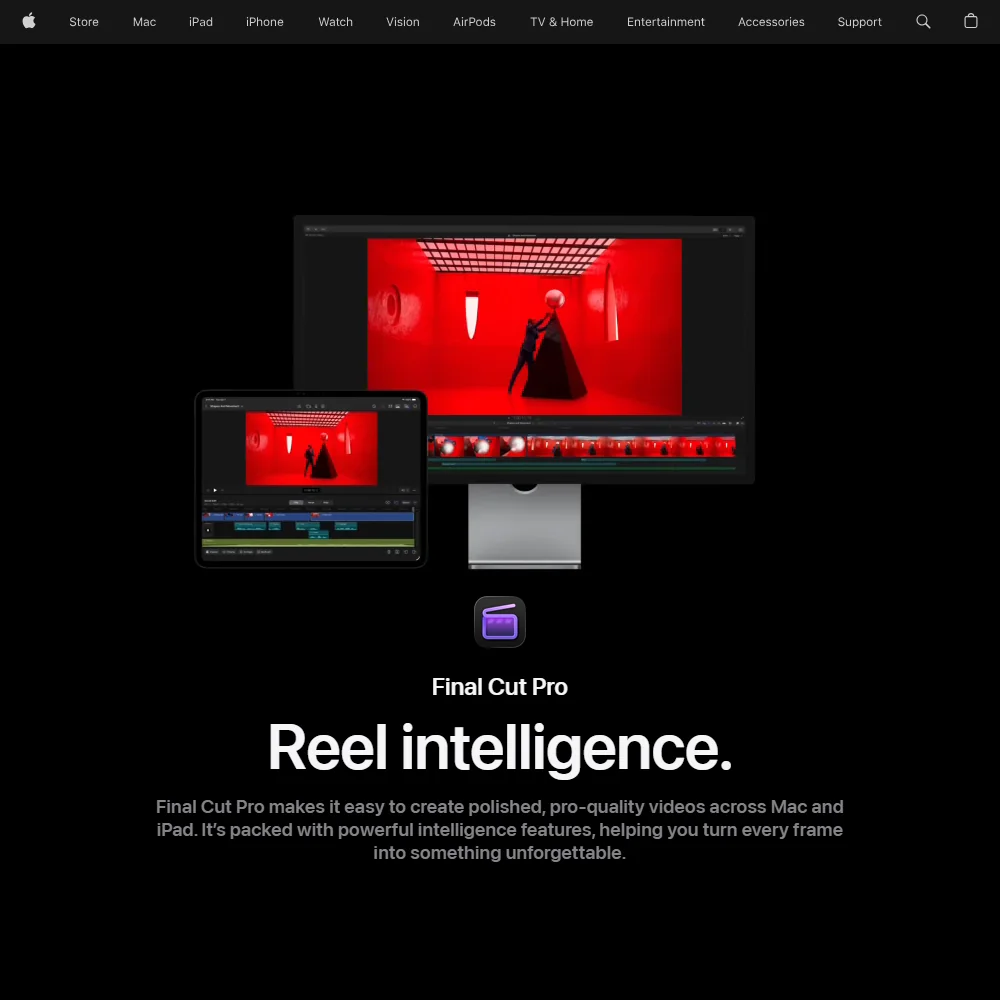
Final Cut Pro homepage screenshot
Final Cut Pro, Homepage

What is Final Cut Pro?

Final Cut Pro is made by Apple. The Mac app requires macOS 15.6 or later, and Final Cut Pro for iPad requires iPadOS 18.6 or later; both install as apps on your own device rather than running in a browser. An Apple Account is needed to license or subscribe, but editing itself happens locally.

Editing in Final Cut Pro

Final Cut Pro handles multicam editing on the Mac, syncing and cutting between multiple camera angles. Color grading uses color curves, hue and saturation curves, a color inspector with color wheels and support for LUTs, with wide color gamut and HDR processing and HDR export. Camera raw footage is supported through ProRes RAW, which Final Cut Pro can also color correct directly; the companion Final Cut Camera iPhone app can capture in ProRes RAW too.

A proxy workflow lets you create optimized and proxy files, including proxy-only projects, for editing before switching to full-resolution media. Motion tracking, keying, masking and compositing are all built into the app, including object tracking for following a subject through a shot. Deeper node-based motion graphics and visual effects move into Apple's separate Motion app, which is bundled with Final Cut Pro in Apple Creator Studio. Thousands of third-party plug-ins and templates are available through the FxPlug architecture, covering tracking, 3D object creation, titles, transitions and effects.

What the AI does

Magnetic Mask separates people and objects from the background without a green screen or manual rotoscoping, and works on both Mac and iPad; exporting an iPad project to Mac is what unlocks it there. Smart Conform automatically reframes a clip to fit a different aspect ratio. Voice Isolation removes background noise and improves the clarity of speech, and automatic captions are generated by analyzing the spoken audio in your footage.

Working with other people

Final Cut Pro includes a library of more than 1,900 Apple-designed, royalty-free graphics and vector artwork, plus titles, transitions, soundtracks and effects, with a larger premium content library for Apple Creator Studio subscribers. It runs on Mac and iPad, so a project can move between the two. There is no live shared-project collaboration built in.

Final Cut Pro pricing: what you actually pay

Final Cut Pro for Mac has no free tier. Apple Creator Studio, which includes it, can be tried free for 30 days, and Final Cut Pro for iPad has a free month of its own. You can buy the Mac app outright for a one-time $299.99, though that purchase excludes some content reserved for subscribers. The alternative is Apple Creator Studio, a bundle subscription that also includes Logic Pro, Motion, Compressor, Pixelmator Pro and MainStage, priced at $12.99 a month, or $10.75 a month billed annually; an educator and student rate brings that to $2.99 a month, or $2.50 a month billed annually. Final Cut Pro for iPad is a free download, but its full features need the Apple Creator Studio subscription rather than a one-time purchase.

Privacy and support

Final Cut Pro edits on your own machine, so there is no service holding your project. Support is available by phone, live chat and through Apple's community forum.

Who Final Cut Pro suits

Final Cut Pro suits editors already working on Mac and iPad who want multicam editing, curve-based color grading, ProRes RAW support and built-in compositing without leaving Apple's ecosystem, and who are comfortable paying either a one-time price for the Mac app or a bundle subscription that also covers several other Apple creative apps.

It suits less well anyone who needs to edit on Windows or Linux, since Final Cut Pro doesn't run there, or anyone who wants the iPad app's full features without taking on the Apple Creator Studio subscription.

How Final Cut Pro compares

Final Cut Pro scores 7.2 out of 10 among the professional video editors we rate. These two do the same job and are the closest to it, compared on what each vendor publishes.

7.2Final Cut Pro
vs
8.0Adobe Premiere

Adobe Premiere

Final Cut Pro's Mac app can be bought outright as a one-time purchase; Premiere has no such option and is subscription only, at $22.99 a month. Final Cut Pro's cheapest figure is the $12.99 a month Apple Creator Studio bundle, which also carries Logic Pro, Motion and other Apple apps. Premiere adds Generative Extend to create new footage, edits by transcript and translates captions; Final Cut Pro does none of those.

Pick Adobe Premiere if you need generative footage extension, transcript editing or caption translation.
Pick Final Cut Pro if you're on Mac and want to own a licence outright.

Final Cut Pro vs Adobe Premiere →
7.2Final Cut Pro
vs
9.3DaVinci Resolve

DaVinci Resolve

Final Cut Pro masks a person or object in the app itself; DaVinci Resolve keeps that feature for Studio. DaVinci Resolve's free edition never expires and Studio is a one-time $295 instead of a subscription; Final Cut Pro has no free tier. DaVinci Resolve also runs on Windows, while Final Cut Pro runs only on Mac and iPad. DaVinci Resolve lets several editors share a project; Final Cut Pro does not.

Pick DaVinci Resolve if you want several editors on one project or a free permanent editor.
Pick Final Cut Pro if you're on Mac or iPad and want masking without an upgrade.

Final Cut Pro vs DaVinci Resolve →

Frequently Asked Questions

How much does Final Cut Pro cost?

The Mac app can be bought outright for a one-time $299.99. It's also included in Apple Creator Studio, a bundle subscription with Logic Pro, Motion, Compressor, Pixelmator Pro and MainStage, priced at $12.99 a month, or $10.75 a month on the annual plan.

What machines does Final Cut Pro run on?

Final Cut Pro for Mac needs macOS 15.6 or later, and Final Cut Pro for iPad needs iPadOS 18.6 or later. It does not run on Windows.

Does Final Cut Pro support camera raw footage?

Yes, through ProRes RAW, which it can also color correct directly. The companion Final Cut Camera app for iPhone can capture footage in ProRes RAW as well.

Does Final Cut Pro keep my footage private?

Yes, since it edits locally on your Mac or iPad rather than through a hosted service. An Apple Account is only needed to license or subscribe to the app.


Final Cut Pro is featured in

Alternatives to Final Cut Pro

Other AI Video Tool options we've reviewed.

HeyGen logo

HeyGen

Solo creators and advanced individuals creating AI videos at scale

8.9
Rank #1 of 7 AI avatar video tools
Best:Avatars10
Weakest:Pricing6.9
Free plan: yesFree trial: noAPI: yes
From $29Free plan
95% from published facts · checked 16 Sep
Riverside logo

Riverside

Podcast and video recording, live streaming, and webinars

8.0
Rank #2 of 5 AI video editors
Best:Recording10
Weakest:Pricing6.9
Records remote guests on separate tracks: yes
From $29No free plan
100% from published facts · checked 16 Sep
Adobe Firefly logo

Adobe Firefly

Creative Cloud users who want generation inside the apps they already use, from a vendor that does not train on their content

7.0
Rank #4 of 7 AI image generators
Best:What it makes8.8
Weakest:Openness and support3
Does not train on what you make: yes
From $9.99Free plan
74% from published facts · checked 22 Sep

Creatify

Creators and solopreneurs

6.4
Rank #2 of 4 AI ad video tools
Best:Making the ad7.5
Weakest:Assets and teams4.5
Free plan: yesFree trial: yesAPI: yes
From $39Free plan
91% from published facts · checked 16 Sep
Kling AI logo

Kling AI

Filmmakers, content creators, and creative professionals seeking high-quality AI video and image generation with cinematic control

8.9
Rank #1 of 7 AI video generators
Best:What it can generate9.8
Weakest:Privacy and platforms3.2
Free plan: yesFree trial: noAPI: yes
From $8.80Free plan
94% from published facts · checked 19 Sep
Krea logo

Krea

Designers who want one of the broadest model menus, plus a node canvas, an AI agent and an API

9.0
Rank #2 of 13 multi-model AI platforms
Best:For video10
Weakest:Pricing6
SOC 2: yesOffers Veo 3.1: yesOffers Nano Banana Pro: yes
From $35Free plan
93% from published facts · checked 19 Sep

User reviews

Review Final Cut Pro

Your rating

Reviews are moderated and appear once approved.






