
Vendor documentation, Product Hunt comments, third-party write-ups, and a few scattered Reddit threads. That's what this comes from. No hands-on testing. What we kept seeing across all of it was a product with a genuinely specific angle in a category full of tools that are, largely, interchangeable.
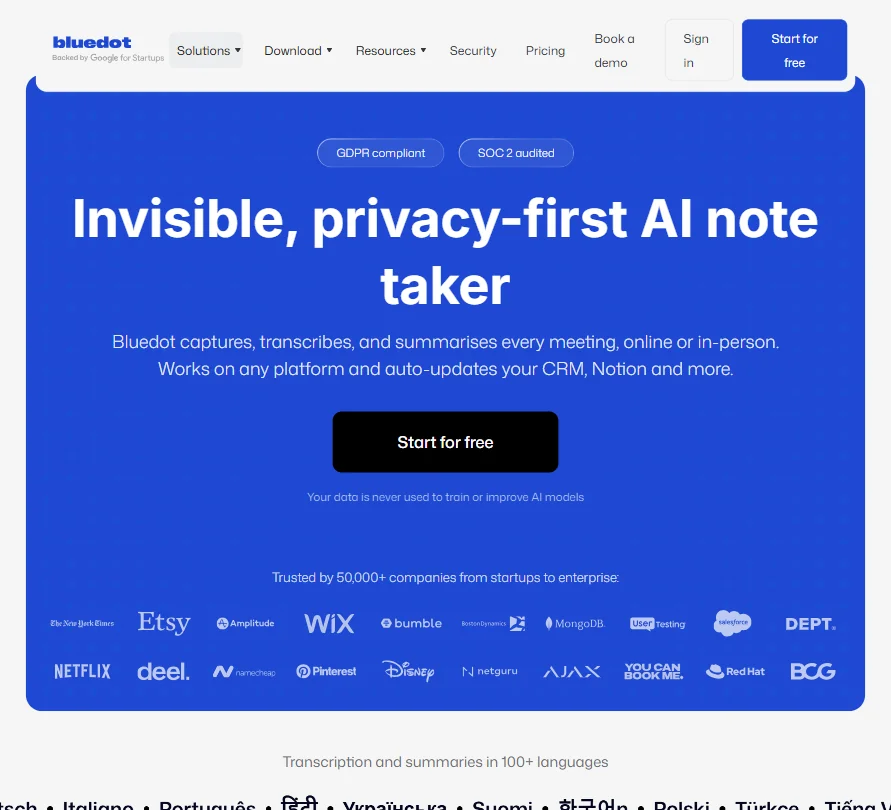
The headline claim is simple: Bluedot records your meetings without sending a bot into the call. That's the whole pitch. For a category where Otter.ai, Fireflies.ai, and tl;dv all drop a robot participant into your Zoom before anyone can say hello, that's not nothing.
What is Bluedot AI Note Taker?
Founded in 2021, headquartered in London. The product runs as a Chrome extension or desktop app, capturing audio directly from your machine rather than joining calls as a visible participant. No bot invite. No awkward "Fireflies is in this meeting" notification.
They claim 50,000+ companies use it. Wide bracket. Could be solo freelancers or Fortune 500 legal teams. We can't verify the mix.
The tool works across Zoom, Google Meet, and Microsoft Teams, plus in-person meetings through the mobile app. 100+ languages are supported for transcription, which puts it ahead of several direct competitors on that dimension. Honestly, that surprised us. Most note-takers in this range cap out at a handful of European languages and call it a day.
GDPR compliance and SOC 2 auditing are front and center on the homepage. For any team handling client conversations, that matters more than most vendors admit.
Bluedot AI Note Taker Features: Automation, AI Assistant & Workflow Capabilities
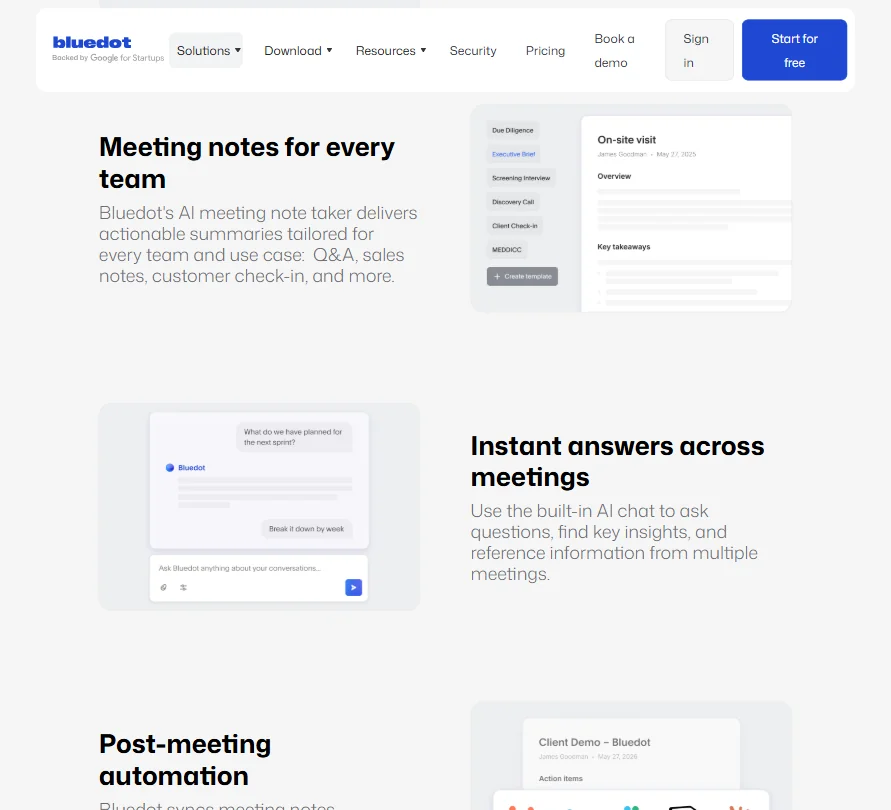
The core loop is straightforward. You run the Chrome extension or desktop app during a meeting, Bluedot captures the audio, generates a transcript, then builds a structured summary. The summaries aren't one-size-fits-all. Templates are tuned for sales calls and customer check-ins, among others.
Post-meeting automation is where the product pushes beyond basic note-taking. Bluedot can write back to a CRM automatically after a call ends. It can push to Notion. The MCP integration, visible on the Basic plan and above in the pricing, handles developer-level connections, with org-wide MCP and webhooks reserved for Business tier.
There's also a built-in AI chat function. Ask it a question about one meeting, or across multiple transcripts. That cross-meeting search isn't universal in this space. We've seen it done better by dedicated knowledge tools, but for meeting context specifically, it's a reasonable addition.
Team features cover shared transcripts and clip-and-share functionality. Not deep project management. Enough for a team to review a call without sitting through the whole thing.
What's missing is notable. No calendar integration, by design. No email management. Bluedot is meeting capture and post-meeting action. That's the box it lives in, and it doesn't pretend otherwise.
Bluedot AI Note Taker AI Quality: How Smart and Useful Is the Assistant?
Bluedot runs on a proprietary AI model, no OpenAI or Anthropic branding anywhere on the site. We're skeptical of that framing when we can't verify the underlying stack, but it's what they claim.
Transcription accuracy is the thing that actually matters. Across Product Hunt comments from 2023 and 2024, the consistent feedback was that accuracy holds up well for clear audio. Accented speakers and overlapping voices get harder. Fair. That's true of basically every tool in this category.
The AI-generated summaries handle action-item extraction reasonably well, and Bluedot's own customer case studies are specific about this. Netguru reports that custom templates, automatic HubSpot sync, and summary generation cut documentation time from one to two days down to five to ten minutes. Evocon says post-meeting recap work dropped from fifteen minutes to zero. Those are vendor-sourced numbers, so apply the usual discount. But the specificity is at least more credible than vague claims.
The cross-meeting AI chat is interesting on paper. Ask what was discussed with a particular client across six calls. That's a genuinely useful query most tools force you to answer manually. We'd want to test accuracy before going all-in on it. The concept is right. The execution needs scrutiny.
Bluedot AI Note Taker Integrations: What Does It Connect To?
Slack and Zapier are included on the free plan. That's a real decision. Most tools gate Zapier behind a paid tier, so getting it at zero cost opens up workflow options for solo users without committing to anything.
Notion integration is also on the free tier. Zoom and Google Drive imports arrive at Pro ($25/month per the current pricing), with CRM and ATS connections reserved for Business ($39/month). Webhooks land at Basic. Org-wide MCP and webhooks are Business-only, which matters for teams trying to build custom internal tooling.
Microsoft Teams works through the desktop app, not the Chrome extension. Worth knowing before you assume the browser-only setup covers everything. For Zoom, Bluedot supports both the desktop app and the Chrome extension, as well as optional bot-based recording, so there's flexibility there, but the desktop app is described internally as the most efficient path.
No native Google Calendar integration, by design. Bluedot explicitly doesn't require calendar access, which some users will read as a privacy win. Others will find the lack of automatic meeting detection annoying. Manual start for each session. That's friction, and it's real.
No email management. No project management integrations beyond what Zapier can bridge. The integration surface is focused, not broad.
Is Bluedot AI Note Taker Easy to Use?
The Chrome extension setup is minimal. Install, authenticate, done. No calendar permissions required. The desktop app adds a small extra step but nothing complex.
Mobile recording for in-person meetings works through iOS and Android, with an offline mode that means no active internet connection is needed for capture itself. Practically useful for on-site client visits or field interviews.
Some Reddit users have praised Bluedot's bot-free recording as relatively straightforward, but the sample is too small to establish a broader consensus, and some of those comments may originate from people connected to the company. Not great. What's more reliable is that the Product Hunt feedback consistently praised the bot-free setup and search functionality, without the ambiguity of anonymous Reddit threads.
A recurring point of confusion involves the Zoom integration. Users who assumed the Chrome extension covered Zoom discovered mid-workflow that the desktop app is the right path. That's a documentation gap more than a product flaw. Still friction, though.
Bluedot AI Note Taker Pricing: Is It Worth It vs Free Alternatives?
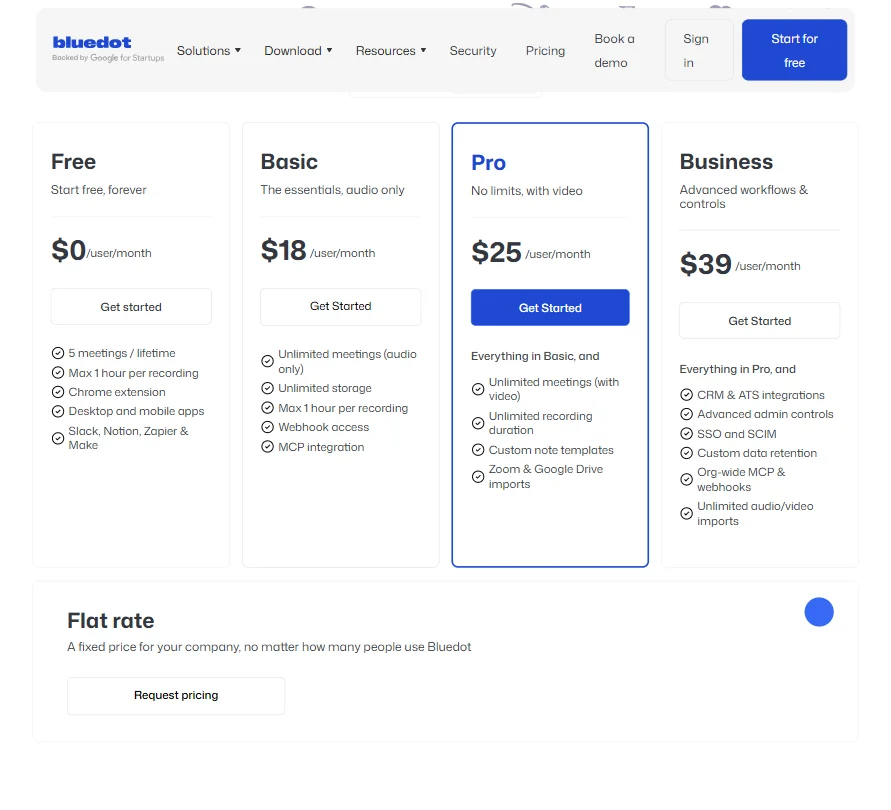
The free plan gives you five meetings, lifetime cap, one hour each. That's a demo. Not a real free tier.
After that, Basic runs $18/month per user. Pro is $25/month and adds unlimited meetings with video, unlimited recording duration, and Zoom and Google Drive imports. Business is $39/month and unlocks CRM and ATS integrations, SSO and SCIM, custom data retention, and unlimited audio and video imports. Enterprise is custom.
Not cheap, not expensive. Exactly average for the category. The problem is that Fathom offers unlimited meetings with core features at no cost, which is a direct hit on Bluedot's value proposition for anyone who just wants notes without paying. If bot-free recording matters enough to justify $18, that's a reasonable call. If it doesn't, Fathom AI Notetaker is worth checking first.
The refund policy isn't publicly stated anywhere we could find on the pricing page or help center. That's not ideal, and it's a trust gap we'd want closed before recommending the Business tier to a team spending $39 per seat.
Bluedot AI Note Taker vs Otter.ai: Which Productivity Tool Wins?
Otter.ai has a longer track record and a more generous month-to-month free tier. It sends a bot. So does Fireflies.ai, so does tl;dv. For some teams, a bot participant is a non-issue. For client-facing calls where optics matter, it's a dealbreaker.
That's where Bluedot wins cleanly. No bot notification lands in the meeting chat. Nobody asks who invited the AI. That's a real product difference, not a marketing angle dressed up as one.
Otter.ai's English-language transcription accuracy is competitive, but its language support doesn't approach Bluedot's 100+ language claim, and it doesn't offer the same post-meeting CRM automation depth.
If the integrations matter and the bot bothers you, Bluedot is the stronger pick. If you want capable transcription at no cost and the bot is fine, Otter.ai or Jamie are both worth considering. Jamie also goes bot-free. Worth knowing.
Who Should Use Bluedot AI Note Taker? (And Who Shouldn't)
Sales teams running client calls. Clearest fit. The CRM sync, the sales-specific summary templates, the invisible recording. Built around that workflow and it shows.
Recruiters doing high-volume interviews. The ATS integration on Business tier and the structured note format for interview calls make the per-seat cost easier to justify at $39.
International teams are well-served by the 100+ language support. Most competitors don't get close.
Solo professionals who just want occasional meeting notes and don't care about CRM sync will find the $18 entry point hard to justify when Fathom exists. Anyone needing a genuinely free long-term solution shouldn't bother. Five lifetime meetings isn't a free plan.
Teams deep in Microsoft 365 workflows should note that Teams support requires the desktop app, not the extension. Small wrinkle. Real one.
Bluedot AI Note Taker Review Verdict
Bluedot does one thing better than most competitors in this category. It stays invisible. The bot-free recording is a genuine product advantage, and the GDPR compliance paired with SOC 2 auditing gives enterprise buyers a real reason to prefer it over more casual tools.
The post-meeting automation holds up for sales and recruiting teams specifically. Case study evidence from Netguru and Evocon is more specific than most vendors bother to publish. The refund policy being absent from public documentation is a trust gap we'd want addressed before recommending the Business tier to any team with procurement oversight.
At $25/month for Pro, the tool is appropriately priced for what it delivers. At $39/month for Business, you're paying for integrations that some competitors bundle lower. The value holds if you actually use the CRM and ATS connections. It doesn't if you don't.
Strong pick for specific teams. A maybe for everyone else. The free plan needs to become a real free plan before that changes.
Frequently Asked Questions
Does Bluedot AI Note Taker work without joining the meeting as a bot?
Yes, that's the core product design. Bluedot records through the Chrome extension or desktop app, capturing audio directly from your device rather than connecting to the call as a participant. Nobody in the meeting sees a bot join or receives a notification that recording software has entered. For Zoom specifically, both the desktop app and the Chrome extension can handle capture, along with an optional bot method if you prefer it.
What platforms does Bluedot support for meeting recording?
Google Meet and browser-based calls work through the Chrome extension. Microsoft Teams requires the desktop app. Zoom supports the desktop app and the Chrome extension. In-person meetings work through the iOS or Android mobile app. The coverage is broad, but the setup method differs by platform, which catches some users off guard, particularly around the Teams requirement.
Is there a free plan, and is it worth using?
There is a free plan. Five meetings, each capped at one hour, as a lifetime limit, not a monthly reset. It's enough to form a first impression but not enough to build any kind of habit. Most users who want to genuinely evaluate the tool will hit the ceiling within a week and face the decision about the $18/month Basic plan. Honest answer: it's a trial with a time delay, not a free tier.





