Every score is worked out from the vendor's own pages · How we score →Disclosure
SAASINSPECTOR
Sound Forge logo

Sound Forge Review

Sound Forge is an audio editor built for single-file waveform editing rather than multitrack projects, and it runs on Windows only. It edits audio against video and adds surround tools, and it can be rented by subscription or bought once as a licence you keep.

Visit Sound Forge →From $24.95/mo

Research-based review. Features and prices are checked on the vendor's own website, and the score is worked out from those facts. We haven't tested it hands-on yet.

The verdict

Fits engineers who want single-file repair work they own outright, though Adobe Audition adds true multitrack editing for projects Sound Forge was never designed to handle.

Pros

  • Can be bought once as a perpetual license instead of a subscription, for either the Sound Forge or Sound Forge Plus edition.
  • DeHisser, DeClicker/DeCrackler and DeClipper restoration tools alongside loudness metering built for CALM Act compliance.
  • A Batch Converter applies effects and processes multiple files automatically.
  • VST2, VST3 and ARA plugin support, with ARA integrating Celemony's Melodyne directly into the waveform editor.

Cons

  • Does not function as a digital audio workstation and cannot record a multitrack project, by design.
  • Has no spectrogram or frequency-based editing view; its WaveColor feature is a colour-coded waveform view instead.
  • Runs on Windows alone, with no Mac version.
From $24.95/moFree plan NoFree trial Yes
4.4/10

Spec Score

Sound Forge against 3 audio editors
#3
of 3 audio editors
-1.9
vs the average
96%
from published facts
Ahead of other audio editors
Nothing clearly above the average
Behind other audio editors
Privacy and trust-3.3What it adds beyond the basics-2.6Workflow and output-1.3
Every criterion
Tap a row for the facts
What it adds beyond the basics3.3
-2.6 vs 5.9 avg11.6 of 35 points
Edits several tracks at onceno0 / 2.3
AI repair or dialogue isolationno0 / 2.3
Spectral editingno0 / 2.1
Edits audio against videoyes1.6 / 1.6
Surround or Atmos mixingyes1.6 / 1.6
Why these numbers

Edits several tracks at once: Explicitly not a DAW/multitrack tool by design; single-file waveform editing only.

AI repair or dialogue isolation: Checked the pricing and feature pages; DeHisser/DeClicker/DeClipper/broadband noise reduction are not described as AI/ML-trained, and no dialogue-isolation or stem-separation feature was found. The only AI-branded feature (Text to Speech) is generation, not cleanup.

Spectral editing: WaveColor is a colour-coded amplitude/pitch waveform overlay, not a spectrogram/frequency-domain editing view; checked the product and pricing pages, no spectral display feature found.

Edits audio against video: Both import and export of video container formats are listed, for editing/replacing a video's audio track.

Surround or Atmos mixing: 3D Reverb plug-in also states it can 'Elevate stereo audio to multichannel for surround sound audio design'.

Workflow and output5.5
-1.3 vs 6.8 avg12.1 of 22 points
Audio formats it exports4 export formats2 / 3
Where it runs1 platform0.5 / 3
Third-party pluginsyes2 / 2
Scripting or developer APInot published, half points1 / 2
Why these numbers

Audio formats it exports: Counted from export_formats. Also exports AA3 (Sony ATRAC3), AIFF, W64, WMA and other formats outside this checklist's enum; no AAC/M4A export format was listed.

Where it runs: Counted from platforms; a browser app also counts as running on Windows and Mac. Windows only; no Mac, iOS, Android or web version found.

Pricing6.5
-0.3 vs 6.8 avg16.3 of 25 points
Cheapest plan you can edit in, monthly$24.954 / 7
Sells a licence you own outrightyes2.5 / 2.5
Free planno0 / 0.5
Why these numbers

Cheapest plan you can edit in, monthly: Cheapest paid plan on the monthly term. Currency toggle on the store page defaults to EUR but has a direct USD option (no proxy needed); read with USD selected. Sound Forge Plus adds Melodyne 5 Essential, Vandal, VariVerb II and 3D Reverb on top of Sound Forge.

Sells a licence you own outright: One-time purchase available alongside the subscription options, for both editions.

Free plan: Trial only, no free tier.

Privacy and trust2.5
-3.3 vs 5.8 avg4.5 of 18 points
Does not train AI on what you uploaddoes not applyn/a
SOC 2does not applyn/a
GDPRdoes not applyn/a
Source published under an open licenceno0 / 2
Ways to reach support2 support channels1 / 2
Why these numbers

Source published under an open licence: Commercial closed-source product; no OSI-approved licence claimed anywhere checked.

Ways to reach support: Counted from support_channels. Nav has a Support section (help articles) and a user forum; no phone/chat/email contact was found for Sound Forge specifically in this pass.

yesnonot published average for audio editors
How the Spec Score works

Scored from what Sound Forge publishes on its own site. Not a hands-on test.

Compared with 3 audio editors. Facts checked 27 Sep 2026.

A fact the vendor does not publish gets half the points, or the typical value for a number, and says so. It never counts as a no. How we score.

Sound Forge is a Windows waveform editor for recording, editing, restoring and mastering a single audio file at a time, built by Boris FX under the Vegas Creative Software brand. It suits anyone who wants a focused mastering and repair tool rather than a multitrack session, and the choice between subscribing or buying a perpetual license decides much of how you will pay for it.
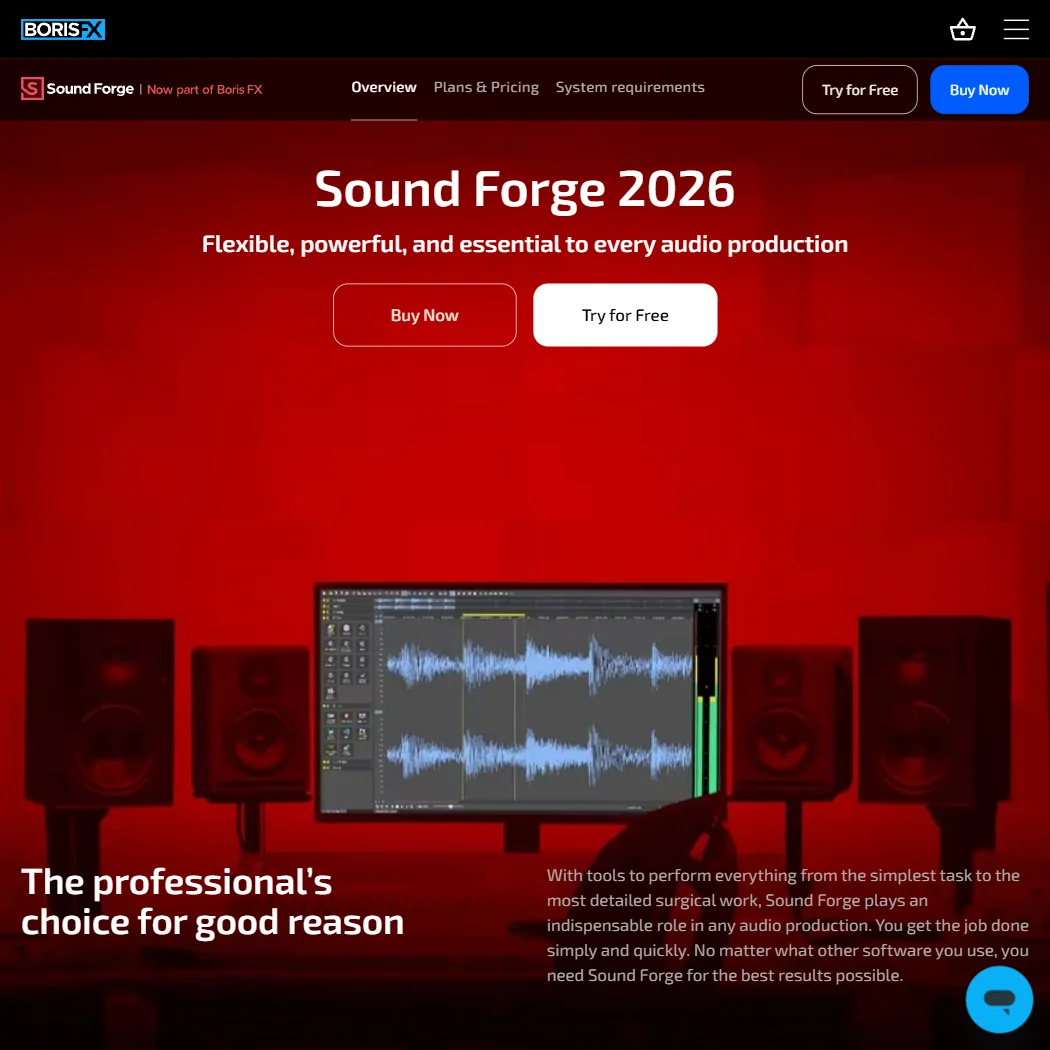
Sound Forge homepage screenshot
Sound Forge, Homepage

What is Sound Forge?

Sound Forge is made by Boris FX (Vegas Creative Software). It is an installed Windows application, with no Mac, iOS, Android or web version, and it needs no account to run.

Editing audio in Sound Forge
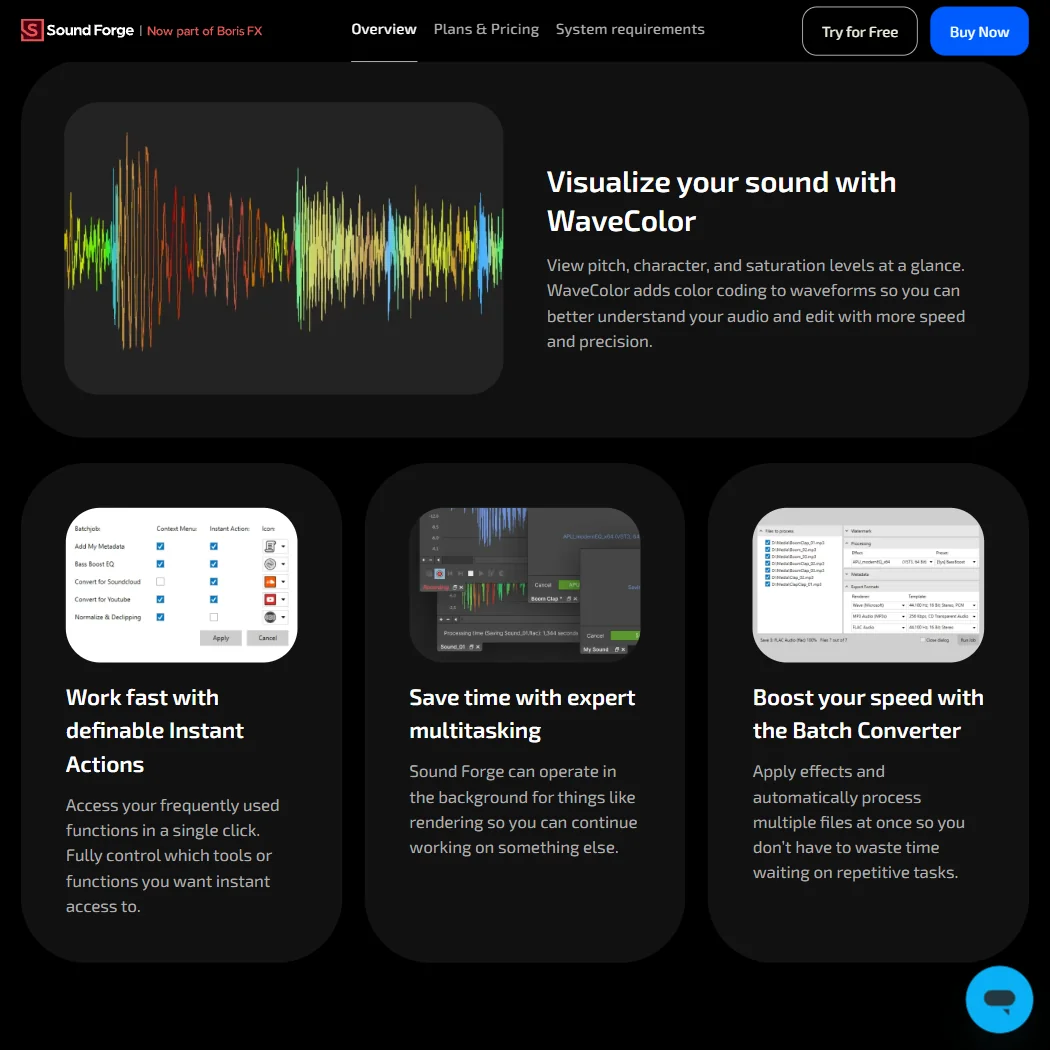
Sound Forge features screenshot
Sound Forge, Features

Sound Forge does not function as a digital audio workstation and cannot record a multitrack project: its own product page states it was designed as a specialist tool for working on a single file rather than a session, so it holds no multitrack timeline. It has no spectrogram or other spectral display either; its WaveColor view adds colour coding for amplitude and pitch to a waveform rather than a frequency-based editing view.

Restoration tools include DeHisser, DeClicker/DeCrackler and DeClipper for repairing distorted audio, plus a Batch Converter that applies effects and processes multiple files automatically. Loudness metering is built for CALM Act compliance. Sound Forge supports VST2, VST3 and ARA plugins, with ARA integrating Celemony's Melodyne directly into the waveform editor. A Text to Speech feature, branded BorisFX AI, turns text into speech in multiple languages and voices, processed locally rather than sent to a server; it is a generation feature rather than an audio cleanup tool. Sound Forge imports and exports several video container formats so you can edit or replace a video's audio track, and it can record and edit files with up to 32 channels for surround work.

Working with other people

Sound Forge has no real-time collaboration or comment workflow; it is single-user desktop software. ARA support integrates Melodyne directly rather than through a separate setup step. Support runs through a user forum and a help articles section on the Vegas Creative Software site.

Sound Forge pricing: what each plan gives
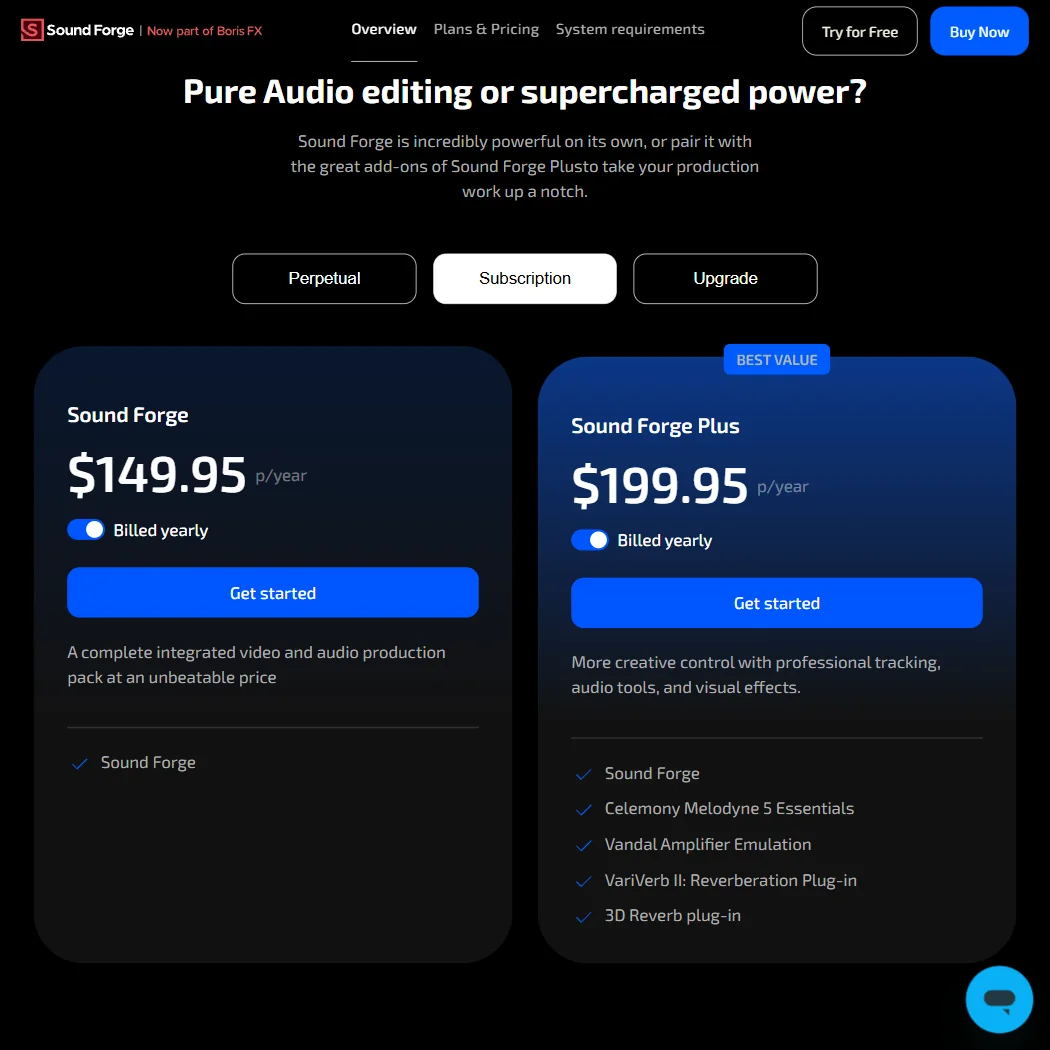
Sound Forge pricing screenshot
Sound Forge, Pricing

Sound Forge is sold as Sound Forge or Sound Forge Plus, which adds Melodyne 5 Essential, Vandal, VariVerb II and 3D Reverb. Each edition can be bought monthly for $24.95 (Sound Forge) or $33.95 (Sound Forge Plus), billed annually at a lower monthly rate of $12.50 or $16.66, or bought once as a perpetual license for $299.95 (Sound Forge) or $399.95 (Sound Forge Plus), which you own outright and keep. There is no free plan; a 15-day free trial is offered instead.

Privacy and support

Sound Forge is installed Windows software that needs no account to run, so questions about a vendor holding or training on your audio do not arise the way they do for a cloud service. Its one AI feature, Text to Speech, is processed locally rather than sent to a server. Support runs through a user forum and a help articles section.

Who Sound Forge suits

Sound Forge suits anyone who wants a focused tool for recording, restoring and mastering a single audio file, with DeHisser, DeClicker/DeCrackler and DeClipper repair tools, CALM Act loudness metering, and the option to buy a perpetual license instead of subscribing. Its 32-channel editing and video import and export also suit surround and video-audio work.

It suits less well anyone who needs multitrack recording or session editing, since Sound Forge is deliberately not built as a digital audio workstation, or anyone who wants spectral, frequency-based editing, since WaveColor is a colour-coded waveform view rather than a spectrogram. It also runs on Windows alone, ruling it out for Mac-only setups.

How Sound Forge compares

Sound Forge scores 4.4 out of 10 among the audio editors we rate. These two do the same job and are the closest to it, compared on what each vendor publishes.

4.4Sound Forge
vs
6.0Adobe Audition

Adobe Audition

Sound Forge is a single-file waveform editor by design, not a multitrack tool, and runs on Windows only. Adobe Audition edits several tracks at once. Sound Forge sells a one-time purchase alongside its subscription, from $24.95 a month, while Audition is subscription only, billed monthly or annually, with no outright licence option. Audition adds spectral editing that Sound Forge lacks, and both can edit audio against video and mix in surround.

Pick Adobe Audition if if you need multitrack editing with spectral repair tools.
Pick Sound Forge if if you want a one-time purchase for Windows editing.

Sound Forge vs Adobe Audition →
4.4Sound Forge
vs
8.5Audacity

Audacity

Sound Forge is a single-file waveform editor by design, not a multitrack tool, and runs on Windows only, while Audacity is free, open source and edits several tracks at once. Sound Forge sells a one-time purchase alongside its subscription, from $24.95 a month, where Audacity has no cost at all. Audacity adds a scripting API and optional free plugins for AI stem separation and dialogue isolation, none of which Sound Forge has. Sound Forge instead edits audio against video, which Audacity cannot do.

Pick Audacity if if you want free multitrack editing with AI repair plugins.
Pick Sound Forge if if you want a one-time purchase for editing against video.

Sound Forge vs Audacity →

Frequently Asked Questions

How much does Sound Forge cost?

Sound Forge is $24.95 a month or $12.50 a month billed annually, with Sound Forge Plus at $33.95 or $16.66 a month billed annually. Both editions can also be bought once as a perpetual license, for $299.95 (Sound Forge) or $399.95 (Sound Forge Plus). A 15-day free trial is available; there is no free plan.

Can Sound Forge handle multitrack projects?

No. Sound Forge does not function as a digital audio workstation and cannot record a multitrack project; it is built as a specialist tool for working on one file at a time.

Does Sound Forge have spectral editing?

No. It has no spectrogram or frequency-based editing view. Its WaveColor feature adds colour coding for amplitude and pitch to a waveform instead.

Does Sound Forge train AI on my audio?

Sound Forge needs no account to run, and its one AI feature, Text to Speech, is processed locally rather than sent to a server.


Sound Forge is featured in

Alternatives to Sound Forge

Other AI Audio Tool options we've reviewed.

ElevenLabs logo

ElevenLabs

Creators who want voice cloning, dubbing and multi-voice dialogue in one studio, with commercial rights from the first paid plan

8.5
Rank #1 of 8 AI voice generators
Best:What you can make10
Weakest:Workflow and output5.5
Free plan: yesFree trial: noAPI: yes
From $6Free plan
100% from published facts · checked 21 Sep
→
Murf AI logo

Murf AI

Course and presentation teams voicing slides and e-learning, with voices that plug into Canva, PowerPoint and Articulate

7.0
Rank #4 of 8 AI voice generators
Best:Privacy and trust8
Weakest:Pricing5.5
Free plan: yesFree trial: noAPI: yes
From $29Free plan
80% from published facts · checked 21 Sep
→
AssemblyAI logo

AssemblyAI

Developers who want low per-hour transcription with redaction, word timestamps and a self-hosted option

8.6
Rank #2 of 4 speech-to-text APIs
Best:What the API does10
Weakest:Output and integrations5
Free plan: noFree trial: noAPI: yes
From $0.15No free plan
100% from published facts · checked 21 Sep
→
Adobe Firefly logo

Adobe Firefly

Creative Cloud users who want generation inside the apps they already use, from a vendor that does not train on their content

8.1
Rank #1 of 7 AI image generators
Best:Rights and privacy9.2
Weakest:Openness and support3
Weights published under a named licence: noDoes not train on what you make: yes
From $9.99Free plan
78% from published facts · checked 8 Oct
→
Notevibes logo

Notevibes

Writers turning manuscripts and articles into multi-voice audiobooks, with translation on every paid plan

6.5
Rank #5 of 8 AI voice generators
Best:Pricing8.5
Weakest:Workflow and output4.5
Free plan: yesFree trial: noAPI: yes
From $8Free plan
93% from published facts · checked 21 Sep
→
Auphonic logo

Auphonic

Podcasters who want levelling, filler-word cutting and publishing to their host fully automated

7.2
Rank #1 of 5 audio cleanup tools
Best:What it fixes9
Weakest:Privacy and trust4.5
Sells a licence you own outright: no
From $13Free plan
93% from published facts · checked 21 Sep
→

User reviews

Review Sound Forge

Your rating

Reviews are moderated and appear once approved.