ProWritingAid Review
$10.00
What is ProWritingAid? At its core, it’s an AI-powered writing assistant designed to go far beyond grammar correction. Whether you’re a fiction writer working on your next novel or a student polishing essays, ProWritingAid offers advanced reports, rephrasing tools, and real-time editing suggestions across your favorite writing platforms.
While reviewing ProWritingAid, I found that its strength lies in in-depth analysis — not just flagging errors, but explaining why something isn’t working. It’s more than a grammar checker; it’s a learning tool. This review will explore key features, usability, pricing, how it stacks up against competitors like Grammarly, and who it’s really best for.
ProWritingAid AI Key Features & Capabilities
ProWritingAid combines the functionality of a grammar checker, editor, and writing coach. Here’s what stood out during testing:
✅ Grammar & Style Suggestions
You get real-time suggestions for grammar, clarity, and readability. Unlike some tools, these aren’t vague — they often include detailed explanations and suggestions for improving sentence flow, tone, and structure.
✅ Rephrasing Tool (Rephrase)
This lets you instantly rewrite selected text to make it more concise, fluent, or sensory. I found this useful when trying to switch between formal and casual tones, especially in marketing copy or fiction scenes.
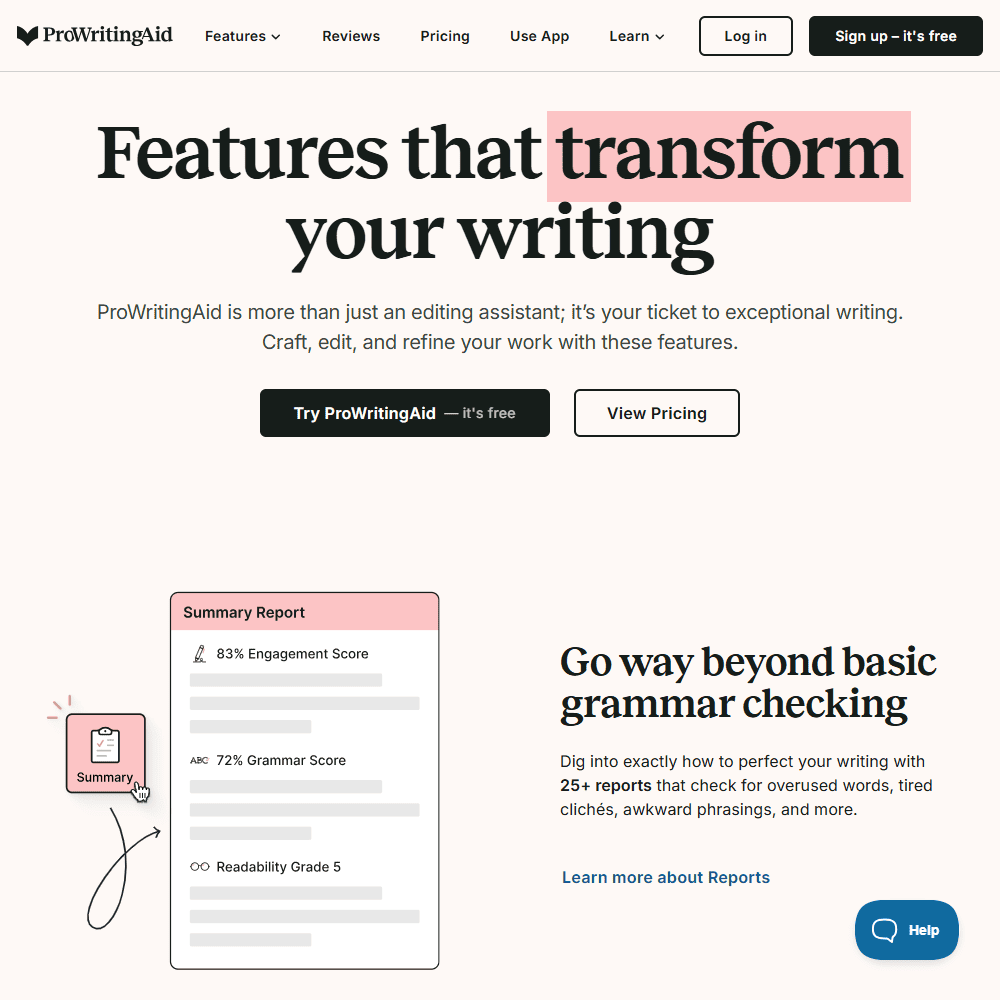
✅ 25+ Writing Reports
ProWritingAid offers reports like readability checks, pacing, passive voice, overused words, cliches, and even “author comparison” — you can compare your style to authors like Stephen King or J.K. Rowling.
✅ Chapter Critique
This AI-powered critique tool analyzes individual chapters for strengths and weaknesses in areas like plot, character development, and setting. It’s not a replacement for a human editor, but a great first step for self-editing.
✅ Sparks
This feature gives you inspiration to continue a scene, improve phrasing, or experiment with different sentence structures. Think of it as a mini idea generator integrated into your editing process.
✅ Plagiarism Checker (Paid Add-On)
You can check your writing against academic papers, online sources, and publications. This is a paid feature, but helpful for professionals or students concerned with originality.
👎 What’s Missing?
There’s no real SEO optimization workflow like you’d find in tools like Surfer SEO or Frase. Also, while Sparks and Chapter Critique are powerful, they’re only available in the Premium Pro plan, which limits access for lower-tier users.
Ease of Use & User Experience
✅ Sign-In & Setup
Getting started was straightforward. The sign-up is simple, and once inside, the interface offers a guided tour. There’s also a “demo document” that helps users explore the reports immediately.
✅ UI & Workflow
The UI is cleaner than in previous versions, with logical tabs and icons. However, with 25+ reports available, it can feel overwhelming at first. If you’re used to Grammarly’s minimalism, this might feel like overkill — but once you understand the tools, it becomes a serious asset.
✅ Customization Options
One of my favorite features is the ability to set custom writing goals — like reducing passive voice or improving sentence variety — which tailors the reports based on your genre or purpose (e.g., business email vs. sci-fi chapter).
Compared to Grammarly, ProWritingAid offers way more depth. It’s like the difference between a spell checker and a writing mentor. But that depth comes with a learning curve. The UX isn’t as beginner-friendly, but it rewards those who stick with it.
Comparison to Competitors
ProWritingAid vs Grammarly
If Grammarly is the slick, surface-level editor for quick fixes, ProWritingAid is the deep diver. Grammarly is faster and more user-friendly, especially for beginners, but it lacks the comprehensive reports and writing education tools that ProWritingAid provides. If you’re focused on learning to write better, not just fixing typos, ProWritingAid wins.
ProWritingAid vs AutoCrit
AutoCrit focuses heavily on fiction writing, especially pacing, clichés, and dialogue — very genre-specific. ProWritingAid, while not as niche, covers fiction and nonfiction with broader flexibility. Sparks and Chapter Critique give it an edge for brainstorming and drafting, not just editing.
Similar Alternatives:
- Grammarly – Best for simplicity & everyday writing.
- Sudowrite – Great for fiction generation, not editing.
- Quillbot – Ideal for paraphrasing, lacks advanced editing.
- Hemingway App – Focuses on readability, but lacks real-time feedback and integrations.
ProWritingAid Pricing & Subscription Plans
Is ProWritingAid Free?
Yes, there’s a free plan that offers:
- 500-word editing limit
- 10 rephrases/day
- 3 Sparks/day
- Grammar, spelling, and punctuation checks
Paid Plans (All include a 3-day money-back guarantee):
Plan |
Monthly |
Yearly |
Lifetime |
|---|---|---|---|
| Premium | $30/mo | $10/mo billed yearly ($120) | $399 one-time |
| Premium Pro | $36/mo | $12/mo billed yearly ($144) | $699 one-time |
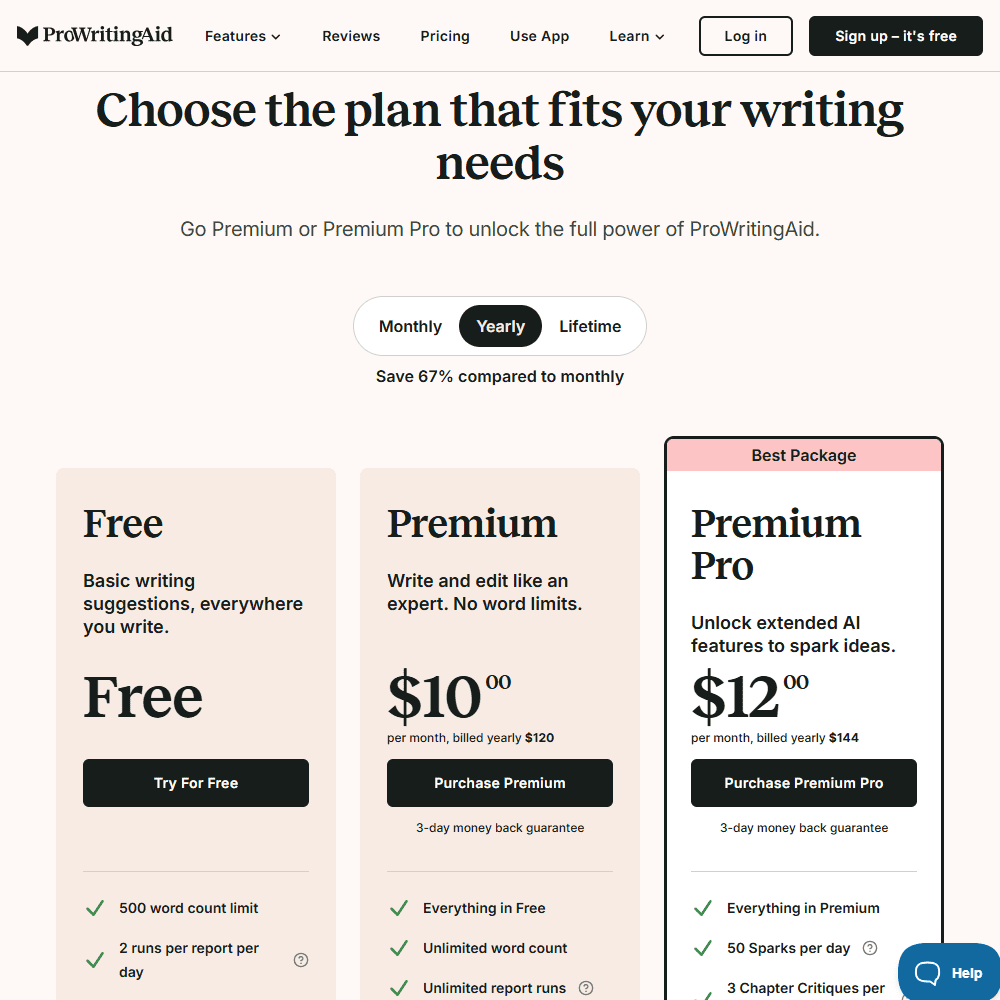
💡 Premium Pro adds:
- 50 Sparks/day
- 3 Chapter Critiques/day
- 50% discount on Manuscript Analysis
Refund Policy
- Monthly: No refunds
- Yearly/Lifetime: 3-day refund window
- Manuscript Analysis credits: Non-refundable unless bundled with a new plan
ProWritingAid Review Final Verdict & Recommendations
ProWritingAid isn’t the flashiest tool on the market, but it’s one of the most educational. If you’re a serious writer, fiction author, or student aiming to improve long-form writing, it provides value that Grammarly and other tools simply don’t match. That said, it does have a learning curve, and the best features are locked behind Premium Pro. But if you’re willing to invest time into using it properly, it will not only fix your writing — it’ll teach you how to write better.
Best For:
- Fiction & nonfiction writers
- Students writing essays or thesis chapters
- Editors, bloggers, and writing coaches
- Anyone who values in-depth feedback over speed
Frequently Asked Questions (FAQs)
Is ProWritingAid better than Grammarly?
ProWritingAid offers deeper feedback, more reports, and features like Chapter Critique and Sparks. Grammarly is faster but less educational.
Can I use ProWritingAid for free?
Yes, ProWritingAid Free lets you check up to 500 words with limited rephrases and Sparks per day, but lacks premium editing features.
Does ProWritingAid work with Google Docs?
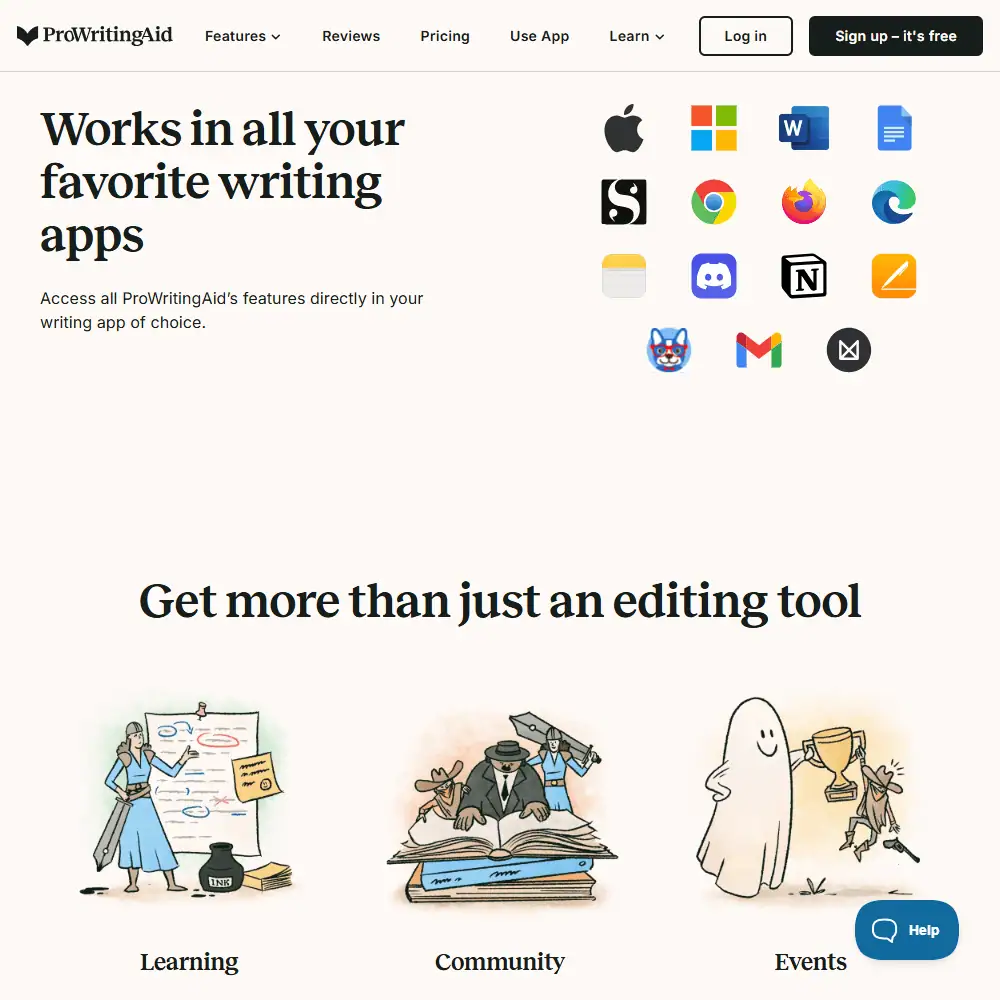
Yes, ProWritingAid integrates directly with Google Docs, Microsoft Word, Chrome, and even Scrivener.
Specification: ProWritingAid Review
| Basic Specifications | ||||||||||||||||||
|---|---|---|---|---|---|---|---|---|---|---|---|---|---|---|---|---|---|---|
|
||||||||||||||||||
| Pricing & Plans | ||||||||||||||||||
|
||||||||||||||||||
| Core Features | ||||||||||||||||||
|
||||||||||||||||||
| User Experience & Interface | ||||||||||||||||||
|
||||||||||||||||||
| Integrations & Compatibility | ||||||||||||||||||
|
||||||||||||||||||
| Automation & Workflows | ||||||||||||||||||
|
||||||||||||||||||
| Security & Compliance | ||||||||||||||||||
|
||||||||||||||||||
| Customer Support & Community | ||||||||||||||||||
|
||||||||||||||||||
Photos: ProWritingAid Review
User Reviews
Be the first to review “ProWritingAid Review”









There are no reviews yet.