Powerdrill Review
$3.25
If you’ve ever felt overwhelmed by mountains of raw data or frustrated by the time it takes to analyze files, Powerdrill might be the solution you’ve been looking for. So, what is Powerdrill?
Powerdrill is an AI-powered data analytics platform that turns your datasets into insights with minimal effort. Whether you’re working with Excel files, PDFs, SQL databases, or even multimedia content, this writing tool lets you interact with your data using natural language—no coding required. From generating charts and summaries to building full-blown reports and presentations, this tool is built for serious data work and promises up to 100x efficiency over traditional workflows.
In this Powerdrill review, I’ll walk through its key features, how it compares to competitors, usability, pricing, and who it’s best for.
Powerdrill AI Key Features & Capabilities
Powerdrill isn’t just another AI chatbot with spreadsheet smarts—it’s a full-blown AI analytics suite tailored for both individuals and enterprise teams. Below are some standout features I explored during testing:
✅ AI Report Generator
With just a few clicks, I was able to upload a CSV and have a full AI-generated report ready—complete with summaries, visuals, and even PowerPoint exports. This feature alone felt like a massive time-saver, especially when prepping for meetings or client updates.
✅ AI Presentation Maker
I uploaded a Word doc and watched it get converted into slides in under a minute. Templates are clean and business-friendly. Free users get watermarked downloads, but upgrading removes them.
✅ Chat with Documents (ChatPDF & ChatDoc)
Using the Powerdrill chat features, I could ask questions directly inside multi-file PDFs or Word docs and get fast, context-aware responses. Much more robust than ChatGPT when dealing with structured documents.
✅ Advanced Analytics
This lets users run SQL queries, create visual dashboards, and generate trend forecasts just by describing what they want in plain English. Powerdrill supports both MySQL and PostgreSQL connections, and even non-technical users can work with structured datasets.
✅ Multimodal Support
From text-to-speech and speech-to-text to image-to-text analysis, the platform offers robust support for multiple file types and outputs—rare at this price point.
✅ Dataset & Chat Sharing
You can share your analysis or entire chat sessions with a link, which makes collaboration simple and transparent. The AI Report Generator and Advanced Analytics modules were the most impressive. If your job involves turning raw data into shareable insights, this tool is a major productivity booster. I only wish the no-code app builder had more layout customization.
Ease of Use & User Experience
✅ Sign-In & Setup
The Powerdrill AI login experience was smooth. I signed in with an email in seconds and got free access to several features. No credit card required to start using the free tier.
✅ UI & Workflow
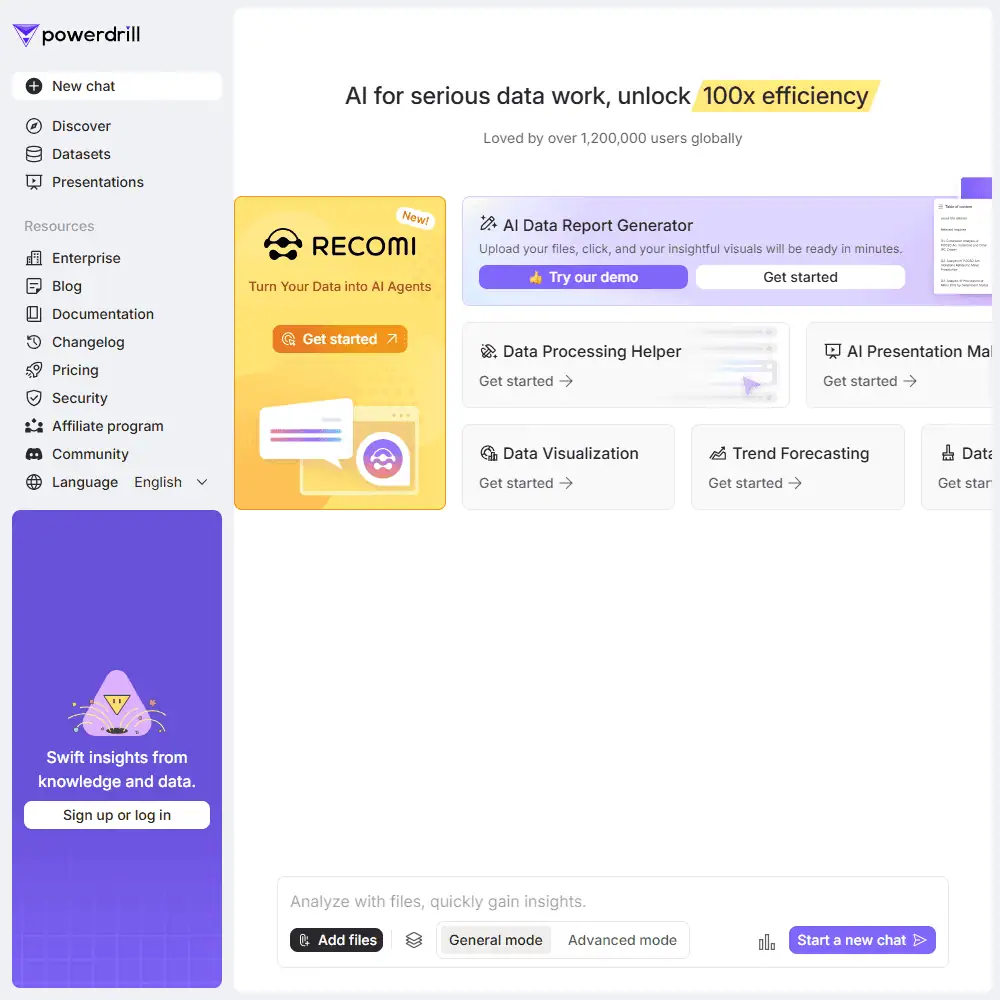
The UI is modern and easy to navigate, with clear labels and minimal clutter. Everything is accessible from a sidebar—whether you’re generating a report, uploading a dataset, or chatting with a file.
✅ Customization Options
You can’t fine-tune tone or brand voice like with AI writing tools, but in terms of data interaction, it’s very flexible. You can filter, rename fields, toggle chart types, and more—without needing code.
I liked how Powerdrill feels lightweight but still feature-rich. You don’t need to go through tutorials to figure it out—just upload a file and start chatting. Compared to tools like ChatGPT or Liner, the interface is more structured and goal-oriented for data tasks.
Powerdrill Comparison to Competitors
✅ Powerdrill vs ChatGPT / ChatPDF
While ChatGPT is better at creative ideation and general conversation, Powerdrill is built for serious data work. The Powerdrill AI chat system excels in structured queries, document comprehension, and transforming complex files into visual reports or slides.
- ChatPDF can answer questions within a PDF, but Powerdrill takes it further—summarizing, generating insights, and converting them into decks or data visualizations.
- If you’re analyzing raw Excel data or building client-facing reports, Powerdrill is simply more purpose-built.
✅ Powerdrill vs Monica AI & Liner
Powerdrill stacks up well against newer data-focused tools like Monica and Liner:
| Feature | Powerdrill | Monica | Liner |
|---|---|---|---|
| AI Data Reports | ✅ One-click | ❌ | ❌ |
| SQL Database Integration | ✅ Advanced | ❌ | ❌ |
| Chat with Multi-Doc Support | ✅ PDFs, Docs | ✅ | ✅ |
| Presentation Maker | ✅ PowerPoint Ready | ❌ | ❌ |
| Pricing | ✅ Free + $3.25/mo | ~$20/mo | ~$15/mo |
Powerdrill offers a broader range of analytics and reporting features than most AI tools I’ve used. Tools like Monica might look sleeker for writing tasks, but Powerdrill is the better choice when you’re working with spreadsheets, databases, and structured documents.
Powerdrill Pricing & Subscription Plans
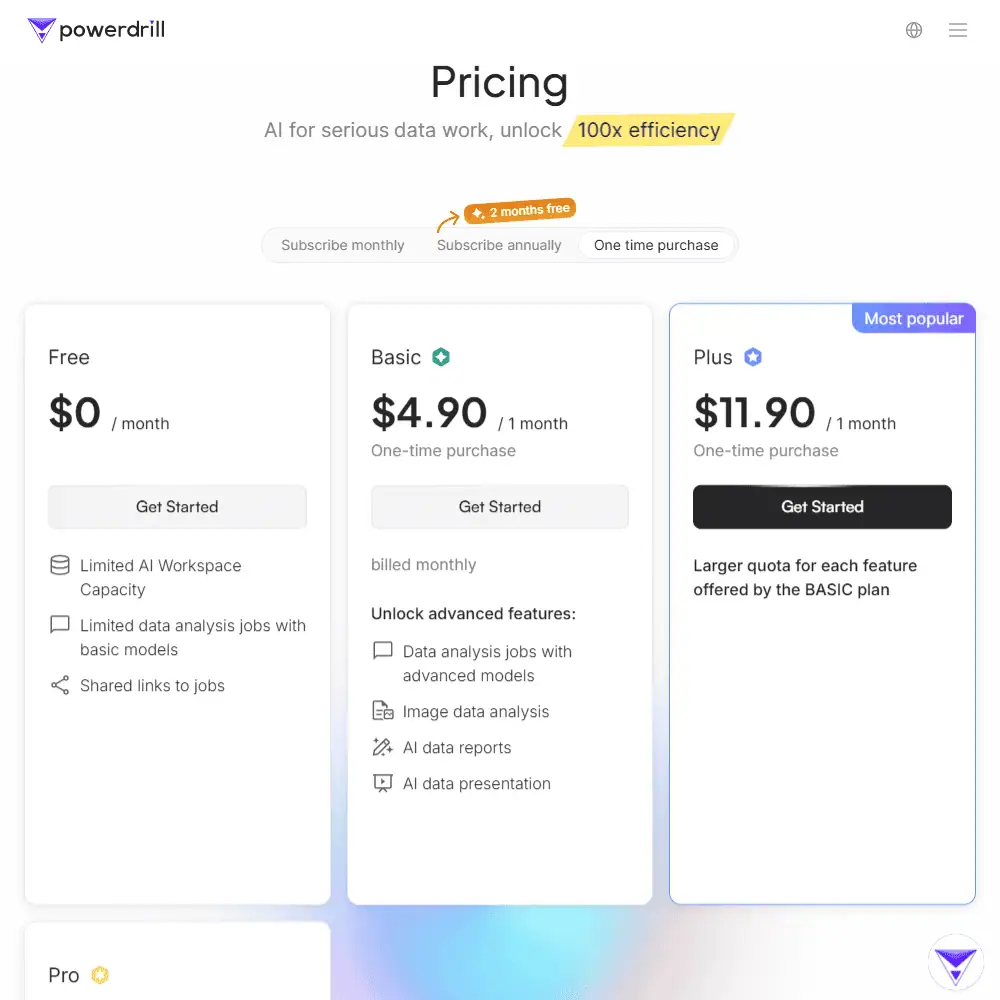
If you’re wondering, “Is Powerdrill free?” — the answer is yes, and it’s actually one of the most generous free tiers available for AI-powered data tools. That said, the free plan does come with tight limitations on workspace size and job capacity. Fortunately, Powerdrill’s paid tiers remain highly affordable — especially compared to tools like Notion AI, Jasper, or ChatGPT Plus. Whether you want to pay monthly, annually (for a discount), or just make a one-time purchase, Powerdrill gives you options — which is surprisingly rare in the AI SaaS world.
✅ Powerdrill AI Pricing Overview
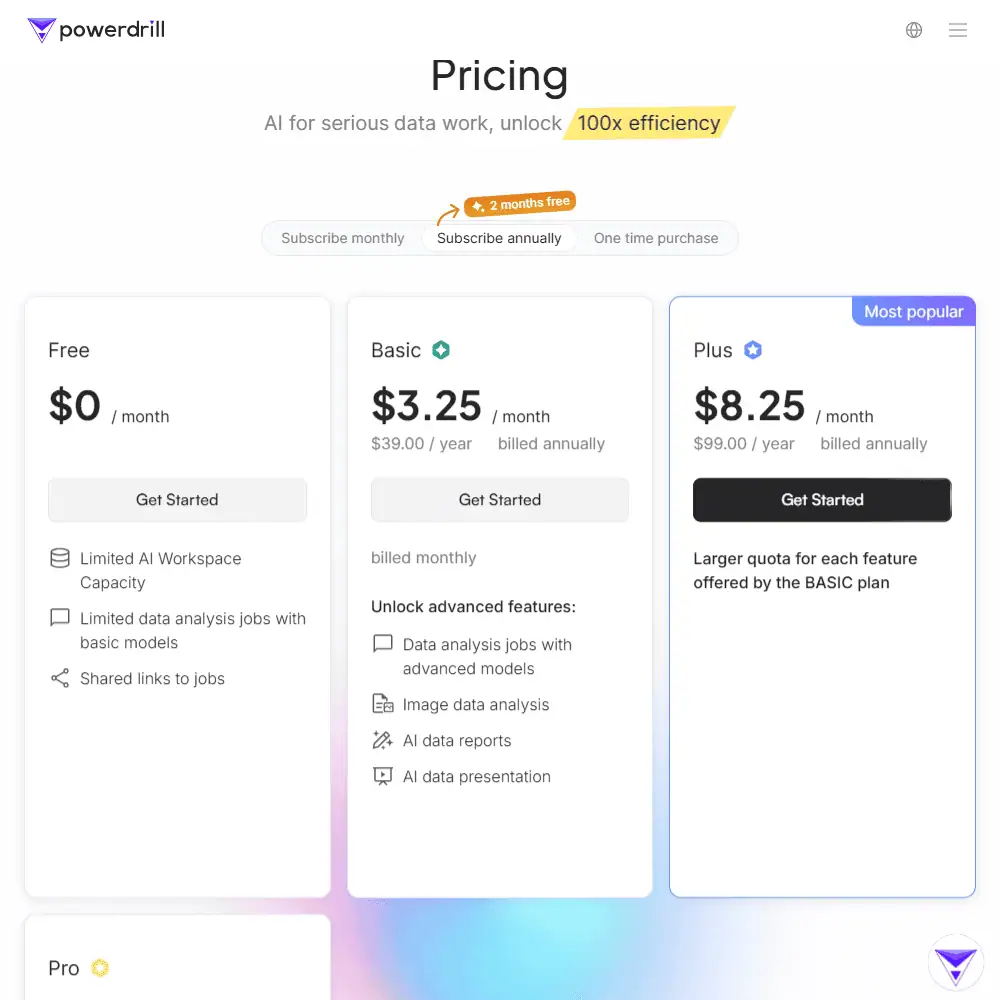
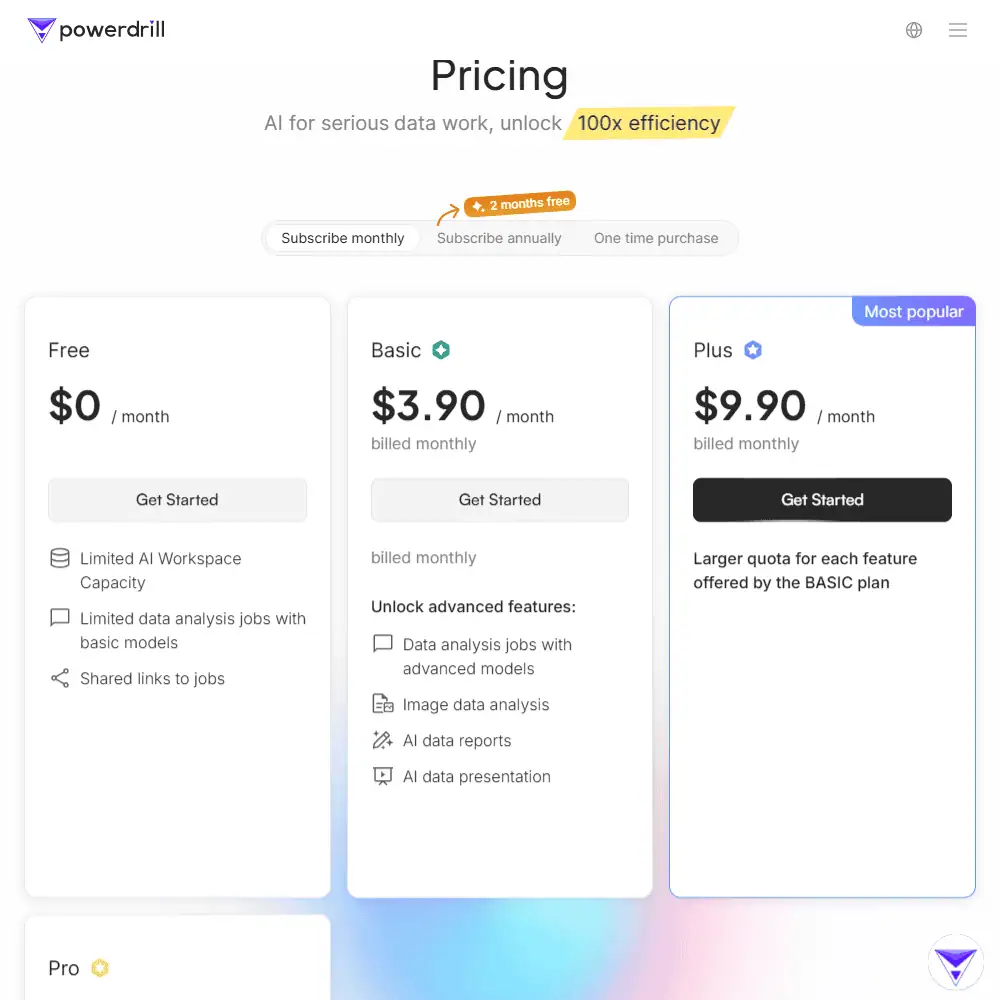
| Plan | Monthly Pricing | Annual Pricing (Billed Annually) | One-Time Purchase | Best For |
|---|---|---|---|---|
| Free | $0 | $0 | N/A | Trying out basic data queries and small files |
| Basic | $3.90/month | $3.25/month ($39/year) | $4.90 one-time | Students and solo users doing light data work |
| Plus | $9.90/month | $8.25/month ($99/year) | $11.90 one-time | Power users doing multiple analyses |
| Pro | $29.90/month | $24.92/month ($299/year) | $32.90 one-time | Analysts, teams, and enterprise-level workflows |
Bonus: All Powerdrill plans support three types of pricing:
- 💳 Monthly billing (cancel anytime)
- 📅 Annual billing (2 months free compared to monthly)
- 🧾 One-time purchase (no recurring payments)
That level of flexibility is rare and makes it easy to test the tool without commitment.
✅ Refund Policy
Powerdrill does not advertise a formal refund policy, but it does offer:
- A $0 free tier to try it out before paying
- Affordable one-time purchase options, which reduce risk for cautious buyers
If you’re hesitant about subscriptions or hidden charges, the pricing model here is one of the most transparent and low-risk we’ve seen in the AI analytics space.
Powerdrill Review Verdict & Recommendations
Powerdrill stands out as one of the most versatile and affordable AI tools for serious data work. It’s not just a chat assistant with spreadsheets—it’s a fully-fledged AI analytics platform capable of parsing structured and unstructured data, generating visualizations, building reports, and even turning raw content into presentations. Whether you’re a student summarizing papers, a business user mining insights, or a data professional running SQL queries, Powerdrill offers a rare blend of depth, ease of use, and accessibility.
The generous free plan and ultra-affordable pricing tiers make it one of the few tools in the AI space that feels genuinely accessible without sacrificing functionality. The ability to purchase a one-time plan instead of committing to a monthly subscription is a thoughtful touch for budget-conscious users.
If you’re looking for an alternative to Notion AI, ChatGPT Plus, or enterprise data tools like Tableau—but want automation, chat-based workflows, and AI-enhanced speed—Powerdrill is worth trying.
🎯 Who It’s Best For:
- Students needing quick summaries and insights from academic materials
- Business users without data skills who need fast, clear analytics
- Analysts and small teams who want to scale data workflows
- AI builders or devs needing structured/unstructured data handling
Frequently Asked Questions (FAQs)
What is Powerdrill AI and how does it work?
Powerdrill AI is a data-centric AI tool that helps users analyze spreadsheets, chat with documents, and generate reports or slides. It works by uploading files and asking questions or requesting visualizations.
Is Powerdrill AI free to use?
Yes, Powerdrill offers a free plan with limited workspace and basic features. Paid plans start at just $3.25/month for expanded capabilities.
How is Powerdrill different from ChatGPT or ChatPDF?
While ChatGPT focuses on general conversations, Powerdrill specializes in structured data analysis, multi-file support, and creating presentations and reports from data.
Specification: Powerdrill Review
| Basic Specifications | ||||||||||||||||||
|---|---|---|---|---|---|---|---|---|---|---|---|---|---|---|---|---|---|---|
|
||||||||||||||||||
| Pricing & Plans | ||||||||||||||||||
|
||||||||||||||||||
| Core Features | ||||||||||||||||||
|
||||||||||||||||||
| User Experience & Interface | ||||||||||||||||||
|
||||||||||||||||||
| Integrations & Compatibility | ||||||||||||||||||
|
||||||||||||||||||
| Automation & Workflows | ||||||||||||||||||
|
||||||||||||||||||
| Security & Compliance | ||||||||||||||||||
|
||||||||||||||||||
| Customer Support & Community | ||||||||||||||||||
|
||||||||||||||||||
Photos: Powerdrill Review
User Reviews
Be the first to review “Powerdrill Review”












There are no reviews yet.