Looka Review
$96.00
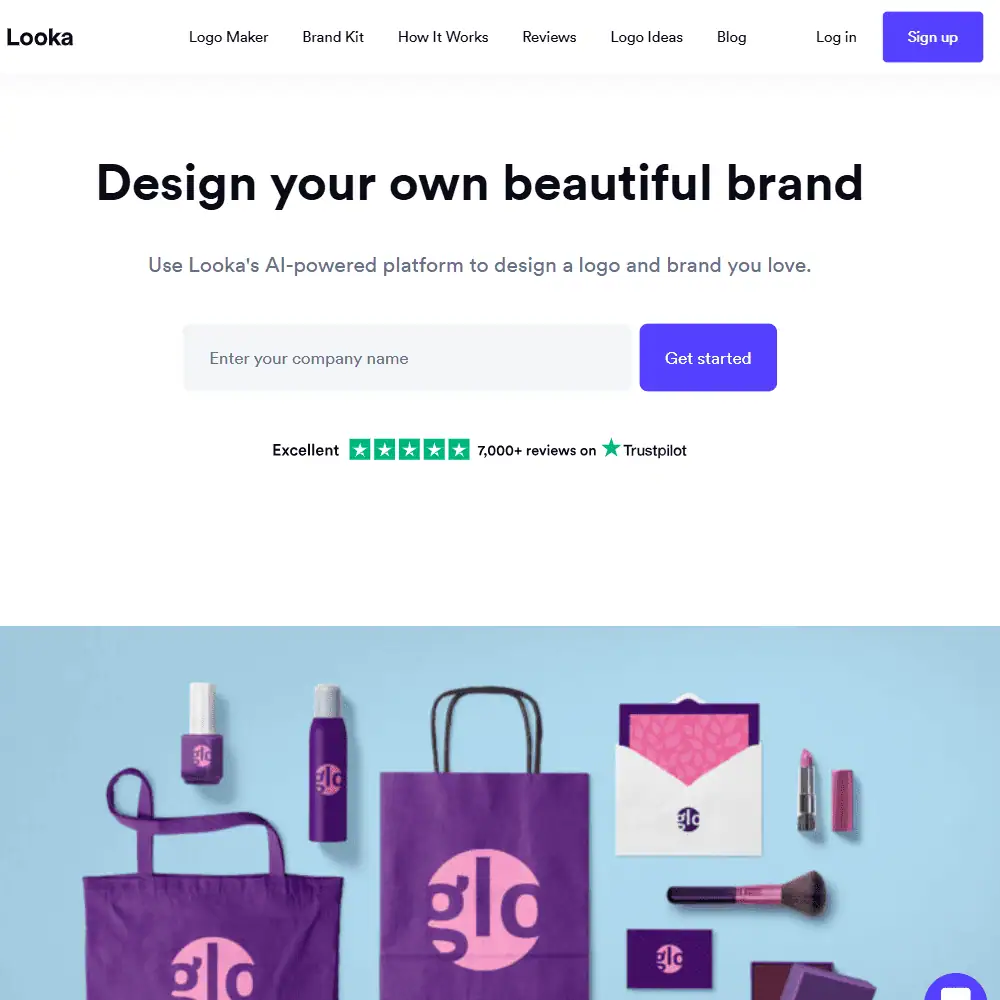
Looka is an AI-powered branding platform designed to help you create a professional logo and full brand identity—without needing a design background. From generating custom logo ideas to producing branded templates for social media, business cards, and even websites, Looka aims to be a complete launchpad for small businesses and startups.
If you’ve been searching for a tool that goes beyond just a logo generator, Looka’s Brand Kit is where it really stands out. With hundreds of pre-designed templates and a user-friendly editor, it’s built for entrepreneurs, creators, and marketers who want to hit the ground running with a consistent visual identity.
In this Looka review, we’ll walk through its key features, how it compares to other design tools, and whether it’s worth investing in for your brand.
Looka AI Key Features & Capabilities
At its core, Looka is more than just a logo maker—it’s a full brand identity builder. Once you generate your logo using Looka’s AI, you’re immediately prompted to extend that design into a cohesive branding system. Here’s what that includes:
Logo Design
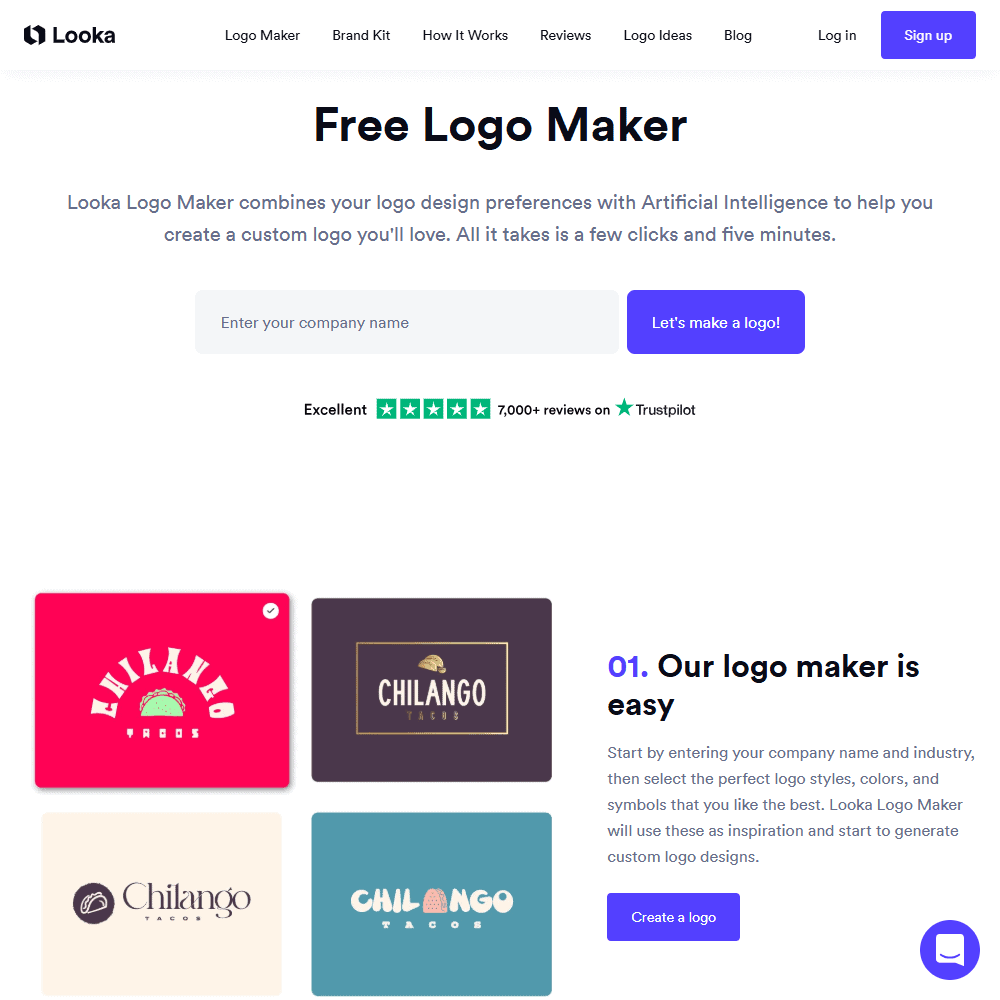
Looka’s logo generation process is fast and surprisingly flexible. You start by entering your business name and picking preferred colors, fonts, and styles. The AI-powered logo maker then presents a wide range of concepts to customize—down to the symbol, layout, and spacing.
- 100s of logo mockups instantly generated
- Real-time previews on business cards, T-shirts, social media, and more
- Edits allowed even after purchase (except company name)
Brand Kit
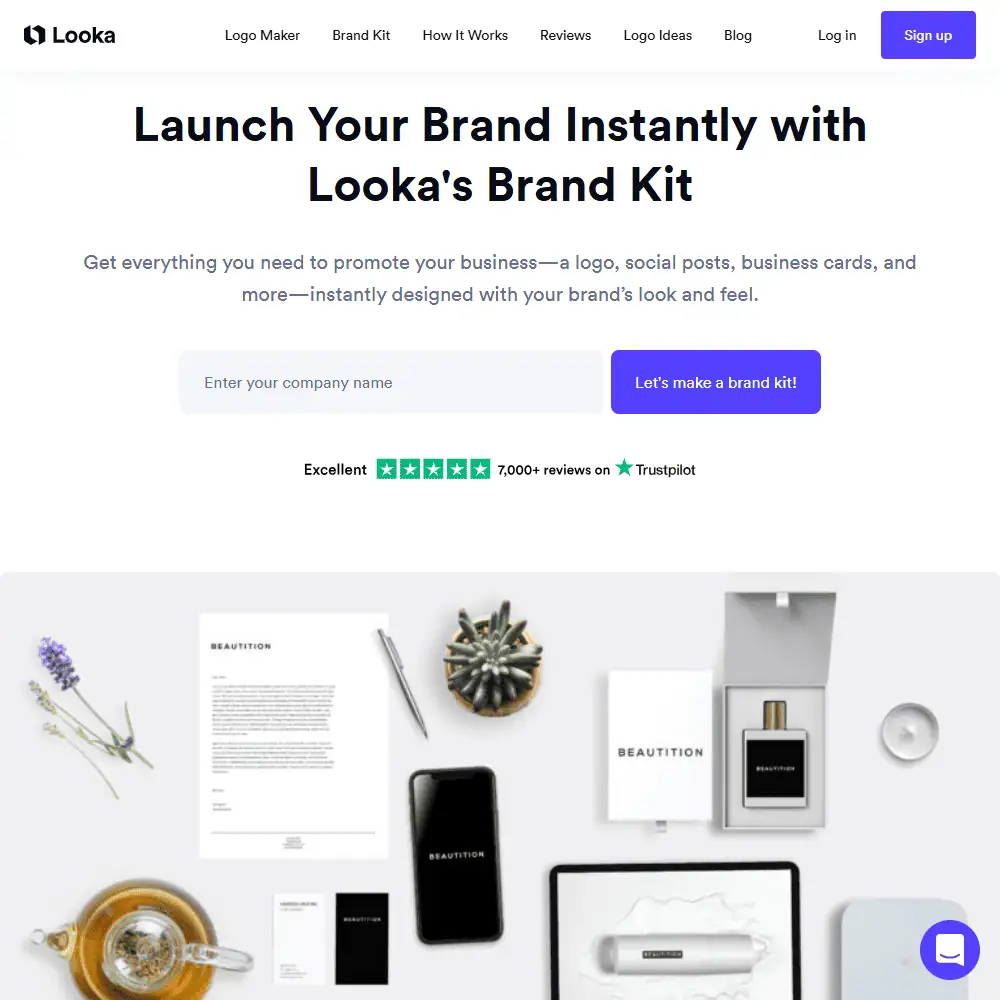
This is where Looka shines. The Brand Kit transforms your logo into over 300+ templates—everything from business cards and email signatures to Instagram posts and invoices.
- Automatically branded social templates, email headers, letterheads, and more
- Easy-to-use drag-and-drop editor
- Brand Guidelines with fonts, colors, and file types included
File Packages & Variants
The Premium Logo Package includes every file type you’d need for online and print use—SVG, PNG, EPS, and PDF—plus color variations (black/white, transparent background, etc.).
As someone who’s spent too much time tweaking logos in Canva or hiring freelancers on Fiverr, Looka felt like a breath of fresh air. The AI logo generator gave me solid starting points, and I appreciated being able to tweak little things like font weight or icon shape right in the editor.
The Brand Kit was the real surprise—it instantly gave me a bunch of polished templates I actually wanted to use. That said, while the visual branding was strong, I did wish the website builder had more layout flexibility.
Ease of Use & User Experience
✅ Looka Login & Setup Process
Getting started with Looka is smooth and straightforward. You don’t need to create an account just to experiment—just type in your business name, select a few styles and icons, and you’re instantly generating logos. Once you’re happy with a design, then you’re prompted to sign up and save.
✅ UI & Workflow
The interface is clean, modern, and designed to guide non-designers through the process. The logo editor feels lightweight but gives you full control over:
- Fonts and layout
- Colors and icon swaps
- Sizing and spacing
Everything updates in real time, and there’s a clear preview panel that shows how your logo would look on T-shirts, business cards, and social media.
✅ Customization Options
- Change font types and weights
- Edit color palettes
- Adjust layout and alignment
- Replace icons from a large built-in library
While you can’t upload your own icon or use advanced features like layers or grids, Looka’s customization options feel more than adequate for beginners and small business owners.
I liked how Looka AI balances guidance and freedom. It gives you guardrails so your design doesn’t go off-track, but still lets you fine-tune spacing, shapes, and styles. The preview options made it really easy to visualize the brand in action—especially on mockups like stationery and merch.
However, the editor isn’t built for pixel-perfect design. If you’re super picky or used to tools like Figma or Illustrator, you might feel a bit limited.
Comparison to Competitors
Looka vs Canva
Both Looka and Canva are geared toward non-designers, but they serve different purposes:
Feature |
Looka |
Canva |
|---|---|---|
| AI Logo Generation | ✅ Advanced (auto-generates logos) | ❌ Manual (template-based) |
| Brand Kit & Templates | ✅ 300+ templates auto-styled | ✅ Brand kits + thousands of templates |
| Logo Ownership | ✅ Full ownership with purchase | ❌ Limited in free tier |
| Custom Editing | ⚠️ Limited to logo structure | ✅ More granular (layers, effects) |
If you’re focused solely on logo design and brand building, Looka makes the process faster and more automatic. Canva, on the other hand, is better suited for ongoing content creation where you need design flexibility across multiple use cases. I found Looka’s logo mockups and Brand Kit a faster path to brand launch, while Canva shines for social content.
Similar Tools to Consider
If you’re exploring alternatives to Looka logo design, here are some other tools in the AI logo or branding space:
- Wix Logo Maker – Similar in UI, but tied to Wix’s web builder ecosystem.
- Tailor Brands – More expensive, but includes legal services and a more corporate vibe.
- Hatchful by Shopify – Free and simple, but very limited customization.
- LogoAI – Another AI-first logo generator with real-time animation previews.
Looka Pricing & Subscription Plans
Looka offers flexible payment options depending on whether you just want a logo or a full suite of brand-building tools.
Is Looka Free?
No, Looka is not free, but you can design logos and preview brand assets at no cost. You only pay once you’re ready to download or use your designs.
Pricing Breakdown:
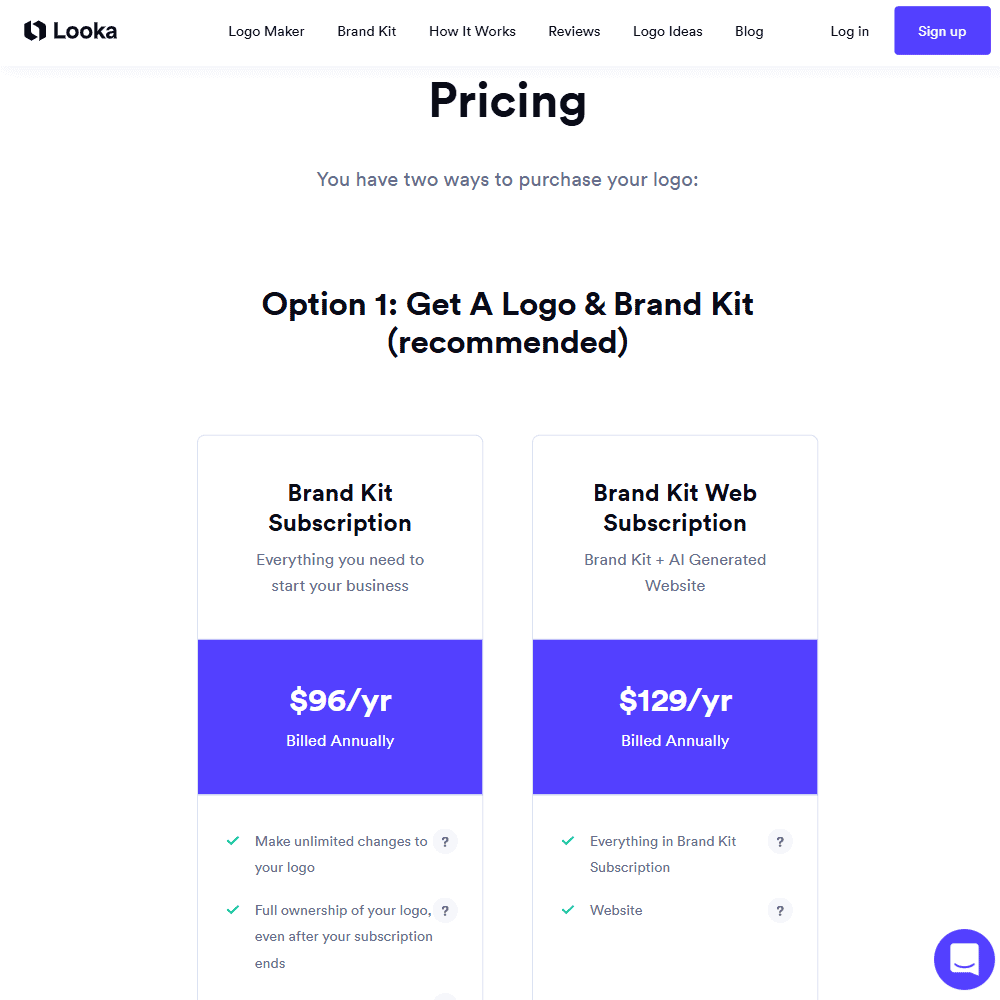
🟢 Option 1: Logo + Brand Kit Subscription (Recommended)
- Brand Kit – $96/year
- Unlimited logo edits
- 300+ branded templates (social posts, business cards, etc.)
- Full logo ownership
- Hi-res files (SVG, PNG, EPS, PDF)
- Access to $3,000+ in partner offers
- Brand Kit + Website – $129/year
- Everything in Brand Kit, plus a hosted website
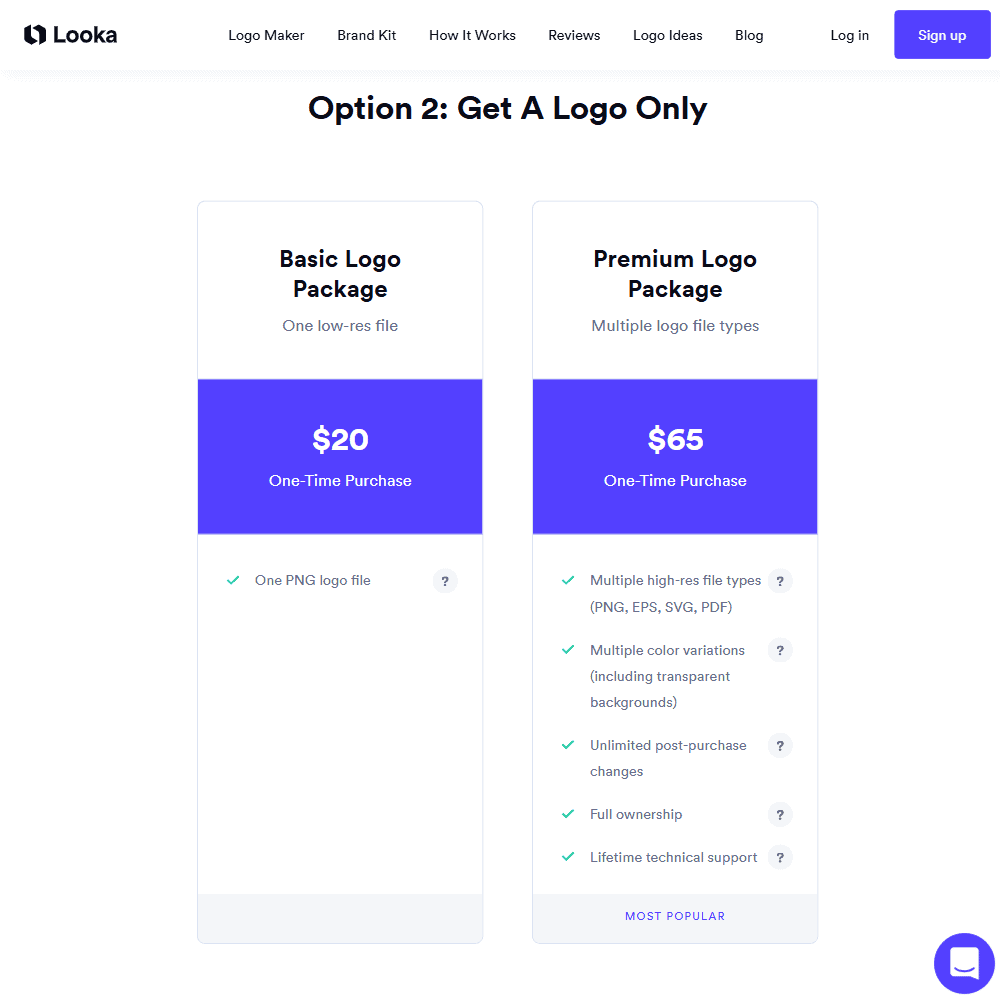
🟠 Option 2: One-Time Logo Purchase
- Basic Logo Package – $20 (1 low-res PNG file)
- Premium Logo Package – $65
- All hi-res vector files
- Unlimited edits
- Full ownership + support
Refund Policy
No automatic refunds, but users can contact support for help or issues post-purchase. Refunds are not guaranteed once files are downloaded.
Discounts & Hidden Fees
No major hidden fees. Occasionally, you can find a Looka promo code or Looka coupon online for small discounts during checkout.
Looka Review Final Verdict & Recommendations
Looka AI is a great starting point for entrepreneurs and small business owners who want professional-looking branding without hiring a designer. Its AI-powered logo generator produces highly customizable results, and the Brand Kit adds real value for launching across social media, print, and web.
If you’re looking for a full branding toolkit that goes beyond logos—with editable business cards, social graphics, and even a basic website—Looka’s Brand Kit subscription is worth it. However, if all you need is a one-off logo download, the one-time pricing is a nice bonus.
🔹 Best For:
- New business owners who need a full visual identity fast
- Solo entrepreneurs who want to avoid hiring a designer
- Anyone building a brand with limited time or design experience
Frequently Asked Questions (FAQs)
Is Looka free to use?
Yes, Looka allows users to design logos for free using its AI logo maker. However, downloading high-res files or accessing the full Looka Brand Kit requires a paid plan.
How does Looka compare to other AI logo makers?
Compared to tools like Canva or Wix Logo Maker, Looka offers more automated customization with its AI engine and a broader branding suite through its Brand Kit—ideal for launching a full identity from a single platform.
Can I edit my Looka logo after purchasing it?
Yes, once you purchase a logo on Looka, you can return to the editor anytime to make unlimited changes to fonts, layouts, and colors (except for the company name).
Specification: Looka Review
| Basic Specifications | ||||||||||||||||||||||||||||||
|---|---|---|---|---|---|---|---|---|---|---|---|---|---|---|---|---|---|---|---|---|---|---|---|---|---|---|---|---|---|---|
|
||||||||||||||||||||||||||||||
| Pricing & Plans | ||||||||||||||||||||||||||||||
|
||||||||||||||||||||||||||||||
| Core Features | ||||||||||||||||||||||||||||||
|
||||||||||||||||||||||||||||||
| User Experience & Interface | ||||||||||||||||||||||||||||||
|
||||||||||||||||||||||||||||||
| Integrations & Compatibility | ||||||||||||||||||||||||||||||
|
||||||||||||||||||||||||||||||
| Automation & Workflows | ||||||||||||||||||||||||||||||
|
||||||||||||||||||||||||||||||
| Security & Compliance | ||||||||||||||||||||||||||||||
|
||||||||||||||||||||||||||||||
| Customer Support & Community | ||||||||||||||||||||||||||||||
|
||||||||||||||||||||||||||||||
Photos: Looka Review
User Reviews
Be the first to review “Looka Review”






There are no reviews yet.