Craiyon Review
$12.00
If you’ve ever wanted a free, no-frills way to turn your imagination into visuals, Craiyon AI might be what you’re looking for. Formerly known as DALL·E mini, Craiyon is an AI-powered image generator that turns simple text prompts into visual artwork in seconds. Whether you’re experimenting with surreal ideas, building mood boards, or just playing around, this image generation tool offers a quick and accessible entry point into the world of generative AI art.
What is Craiyon? It’s a browser-based AI image generator developed by Boris Dayma and his team—designed to make text-to-image generation as easy as typing and clicking “Draw.” The app is unique in that it offers unlimited image generation using its free Lite model, and optional Pro credits for higher-quality results. It’s particularly popular among hobbyists, indie creators, and educators who want a low-barrier way to explore AI visuals.
In this Craiyon review, I’ll cover its features, image quality, ease of use, pricing, and how it compares to other tools like Playground AI or Midjourney. I’ll also touch on the tool’s background remover, which—unlike most—offers unlimited free usage with no login required.
Craiyon AI Key Features & Capabilities
Craiyon gives users access to both Lite and Pro models for text-to-image generation. Here’s what stood out during my testing:
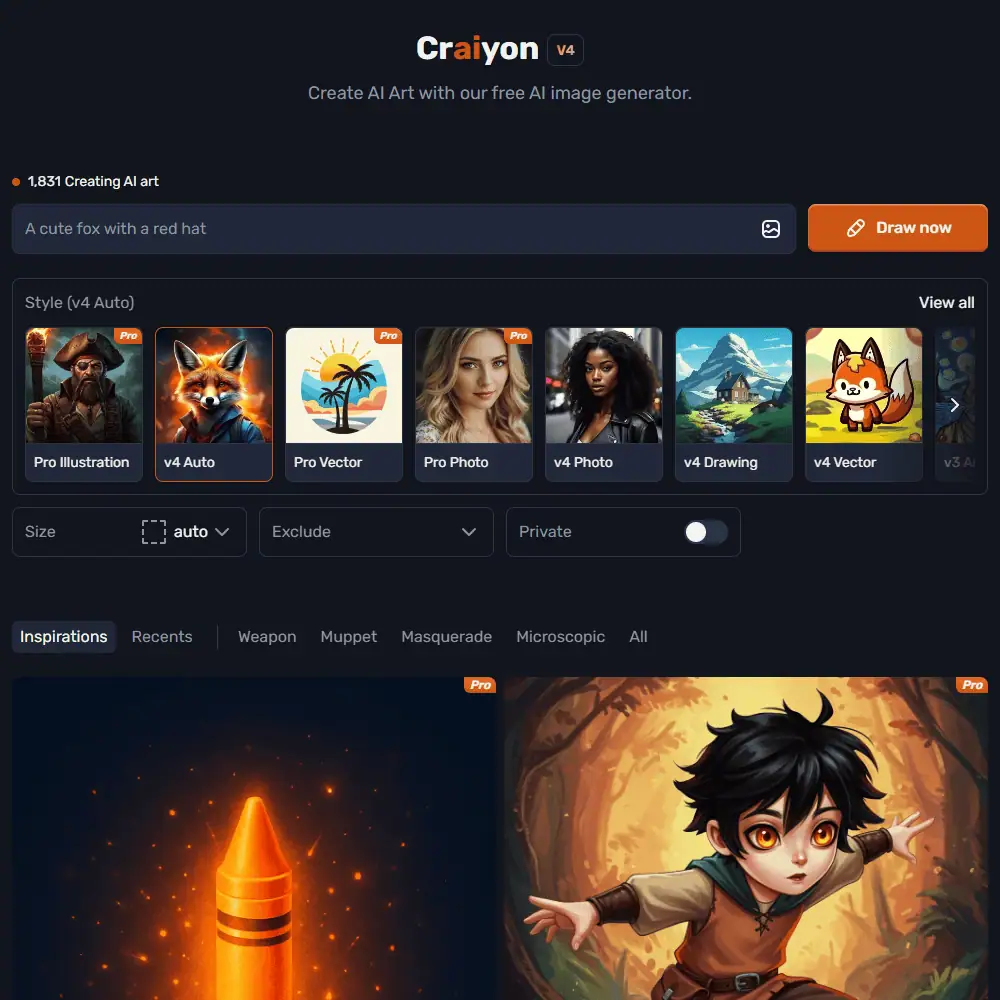
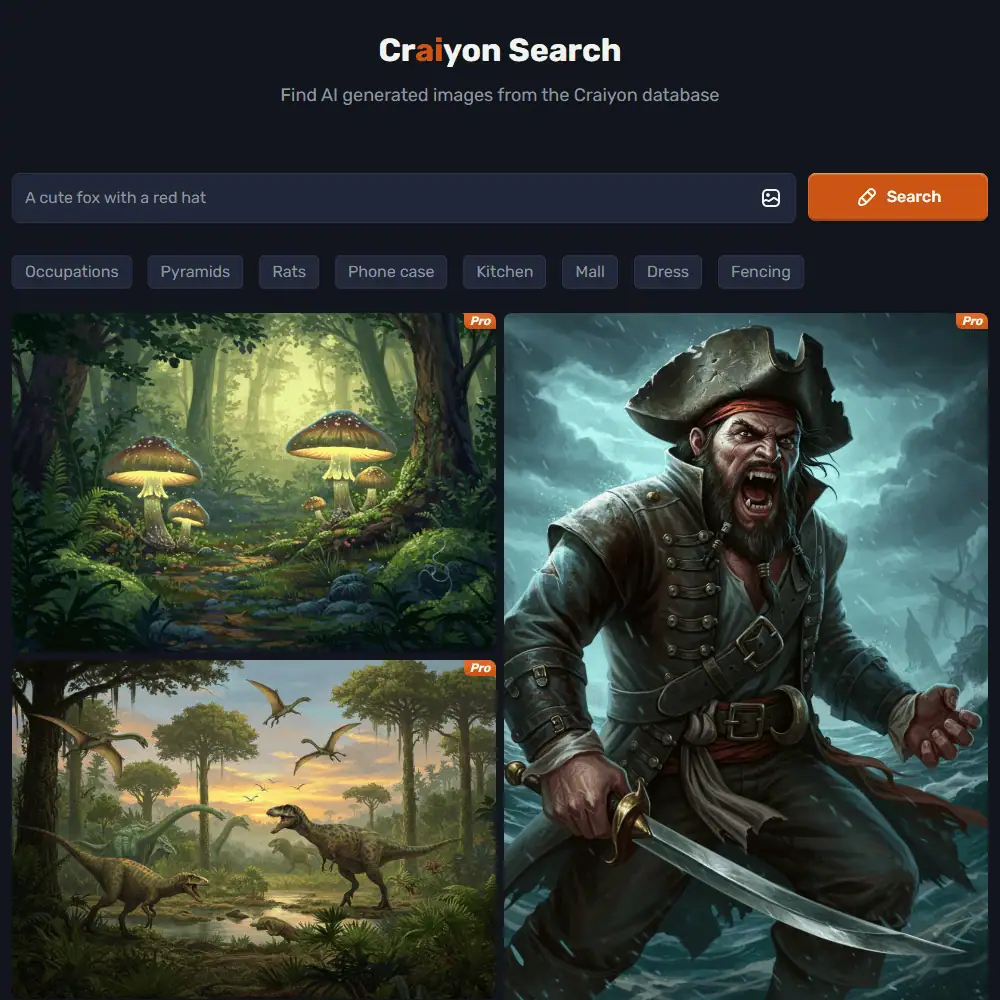
- Text-to-Image Generation: At its core, Craiyon turns natural language prompts into digital art using its own in-house AI model. The Lite model is fast and unlimited (even on the free plan), while the Pro model offers better detail, sharper images, and improved visual coherence using monthly Pro credits.
- Exclude Elements Functionality: You can fine-tune generations by excluding specific items (e.g. “no people” or “no blue”). It doesn’t always interpret exclusions perfectly, but it’s a solid addition that gives you more control than many free AI generators.
- Unlimited Lite Generations: Unlike some competitors that gate usage behind logins or daily caps, Craiyon’s free tier lets you generate as many Lite images as you want. Ads fund the backend, so it’s a tradeoff—but a fair one.
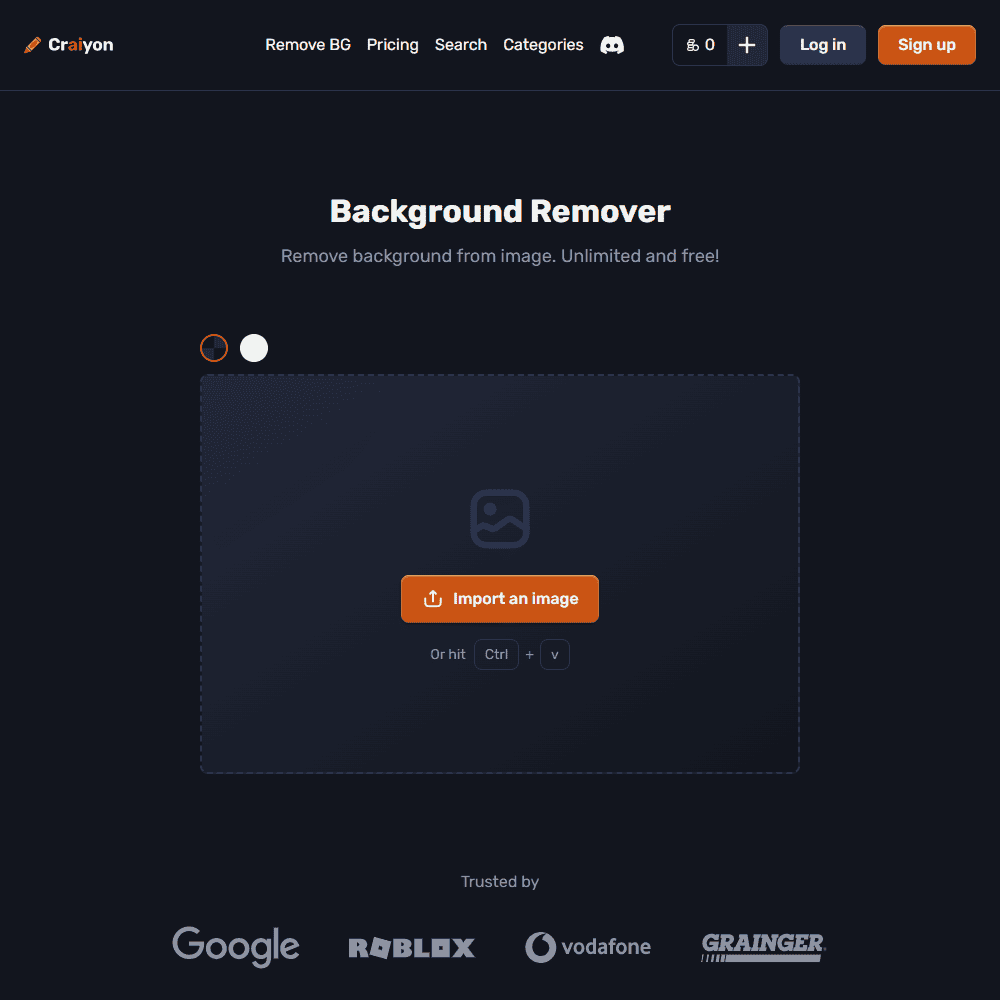
- Background Remover: Craiyon’s free AI background remover is surprisingly good. It doesn’t require an account and offers HD output (up to 2K) with no usage limits. You can also change the background to white, black, transparent, or custom colors—rare for a free tool.
- Simple Download & Share Tools: Each generated image can be saved instantly, and Pro users can keep their images private (free images are public by default).
Craiyon AI impressed me with how much it offers for free—especially the background remover, which I expected to be a throwaway feature but actually delivered sharp, clean cuts. The Pro images are definitely a step up in quality, especially for faces, lighting, and realism. However, the tool does lack some more advanced features seen in tools like Midjourney (such as inpainting, consistent character rendering, or high-res upscaling). There’s also no direct support for aspect ratio customization unless you’re on a paid plan.
Ease of Use & User Experience
Getting started with Craiyon couldn’t be easier—there’s no signup required to generate images on the free plan. Just visit the site, type a prompt, and hit Draw.
- Sign-In & Setup: Free users don’t need to create an account, and paid users can upgrade and access private generation, Pro credits, and priority queues after logging in. No learning curve here.
- User Interface: Craiyon’s interface is lightweight and clean. Prompt box, draw button, generation display—it’s all there in one view. You can also edit prompts or exclude terms directly from the same screen. It’s not flashy, but it’s efficient.
- Customization Options: This is where Craiyon falls a bit short. You won’t find advanced prompt modifiers, aspect ratio settings (unless on Pro), or model choices beyond Lite vs. Pro. It’s built for speed and accessibility, not deep customization.
I liked how fast Craiyon is. Even on the free plan, Lite generations were done in under 10 seconds. The lack of prompt templates, aspect ratios, and editing tools might frustrate power users, but for casual experimentation or content ideation, the workflow feels frictionless.
Craiyon AI Comparison to Competitors
When comparing Craiyon to other AI image generation tools like Playground AI, DALL·E 3, or Dream by Wombo, it becomes clear that Craiyon is aiming for accessibility first, polish second. It doesn’t offer the prompt depth or realism of Midjourney, but it wins big with its no-login-needed free access, unlimited Lite generations, and a surprisingly solid background remover.
Craiyon vs Playground AI:
Playground AI offers more model variety (including Stable Diffusion and DALL·E) and robust editing options like inpainting. However, Craiyon is far simpler to use and more beginner-friendly—especially for those who just want to quickly generate ideas without a steep learning curve or account creation.
Craiyon vs DALL·E 3 (via Bing):
DALL·E 3 generates more coherent and creative results, especially with human faces and storytelling prompts. But Craiyon’s Lite model is far more generous with unlimited free use and fewer access restrictions.
If you’re looking for quick experimentation and low friction, Craiyon AI delivers. For commercial-quality renders or photorealistic portraits, you’ll need to look elsewhere or use Craiyon’s Pro credits.
Craiyon Pricing & Subscription Plans
So, is Craiyon free? Yes—Craiyon offers a robust free tier with unlimited Lite generations, ad-supported. If you want higher-quality results, privacy, or priority access, you’ll need to subscribe.
Monthly Plans:
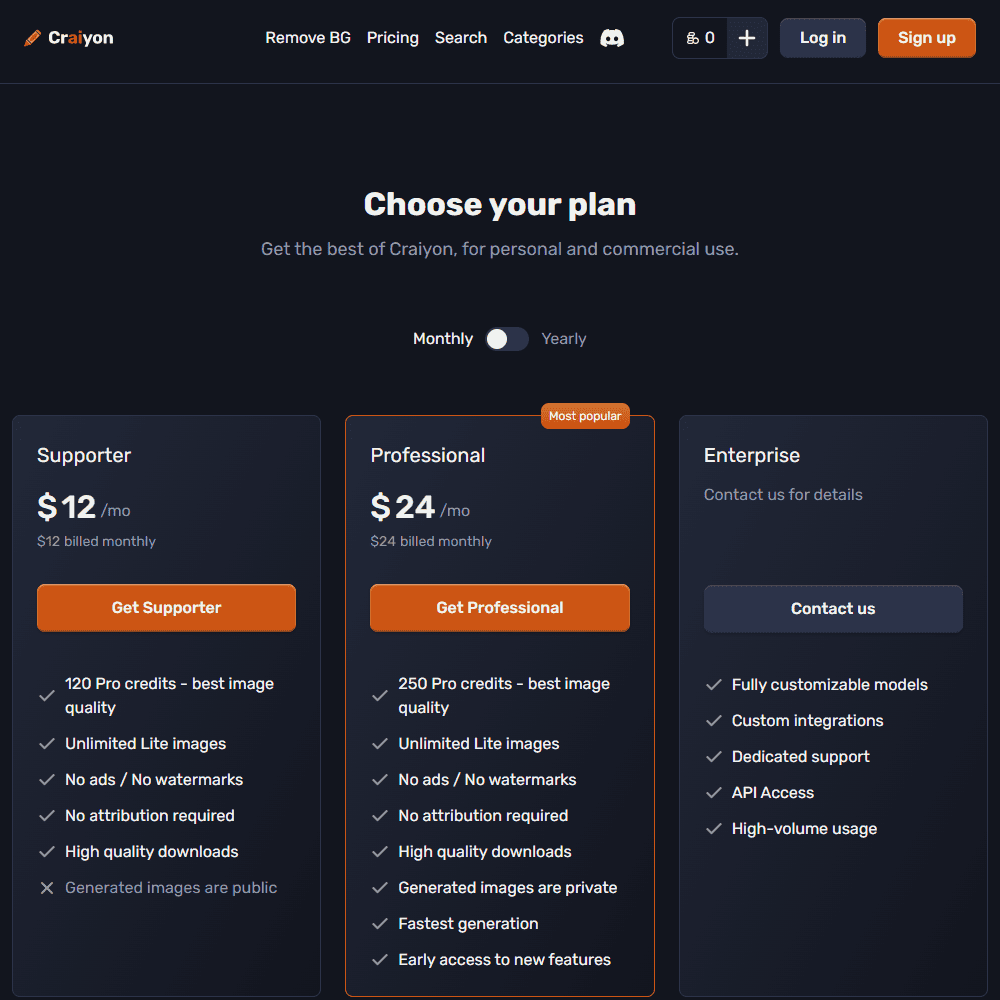
- Supporter – $12/month 120 Pro credits, unlimited Lite images, no ads or watermarks, public generations
- Professional – $24/month 250 Pro credits, private generations, fastest queue, early access to features
- Enterprise – Contact for pricing Custom models, dedicated support, API access, high-volume usage
Yearly Discounts:
- Supporter – $10/month ($120/year)
- Professional – $20/month ($240/year)
There are no hidden fees, but note: Craiyon does not offer refunds, though you can cancel anytime.
Craiyon Review Final Verdict & Recommendations
Craiyon is one of the most accessible AI image generators on the web. It may not produce the highest-quality art out there, but its ease of use, unlimited free generation, and supporter-friendly pricing make it an excellent choice for beginners, students, and casual creatives. It’s ideal if you’re:
- A student or educator needing visuals without signing up
- A creator testing prompt ideas or generating meme-style content
- A designer who occasionally needs a background remover or simple AI concepts
However, if you need consistent quality, detailed faces, or cinematic visuals, Craiyon still feels one step behind more advanced tools.
Frequently Asked Questions (FAQs)
Is Craiyon free to use?
Yes, Craiyon offers a free AI image generator with unlimited Lite images. You can use it without logging in, though Pro features require a subscription.
How does Craiyon AI compare to DALL·E or Midjourney?
Craiyon is simpler and more accessible, with unlimited free usage. However, Midjourney and DALL·E 3 offer higher quality and more consistency in detailed scenes.
Does Craiyon have a background remover?
Yes! The Craiyon background remover is 100% free, unlimited, and lets you download HD images with transparent or custom color backgrounds.
Specification: Craiyon Review
| Basic Specifications | ||||||||||||||||||||||||||||||||
|---|---|---|---|---|---|---|---|---|---|---|---|---|---|---|---|---|---|---|---|---|---|---|---|---|---|---|---|---|---|---|---|---|
|
||||||||||||||||||||||||||||||||
| Pricing & Plans | ||||||||||||||||||||||||||||||||
|
||||||||||||||||||||||||||||||||
| Core Features | ||||||||||||||||||||||||||||||||
|
||||||||||||||||||||||||||||||||
| User Experience & Interface | ||||||||||||||||||||||||||||||||
|
||||||||||||||||||||||||||||||||
| Integrations & Compatibility | ||||||||||||||||||||||||||||||||
|
||||||||||||||||||||||||||||||||
| Automation & Workflows | ||||||||||||||||||||||||||||||||
|
||||||||||||||||||||||||||||||||
| Security & Compliance | ||||||||||||||||||||||||||||||||
|
||||||||||||||||||||||||||||||||
| Customer Support & Community | ||||||||||||||||||||||||||||||||
|
||||||||||||||||||||||||||||||||
Photos: Craiyon Review
User Reviews
Be the first to review “Craiyon Review”




There are no reviews yet.