Flick Review
$14.00
If you’re managing multiple socials and spending too much time juggling scheduling tools, hashtags, and caption writing, Flick might already be on your radar. But is it actually helpful, or just another overhyped AI assistant? In this Flick review, I’ll break down exactly how it performs — from setup and features to pricing and workflow — based on hands-on testing and research.
What is Flick App?
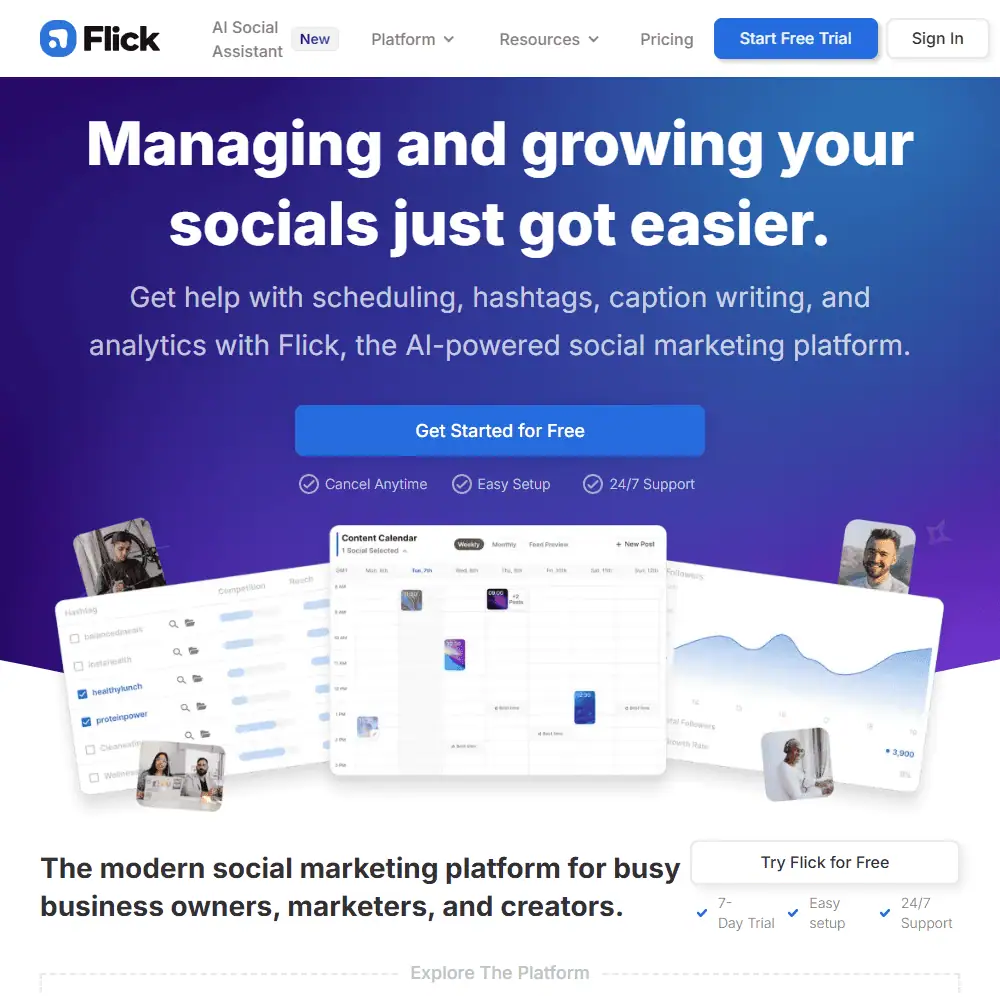
Flick is an AI-powered social media marketing platform designed to streamline your content strategy across Instagram, Facebook, LinkedIn, and TikTok. Its core features include scheduling tools, analytics, hashtag optimization, and its standout AI assistant — Iris — which helps you generate on-brand captions, post ideas, and full social strategies.
You can access Flick through the web or mobile apps (iOS & Android), making it a flexible choice for creators, marketers, and social media managers. It offers a 7-day free trial, and subscriptions can be canceled anytime.
Flick Social AI Key Features & Capabilities
Flick isn’t just a scheduler — it’s a full social assistant. Here’s what you get:
- AI Social Media Assistant (Iris) – Generate entire monthly strategies, on-brand captions, content calendars, and more.
- Hashtag Tools – Find trending and niche hashtags, get analytics on performance, and check for banned tags.
- Post Scheduler – Drag-and-drop content calendar with feed previews and AI caption integration.
- Instagram Analytics Tool – Track post performance, audience engagement, and optimize your content based on real-time metrics.
- Viral Trend Suggestions – Iris will suggest how your brand can capitalize on current trends.
- Content Pillars & Brand Hub – Teach Iris your tone, products, and goals for consistent brand messaging.
SaaSInspector’s Take:
-
- What works well: Iris is surprisingly useful. It doesn’t just write captions — it builds a content strategy, analyzes previous posts, and integrates with your schedule. The hashtag tool is genuinely one of the best out there.
- What could be improved: While Iris handles captions and post strategy well, she doesn’t actually create visuals (yet). You’ll still need to design or source content manually.
- Missing features: There’s no built-in image generation or true AI video creation, which tools like Canva or Pictory might offer separately.
Ease of Use & User Experience
✅ Flick App Sign-In & Setup Process
Getting started is quick — sign up, connect your socials (no password needed, just Instagram/Facebook API), and Iris walks you through onboarding with prompts about your business goals and tone.
✅ UI & Workflow
The dashboard is clean and modern. The content calendar is drag-and-drop, and Iris content suggestions live in a sidebar that’s always a click away. There’s no steep learning curve here.
✅ Customization Options
Iris can learn your brand voice, content pillars, and even your preferred caption length or style. She also lets you fine-tune suggestions before posting — a plus for brands that need control.
I liked how easy it was to get started. Iris immediately asked me questions about my brand tone and offered a ready-to-go content plan within minutes. Compared to tools like Buffer, the interface felt far more supportive and guided.
Flick Social Comparison to Competitors
Flick vs Later
Later is a strong contender when it comes to visual scheduling and Instagram-first features. However, Flick offers better AI assistance, deeper hashtag analytics, and more in-depth brand customization. Later’s AI tools feel like a bolt-on — Flick’s Iris feels like a real assistant.
Similar to Flick
- Buffer – Great for basic scheduling, but lacks Flick’s smart hashtag engine and brand voice AI.
- Hootsuite – More powerful at enterprise scale, but overly complex and expensive.
- Metricool – Offers similar analytics but no AI content assistance.
If you’re managing multiple clients or just hate juggling hashtags, Flick is faster and smarter than Buffer or Later. But if you’re looking for AI visuals or advanced image editing, you’ll still need another tool alongside it.
Flick App Pricing & Subscription Plans
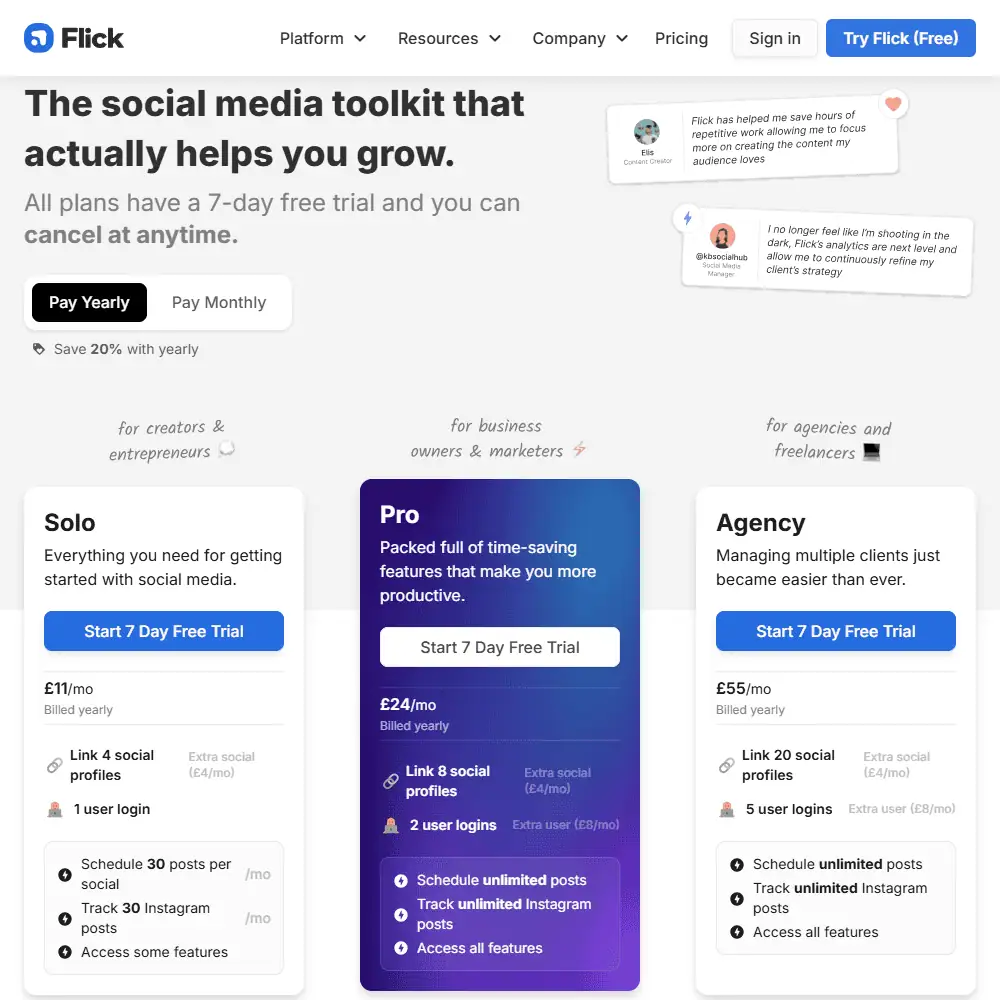
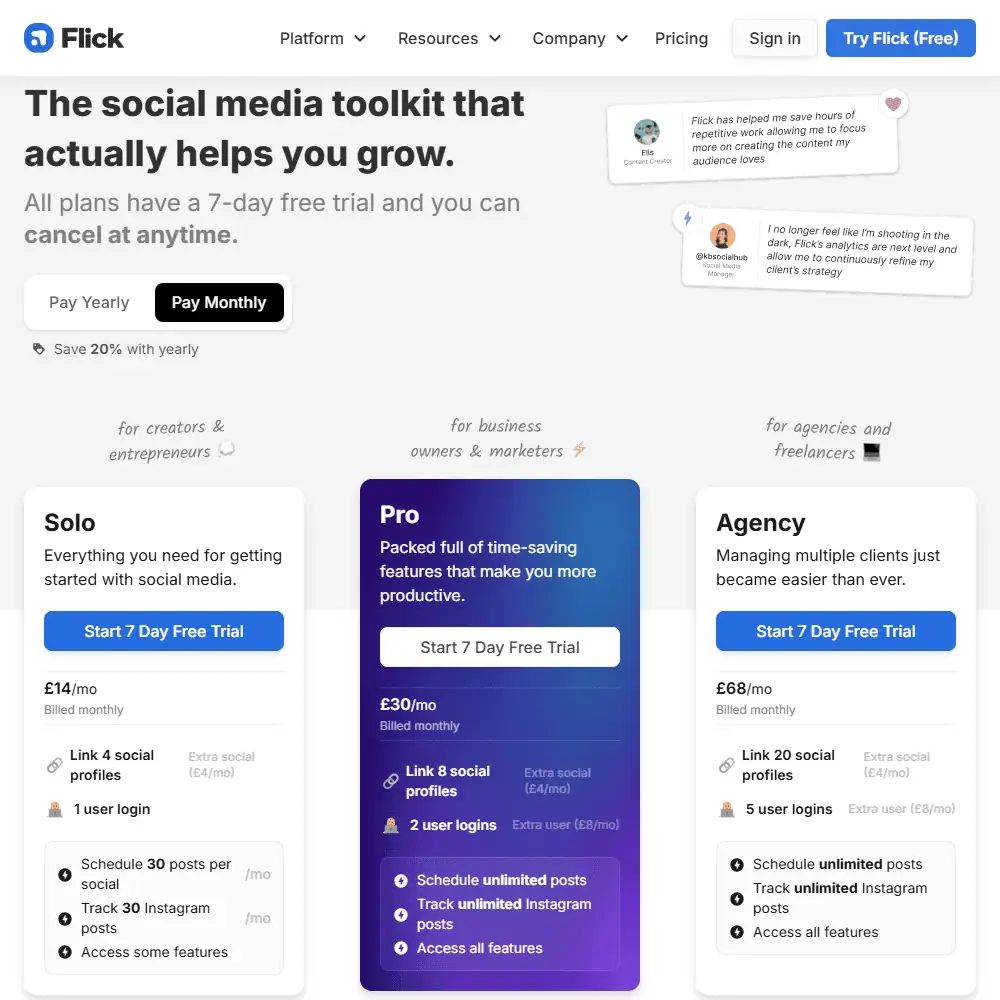
If you’re asking “Is Flick free?” — the answer is no, but it does offer a 7-day free trial on all plans, and you can cancel anytime. There’s no permanent free tier, but pricing is transparent and scales depending on whether you’re a solo creator or an agency managing 20 clients.
✅ Flick Pricing Breakdown
| Plan | Monthly (GBP) | Monthly (USD) | Yearly (GBP) | Yearly (USD) | Best For |
|---|---|---|---|---|---|
| Solo | £14/mo | ~$17.50/mo | £11/mo | ~$13.75/mo | Creators & solopreneurs |
| Pro | £30/mo | ~$37.50/mo | £24/mo | ~$30.00/mo | Business owners & marketers |
| Agency | £68/mo | ~$85.00/mo | £55/mo | ~$68.75/mo | Freelancers & marketing agencies |
💡 All plans come with a 7-day free trial, and you can cancel anytime.
🧾 What’s Included in Each Plan?
✅ Solo Plan
- Link up to 4 social profiles
- 1 user login
- Schedule 30 posts per social/month
- Track 30 Instagram posts
- Access Flick’s hashtag search, collections, and analytics tools
- Ideal for those just starting out or managing a personal brand
✅ Pro Plan
- Link up to 8 social profiles
- 2 user logins
- Unlimited scheduled posts and hashtag tracking
- Advanced hashtag analytics (Rank Ratio, Avg. Best Rank, Efficiency Score)
- Access to Iris AI Social Assistant for ideation, captions, post strategy
- Perfect for growing brands that need collaborative tools and deeper insights
✅ Agency Plan
- Link up to 20 social profiles
- 5 user logins
- All Pro features plus:
- Support for multiple client workflows
- Advanced scheduling, performance benchmarking, and strategy generation for multiple brands
- Ideal for agencies managing many clients or high-volume posting
💸 Optional Add-Ons
| Add-On | Price (GBP) | Price (USD) |
|---|---|---|
| Extra Social | £4/mo | ~$5.00/mo |
| Extra User | £8/mo | ~$10.00/mo |
You can customize your plan by adding additional social profiles or users if your team expands.
✅ Refund Policy
Flick does not offer refunds, but with the 7-day free trial, you can test every feature — including Iris, the AI assistant — before committing. Cancel before your trial ends and you won’t be charged. No hidden fees or surprise charges.
Flick Social AI Review Final Verdict
Flick is a powerful all-in-one social media toolkit that genuinely lightens the load for creators, small business owners, and marketers. From advanced hashtag analytics to a well-integrated AI assistant (Iris) that helps generate captions, plan content, and even suggest viral trends—it’s a major time-saver.
The UI is clean, the onboarding is smooth, and the real value lies in how well everything works together: scheduling, analytics, and content creation under one roof. While it’s not the cheapest platform, the feature set justifies the price—especially with the 7-day free trial and flexible subscription model (monthly, yearly, or à la carte).
If you’re serious about managing and growing your social media presence, Flick is worth the investment. It’s not trying to replace your entire content strategy—but it will seriously upgrade it.
Frequently Asked Questions (FAQs)
1. What is Flick used for?
Flick is an AI-powered social media platform that helps users plan, write, schedule, and optimize posts across Instagram, Facebook, TikTok, and LinkedIn. Its tools include AI caption writing, hashtag search, and detailed Instagram analytics.
2. Is Flick AI free?
Flick is not free, but it offers a 7-day free trial on all plans. After that, pricing starts at £14/month for solo users and scales for teams. No free-forever tier is available.
3. How does Flick compare to Later or Buffer?
While Later and Buffer focus more on scheduling, Flick stands out with its AI assistant Iris, deeper hashtag performance metrics, and Instagram-first strategy tools. It’s more analytics-heavy and smarter when it comes to caption writing.
Specification: Flick Review
| Basic Specifications | ||||||||||||||||||||||||||
|---|---|---|---|---|---|---|---|---|---|---|---|---|---|---|---|---|---|---|---|---|---|---|---|---|---|---|
|
||||||||||||||||||||||||||
| Pricing & Plans | ||||||||||||||||||||||||||
|
||||||||||||||||||||||||||
| Core Features | ||||||||||||||||||||||||||
|
||||||||||||||||||||||||||
| User Experience & Interface | ||||||||||||||||||||||||||
|
||||||||||||||||||||||||||
| Integrations & Compatibility | ||||||||||||||||||||||||||
|
||||||||||||||||||||||||||
| Automation & Workflows | ||||||||||||||||||||||||||
|
||||||||||||||||||||||||||
| Security & Compliance | ||||||||||||||||||||||||||
|
||||||||||||||||||||||||||
| Customer Support & Community | ||||||||||||||||||||||||||
|
||||||||||||||||||||||||||
Photos: Flick Review
User Reviews
Be the first to review “Flick Review”











There are no reviews yet.