HyperWrite AI Review
$16.00
AI-powered writing tools have been revolutionizing content creation, helping writers, students, and professionals streamline their workflow. One such tool making waves in the AI writing space is HyperWrite AI.
But what exactly is HyperWrite? In simple terms, it’s an AI-driven writing assistant designed to help users generate, refine, and improve text across various formats. Whether you need a content rewrite, AI-generated summaries, email drafting, or advanced research capabilities, HyperWrite AI claims to provide an all-in-one solution.
In this HyperWrite AI review, we’ll take a deep dive into its key features, usability, pricing, and how it compares to competitors like Grammarly, Jasper AI, and Wordtune. We’ll also explore whether it’s worth the investment and who will benefit the most from its offerings.
HyperWrite AI Key Features & Capabilities
One of the standout aspects of HyperWrite AI is its wide array of AI-powered writing tools. Instead of being limited to just grammar correction or content rewriting, it offers a comprehensive suite of AI functionalities. Below are some of its most notable tools:
🪄 Flexible AutoWrite
HyperWrite’s most popular feature allows users to generate AI-powered content from scratch. Whether it’s a blog post, social media caption, or an essay, this tool assists in structuring and refining writing.
✅ While the content generation is strong, the output sometimes requires manual tweaks for coherence and tone consistency.
📝 Summarizer
A powerful summarization tool that extracts key information from long-form content, helping users condense research papers, articles, or reports quickly.
✅ This feature is useful for students and researchers, but it occasionally oversimplifies complex ideas, making nuanced content lose depth.
🤖 AI Writer
HyperWrite AI assists in creating original content for various purposes, from academic writing to business emails.
✅ The AI-generated content is decent, but compared to Jasper AI, it lacks SEO-focused optimization for long-form content marketing.
✍️ Rewrite Content
This tool helps users paraphrase and reword text while keeping the original meaning intact. It’s great for avoiding plagiarism and improving readability.
✅ This is one of HyperWrite’s strongest tools—it does a great job of restructuring sentences naturally without making them sound robotic.
🎤 AI Speech Writer
A unique feature that generates speeches based on user input, creating structured outlines with compelling narratives.
✅ A niche but handy tool—especially useful for public speakers or professionals needing quick, well-structured scripts.
🦄 Magic Editor
This tool refines writing by improving clarity, tone, and style, making texts more professional and polished.
✅ It works well for refining drafts, but it lacks the deep grammar analysis found in tools like Grammarly Premium.
🎓 Scholar AI
HyperWrite’s research tool that finds peer-reviewed articles to back up AI-generated content, making it highly useful for academic and professional writing.
✅ A great research-oriented tool. However, it doesn’t always provide citations in standard academic formats like APA or MLA.
📧 Email Responder
Generates quick, professional responses to emails based on a short prompt.
✅ A solid feature for business professionals, saving time on routine email replies. However, it sometimes lacks tone customization for different email contexts.
Ease of Use & User Experience
A great AI tool should be intuitive, easy to use, and require minimal setup. Here’s how HyperWrite AI performs in these areas:
✅ Sign-In & Setup Process
Getting started with HyperWrite is straightforward. Users can sign up with an email, and there’s a free plan to test its features before upgrading.
✅ The sign-up process is hassle-free, but I noticed that the free version has very limited usage, which forces users to upgrade quickly.
✅ UI & Workflow
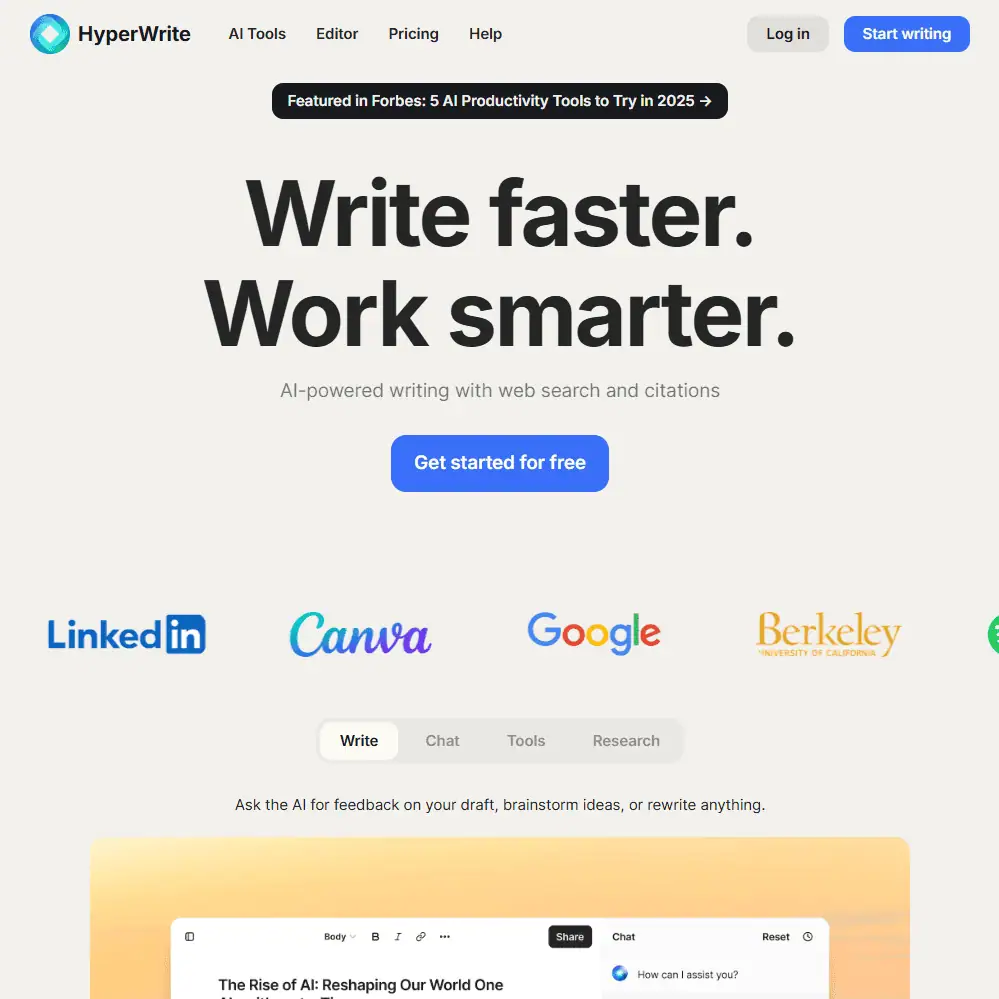
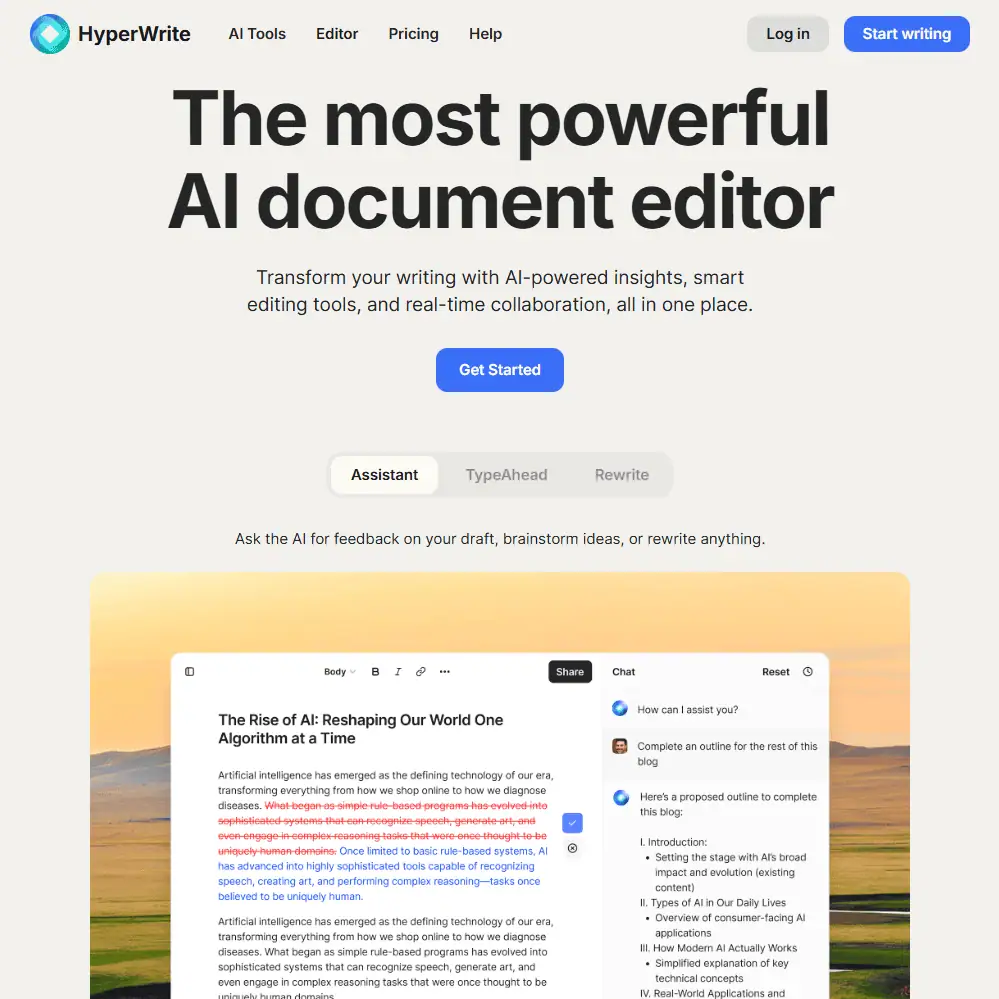
The interface is clean and functional, though it leans slightly towards feature-heavy rather than minimalist. The AI tools are accessible from the dashboard, making navigation simple.
✅ The UI is user-friendly, but it could benefit from a dark mode option and better organization of its growing list of tools.
✅ Customization Options
Users can adjust tone, style, and formality levels in certain tools, but there are limited controls over AI behavior compared to competitors like Copy.ai or Jasper AI.
✅ The ability to create custom personas is a nice touch, but I wish it had more fine-tuned tone adjustments, especially for formal writing.
HyperWrite Comparison to Competitors
When choosing an AI writing assistant, it’s important to compare HyperWrite AI with similar tools in the market. Here’s how it stacks up against some of its biggest competitors:
HyperWrite vs. Grammarly
Feature |
HyperWrite AI |
Grammarly |
|---|---|---|
| AI Content Generation | ✅ Yes | ❌ No |
| Grammar & Spell Checking | ⚠️ Basic | ✅ Advanced |
| Plagiarism Checker | ❌ No | ✅ Yes (Premium) |
| Tone & Clarity Adjustments | ✅ Yes | ✅ Yes |
| Summarization & Paraphrasing | ✅ Yes | ⚠️ Limited |
| Research Assistance | ✅ Yes | ❌ No |
Grammarly is better for grammar and plagiarism checking, while HyperWrite excels in AI-generated writing and content restructuring.
HyperWrite vs. Jasper AI
Feature |
HyperWrite AI |
Jasper AI |
|---|---|---|
| AI Content Generation | ✅ Yes | ✅ Yes |
| SEO Optimization | ❌ No | ✅ Yes |
| Custom AI Personas | ✅ Yes | ✅ Yes |
| Research Assistance | ✅ Yes | ❌ No |
| Pre-Built Templates | ✅ Yes | ✅ Yes |
Jasper AI is better for content marketers due to its SEO-focused tools, but HyperWrite AI is more academic and research-driven.
HyperWrite vs. Wordtune
Feature |
HyperWrite AI |
Wordtune |
|---|---|---|
| AI Writing Tools | ✅ Yes | ❌ No |
| Summarization | ✅ Yes | ✅ Yes |
| Rewriting Capabilities | ✅ Yes | ✅ Yes |
| Grammar & Tone Enhancements | ✅ Yes | ✅ Yes |
Wordtune is more focused on rewriting and rewording, while HyperWrite provides a broader AI writing experience.
HyperWrite Pricing & Subscription Plans
HyperWrite offers monthly and annual pricing plans, depending on how much AI assistance you need.
Monthly Plans
Plan |
Price |
Features |
|---|---|---|
| Free | $0 | Limited AI messages, basic tools. |
| Premium | $19.99/month | 250 AI messages, citations, 3 custom personas. |
| Ultra | $44.99/month | Unlimited AI messages, 10 custom personas, priority access to experimental features. |
Annual Plans (Save 20%)
Plan |
Price |
Features |
|---|---|---|
| Premium | $16/month (billed annually at $192) |
All premium features. |
| Ultra | $29/month (billed annually at $348) |
All ultra features with first access to new tools. |

Is HyperWrite Free?
HyperWrite offers a free plan, but it’s heavily restricted. Most serious users will need to upgrade to Premium or Ultra for full functionality.
Refund Policy & Discounts
💰 No official refund policy is stated.
🎓 No student discounts currently available.
💸 Promo Code: Use “TRYHYPERWRITE” for 50% off your first month.
Final Verdict – Is HyperWrite AI Worth It?
HyperWrite AI is a versatile writing assistant designed for students, professionals, and content creators. It offers robust summarization, AI-assisted drafting, and structured writing support, making it a valuable tool for research, business communication, and general content creation.
However, it lacks key features for SEO optimization and plagiarism detection, which may limit its appeal to marketers and academic writers.
Who Should Use HyperWrite AI?
✅ Students & Academics – Great for summarization, research-backed writing, and structured academic content.
✅ Professionals & Business Users – Useful for email automation, reports, and improving business communication.
✅ Writers & Content Creators – Solid for brainstorming, drafting, and rewriting, but lacks advanced SEO features.
Who Might Want to Look Elsewhere?
❌ SEO-Focused Writers – Jasper AI is a better choice for optimizing content for search rankings.
❌ Users Who Need Plagiarism Detection – Grammarly provides built-in plagiarism checking, which HyperWrite lacks.
❌ Casual Users on a Budget – The free plan is quite limited, making a paid subscription almost necessary for consistent use.
Frequently Asked Questions (FAQs)
Is HyperWrite AI safe to use?
Yes, HyperWrite AI is safe. It does not store personal data, and the generated content is unique. However, always fact-check AI-generated content before publishing.
How does HyperWrite compare to Jasper AI?
HyperWrite is better for research and structured writing, while Jasper AI is stronger for marketing and SEO content creation.
Is HyperWrite free?
There is a free plan, but it has very limited access to AI tools. The Premium plan starts at $19.99/month.
Specification: HyperWrite AI Review
| Basic Specifications | ||||||||||||||||||
|---|---|---|---|---|---|---|---|---|---|---|---|---|---|---|---|---|---|---|
|
||||||||||||||||||
| Pricing & Plans | ||||||||||||||||||
|
||||||||||||||||||
| Core Features | ||||||||||||||||||
|
||||||||||||||||||
| User Experience & Interface | ||||||||||||||||||
|
||||||||||||||||||
| Integrations & Compatibility | ||||||||||||||||||
|
||||||||||||||||||
| Automation & Workflows | ||||||||||||||||||
|
||||||||||||||||||
| Security & Compliance | ||||||||||||||||||
|
||||||||||||||||||
| Customer Support & Community | ||||||||||||||||||
|
||||||||||||||||||
Photos: HyperWrite AI Review

User Reviews
Be the first to review “HyperWrite AI Review”










There are no reviews yet.