
Writecream Review
$9.00
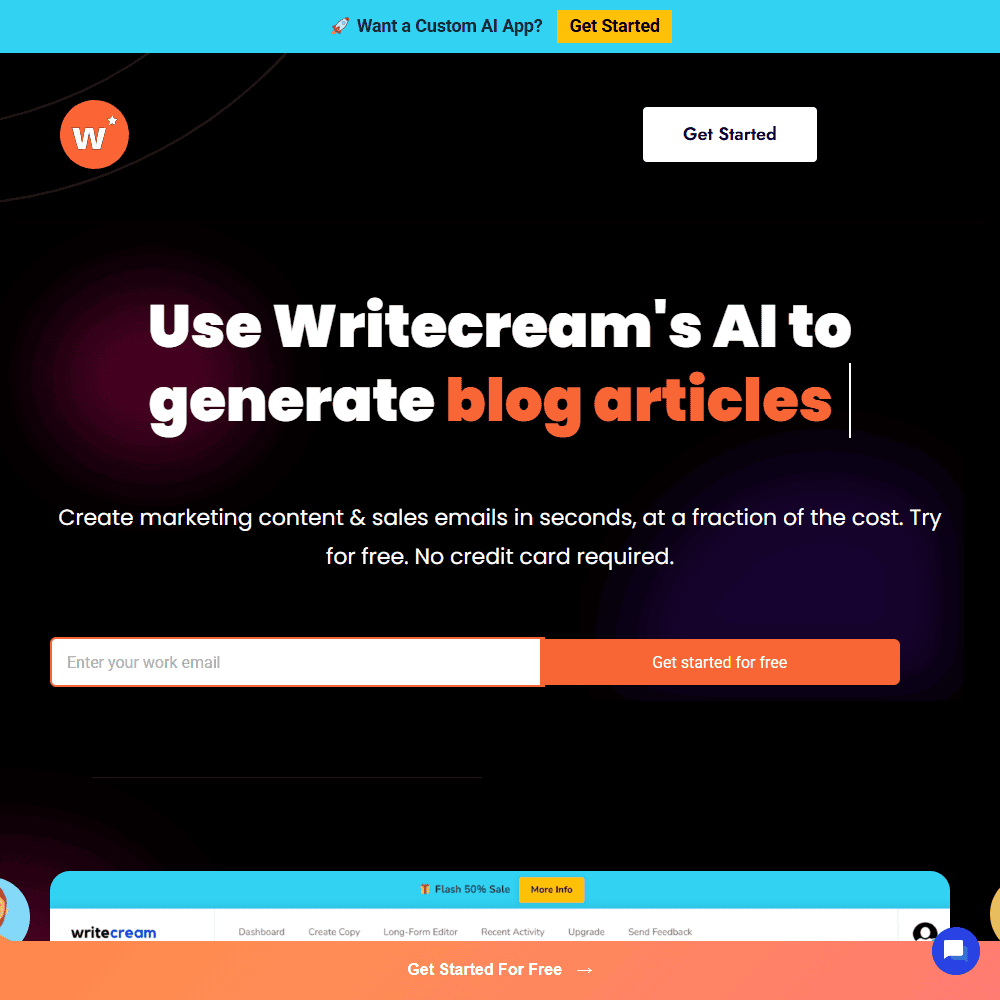
Writecream is an AI-powered content creation tool designed to help users generate written and visual content in seconds. Whether you’re a marketer looking to draft cold emails, a blogger needing long-form articles, or a creator interested in AI-generated images, Writecream has a tool for that.
So, what is Writecream? In simple terms, it’s an all-in-one AI content suite with features like article generation, image creation, SEO tools, and even voice-over production. While testing this AI writing tool, I found its interface straightforward and its feature set surprisingly wide-ranging for such an affordable platform.
This review covers my experience with the platform, its standout features, pricing, pros and cons, and how it stacks up against other AI writing tools. If you’re looking into Writecream AI, curious about the login process, or simply wondering if it’s worth trying over tools like WordHero, keep reading.
Writecream AI Key Features & Capabilities
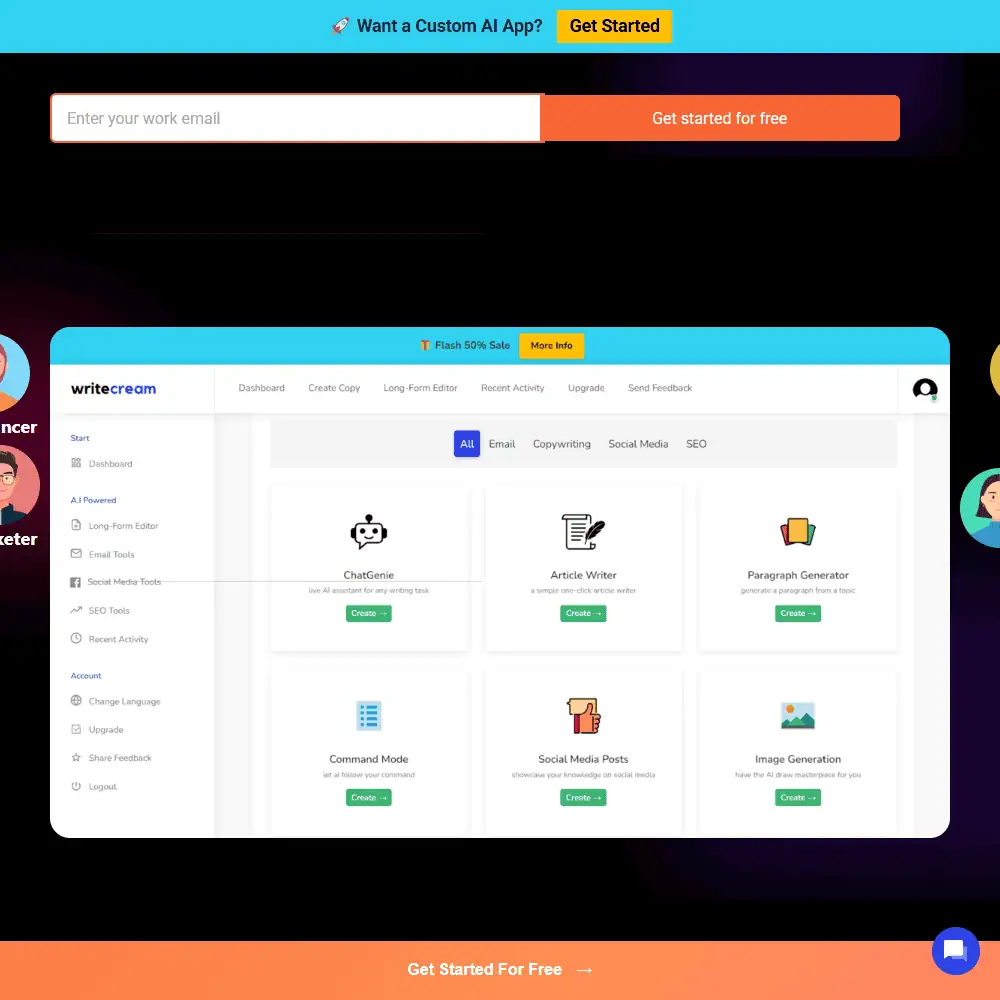
At first glance, Writecream offers a familiar dashboard—but once you explore its tools, it becomes clear this is more than a standard AI writer. Here are some of the features I found most useful:
- ChatGenie: A live AI assistant for flexible content generation, similar to ChatGPT but trained on Writecream-specific outputs.
- AI Article Writer: A one-click generator for long-form content. I tested a 1,000+ word blog—it took less than a minute.
- Paragraph & Sentence Tools: Tools like the Paragraph Generator, Content Rewriter, and Paraphrasing Tool are great for refining text.
- Command Mode: Lets you instruct the AI to do specific tasks (e.g., “write a YouTube intro about productivity”)—this worked well when I needed more control.
- Image Generation: Not just for text—Writecream includes an AI image generator that takes simple prompts and produces custom visuals.
- Social Media Post Creator: Prebuilt templates make generating LinkedIn posts, tweets, and Instagram captions easy.
- Voice-over + Podcast Tools: Converts blog posts into audio for YouTube or podcasting—40+ voices and multi-language support.
- Cold Email Icebreakers: This might be Writecream’s most unique tool—it generates custom cold email intros using just a website URL or LinkedIn profile.
Additional tools include:
- SEO & Hashtag Tools
- Long-Form Editor with AI continuation
- Plagiarism Checker
- 75+ Language Support
I was surprised at how much functionality Writecream packs into a $9/month plan. I especially liked the icebreaker generator—it’s a niche use case, but very well executed. However, it’s worth noting that while the AI image generation feature is nice to have, the outputs are relatively basic compared to tools like Midjourney or Leonardo.
Ease of Use & User Experience
Sign-In & Setup
Creating an account is quick, and you can start using the free Writecream plan without entering credit card info. The onboarding is minimal—you land on the dashboard and can start generating content within seconds.
UI & Workflow
The UI is organized with tabs for each content type: Email Tools, SEO, Long-Form, Social Media, etc. Each tool is clearly labeled, and you don’t need a tutorial to understand how it works. The platform feels snappy and responsive.
Customization Options
While it doesn’t offer advanced tone sliders or detailed brand voice customization like Jasper or Copy.ai, you can guide the output using Command Mode or by editing the input fields with more detailed instructions.
The UI isn’t flashy, but it’s functional. I liked how everything was accessible from one dashboard. That said, some tools felt repetitive—like the rewriter and paraphraser could be merged into one. Also, while it supports 75+ languages, customization options for tone, structure, or format are a bit limited compared to more premium tools.
Writecream Alternatives: A Comparison to Competitors
Writecream vs WordHero Both Writecream and WordHero offer long-form AI writing and support for multiple languages, but their strengths differ.
- Writecream wins when it comes to outreach and media: it includes cold email personalization, podcast/audio tools, and AI image generation.
- WordHero is slightly better for pure writing quality in blogs and structured articles, and its UI is sleeker.
If you’re looking for a Writecream alternative and don’t care about cold outreach or media tools, WordHero might be better. But for marketers who want multi-format output and audio/image support, Writecream delivers more variety.
Writecream Alternatives
- Jasper AI – More advanced for brand tone and team workflows, but significantly pricier.
- Rytr – Clean UI and affordable, but fewer tools overall.
- Copy.ai – Strong short-form outputs and better for brainstorming.
- Writesonic – Comparable in pricing and features, but doesn’t offer voiceover or cold email tools out of the box.
I’ve tested most of the tools above. Writecream stands out for its versatility, especially at the $9/month price point. Its text quality isn’t always the best—especially for creative storytelling—but if you need a multi-format AI content generator, it’s hard to beat for value.
Writecream Pricing & Subscription Plans
Is Writecream Free? Yes—Writecream AI offers a free forever plan that includes:
- 20 credits (~40,000 characters)
- 2 long-form articles
- 4 short articles
- 4 podcasts
- 4 YouTube voiceovers
- Access to every content template
- Chat & email support
Unlimited Plan – $9/month
- Unlimited words
- Unlimited access to all tools (text, image, voice)
- No credit limits
- Access to all new features
Refund Policy
Writecream offers a 14-day, no-questions-asked money-back guarantee for any paid plan.

Writecream Review: Final Verdict & Recommendations
Writecream is best for marketers, solo creators, and small teams who want an affordable, multi-format AI tool. It’s not the most polished writer out there, but for $9/month, it covers a lot of ground—blog articles, social media posts, voiceovers, outreach emails, and even AI-generated images.
🔹 Top Use Cases: Cold outreach, podcast scripts, image + content combo creation, multilingual posts
🔹 Avoid If: You need high-end creative writing or deep brand customization tools
Frequently Asked Questions (FAQs)
Is Writecream AI really free to use?
Yes, Writecream offers a free plan with 20 credits per month. It includes article generation, email tools, voiceovers, and more without requiring a credit card.
What makes Writecream different from other AI writing tools?
Writecream combines AI writing, voiceover generation, image creation, and cold email personalization in one tool—ideal for marketers and content creators.
How do I use the Writecream login and start writing?
You can sign up and log in to Writecream via their homepage. After logging in, you’ll land on a dashboard with access to 20+ AI tools.
Specification: Writecream Review
| Basic Specifications | ||||||||||||||||||
|---|---|---|---|---|---|---|---|---|---|---|---|---|---|---|---|---|---|---|
|
||||||||||||||||||
| Pricing & Plans | ||||||||||||||||||
|
||||||||||||||||||
| Core Features | ||||||||||||||||||
|
||||||||||||||||||
| User Experience & Interface | ||||||||||||||||||
|
||||||||||||||||||
| Integrations & Compatibility | ||||||||||||||||||
|
||||||||||||||||||
| Automation & Workflows | ||||||||||||||||||
|
||||||||||||||||||
| Security & Compliance | ||||||||||||||||||
|
||||||||||||||||||
| Customer Support & Community | ||||||||||||||||||
|
||||||||||||||||||
Photos: Writecream Review
User Reviews
Be the first to review “Writecream Review”










There are no reviews yet.