Playground AI Review
$12.00
Playground AI is a graphic design-focused AI image generator built for creators who want speed, style control, and commercial rights. Whether you’re making a social post, a T-shirt design, or a full-blown marketing campaign, this AI tool helps you create polished images with pro-level typography, layout awareness, and high prompt accuracy.
Compared to more artistic or chaotic generators like Midjourney, Playground AI feels more grounded in design utility. With the release of Playground v3, it’s now positioned as a go-to tool for marketers, graphic designers, and even meme creators looking for consistency, control, and faster output.
In this review, we’ll explore how this AI image generator performs, what makes it different from others like Ideogram or DALL·E, and whether the free version of Playground AI is worth trying.
Playground AI Key Features & Capabilities
Playground AI isn’t trying to do everything—it’s focused on graphic design. So, instead of flooding the UI with experimental features, it offers clean, high-performance functionality that just works. Here’s what stands out:
- Prompt Accuracy: PGv3 ranked the highest in prompt understanding (88.62 DPG-bench score), and you can feel that in outputs that match tone, layout, and composition closely.
- Typographic Awareness: It’s one of the few tools that handles text-in-image design decently—great for posters, memes, and merchandise mockups.
- Visual Control: Fine-tune aspect ratio, quality, and color palettes. You can target specific colors for graphic elements (like making the shirt red but keeping the background blue).
- Marketplace + Commercial Use: You can create designs, sell them through the platform, and keep ownership rights.
It’s the first AI tool I’ve tried that doesn’t feel “artsy for the sake of it.” The design layout logic is solid, and I never had to do weird prompt tricks just to get centered text. However, it’s not a great fit if you’re expecting Midjourney-level photorealism or cinematic fantasy scenes.
Ease of Use & User Experience
✅ Sign-In & Setup You can start generating within 2 minutes. The Playground AI app login supports direct sign-up via email or Google, and there’s no delay in using the free tier.
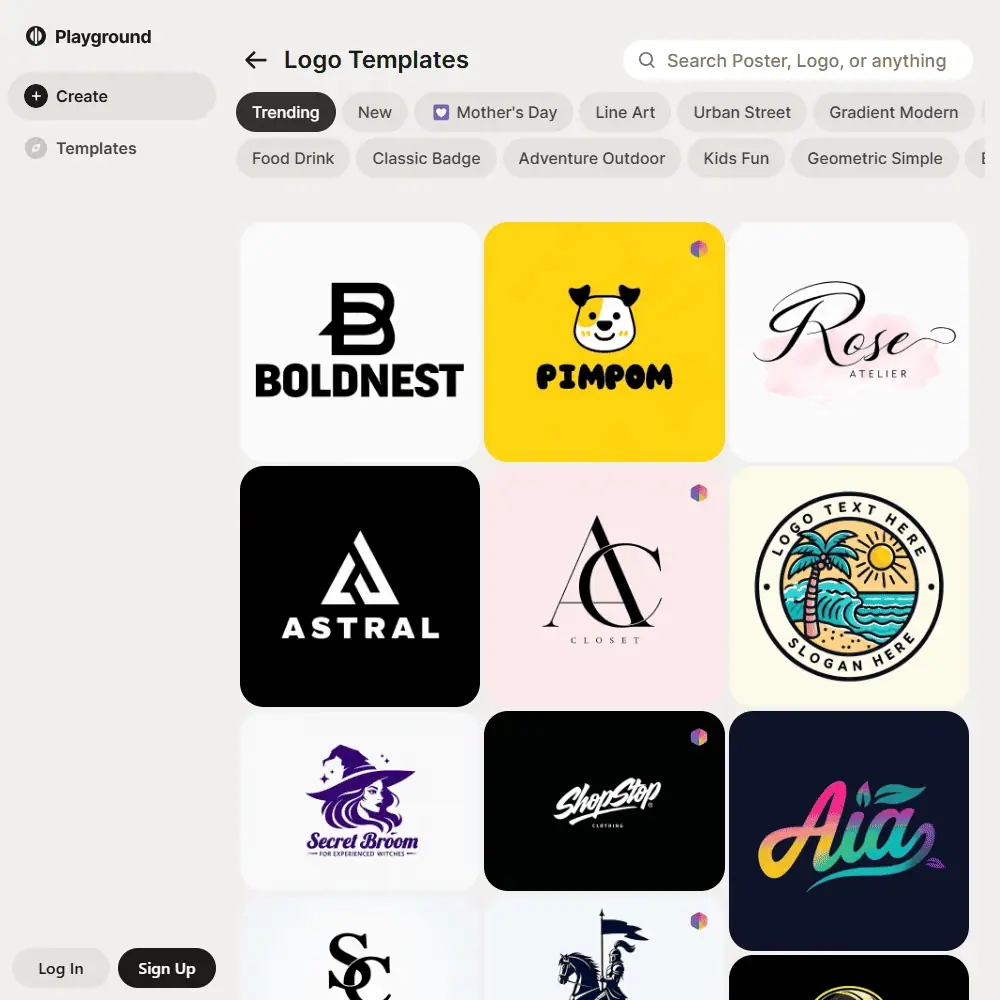
✅ UI & Workflow The Playground app (also available for iPhone) is stripped-down in the best way. You choose a template or type your prompt, pick the style, and hit generate. Batch processing is available for pro users.
✅ Customization Options Prompt control includes text weighting and style tags, plus image upscaling and background removal. There’s no ControlNet or inpainting yet, but you do get color targeting and element styling.
The UI is probably the cleanest I’ve used since DALL·E 2 launched. It doesn’t overwhelm you with knobs but still offers enough depth for pros.
Comparison to Competitors
Playground AI vs Midjourney
Midjourney leans heavily into stylized, cinematic renders and experimental aesthetics. It’s great for fantasy or surreal art, but less useful for layout-driven design.
Playground AI, on the other hand, is built around practical outputs—think stickers, social posts, posters, and logos. It also generates clean text inside images, which Midjourney struggles with.
If you’re a designer, marketer, or content creator focused on clarity and prompt control, Playground will feel more usable day-to-day.
Similar Tools to Playground AI:
- Ideogram – Good for typographic prompts and meme-style images.
- Canva AI (Magic Media) – Focused on drag-and-drop templates, better for presentations and brand kits.
- Leonardo AI – Flexible, with more ControlNet and LoRA customization, but steeper learning curve.
Playground is less flashy than Midjourney or Leonardo, but it’s the one I actually keep coming back to for client-ready outputs.
Playground AI Pricing & Subscription Plans
Is Playground AI Free?
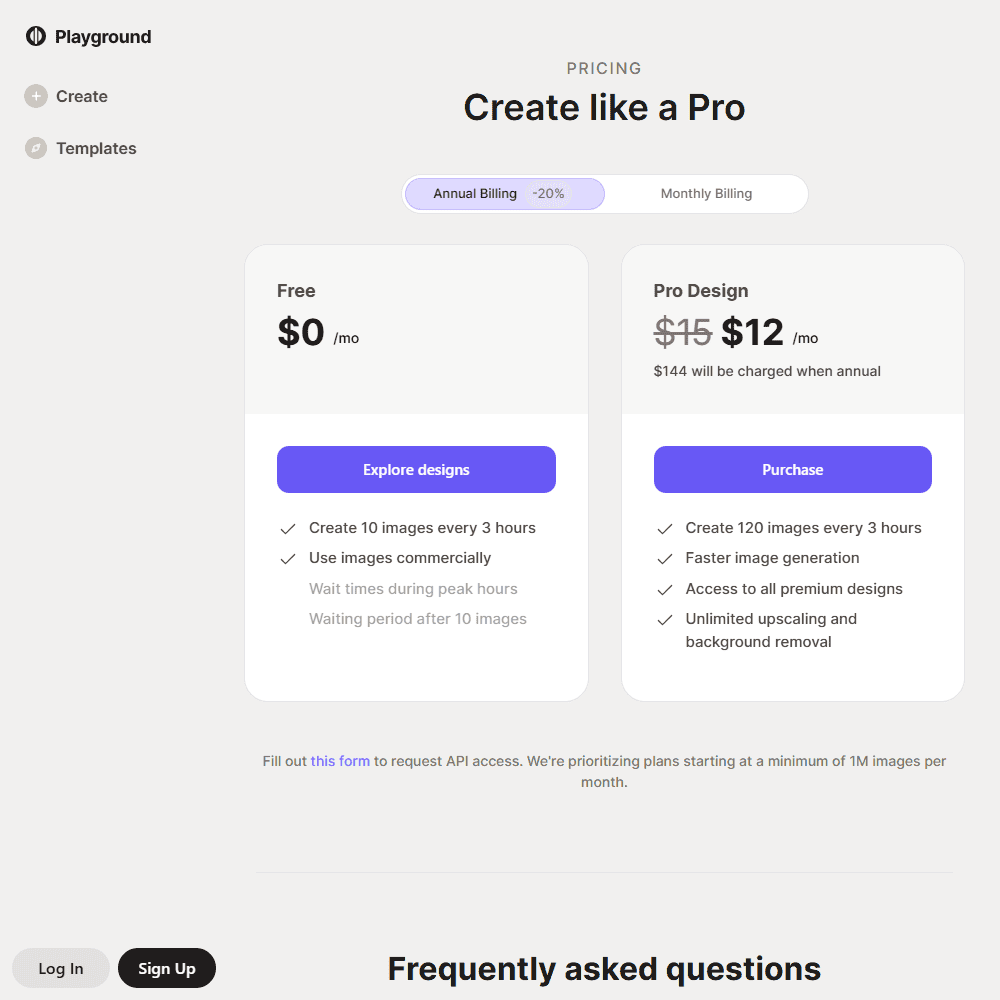
Yes, and the free plan includes commercial rights. You can generate up to 10 images every 3 hours with some wait time during peak hours.
Pro Plan Pricing
- $15/month (monthly)
- $12/month (billed annually)
Pro unlocks 75–120 images per 3 hours (depending on plan), faster generation, all premium designs, and unlimited upscaling/background removal.
Refunds & Hidden Fees
No refunds listed, and only credit/debit card payments are accepted. No hidden fees otherwise.
Playground AI Review Final Verdict & Recommendations
Playground AI nails the balance between creative flexibility and design utility. It doesn’t try to be everything—it focuses on layout-friendly images, accurate prompt following, and clean visual outputs that are immediately useful. While it lacks advanced controls like ControlNet or 3D rendering, what it does offer is fast, polished, and intuitive.
🔹 Best For: Marketers, designers, content creators, small business owners
🔹 Avoid If: You want detailed painting control, cinematic realism, or advanced animation Playground is less flashy than Midjourney or Leonardo, but it’s the one I actually keep coming back to for client-ready outputs.
Frequently Asked Questions (FAQs)
What is the Playground app used for?
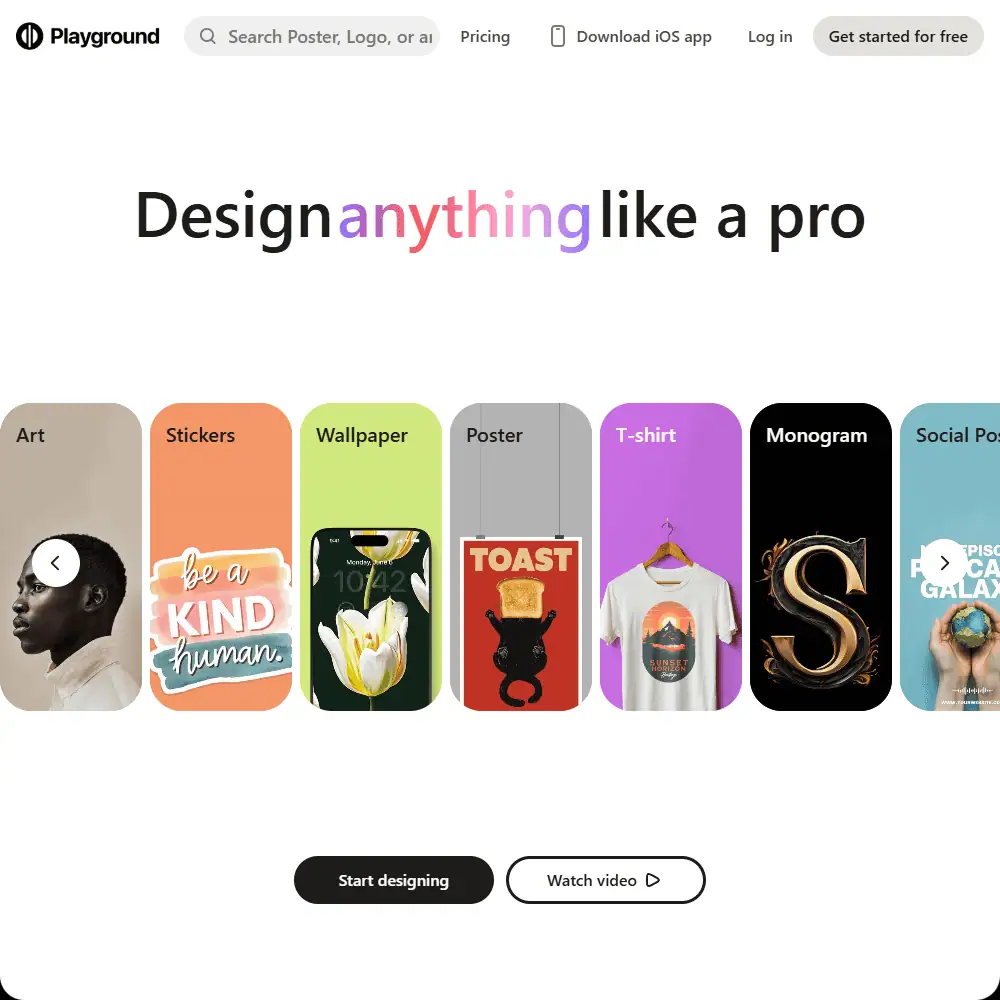
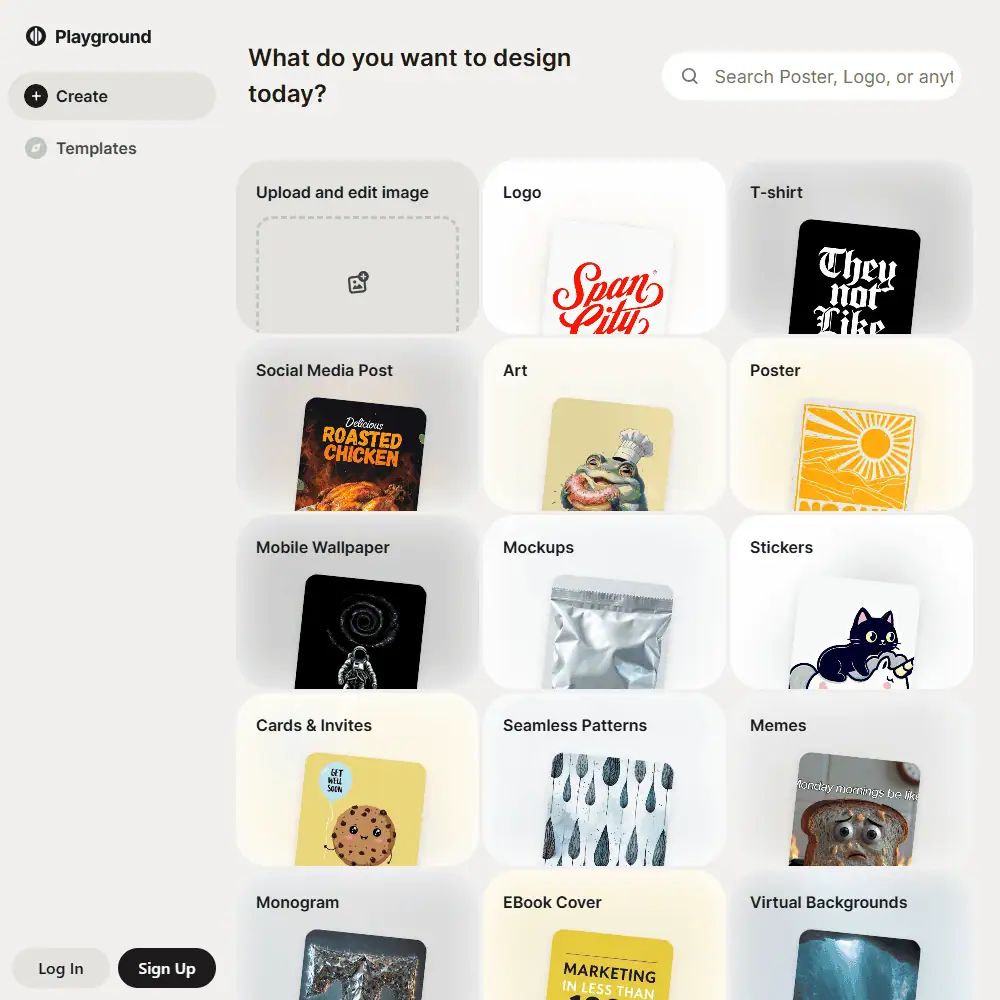
The Playground app is a web and iOS tool for creating AI-generated images, including logos, T-shirts, social media posts, and more. It’s designed to offer fast, clean results with commercial rights, even on the free plan.
How do I use Playground AI for free?
Just sign up at Playground AI, and you can start generating up to 10 images every 3 hours. Free images are commercially usable, but subject to generation limits and wait times.
How many images can I generate with the free plan on Playground AI?
With the free plan, you can generate up to 10 images every 3 hours. There’s a waiting period after each set of 10, but the limit resets automatically, making it great for casual or occasional use.
Specification: Playground AI Review
| Basic Specifications | ||||||||||||||||||||||||
|---|---|---|---|---|---|---|---|---|---|---|---|---|---|---|---|---|---|---|---|---|---|---|---|---|
|
||||||||||||||||||||||||
| Pricing & Plans | ||||||||||||||||||||||||
|
||||||||||||||||||||||||
| Core Features | ||||||||||||||||||||||||
|
||||||||||||||||||||||||
| User Experience & Interface | ||||||||||||||||||||||||
|
||||||||||||||||||||||||
| Integrations & Compatibility | ||||||||||||||||||||||||
|
||||||||||||||||||||||||
| Automation & Workflows | ||||||||||||||||||||||||
|
||||||||||||||||||||||||
| Security & Compliance | ||||||||||||||||||||||||
|
||||||||||||||||||||||||
| Customer Support & Community | ||||||||||||||||||||||||
|
||||||||||||||||||||||||
Photos: Playground AI Review
User Reviews
Be the first to review “Playground AI Review”






There are no reviews yet.