Smodin AI Review
$9.00
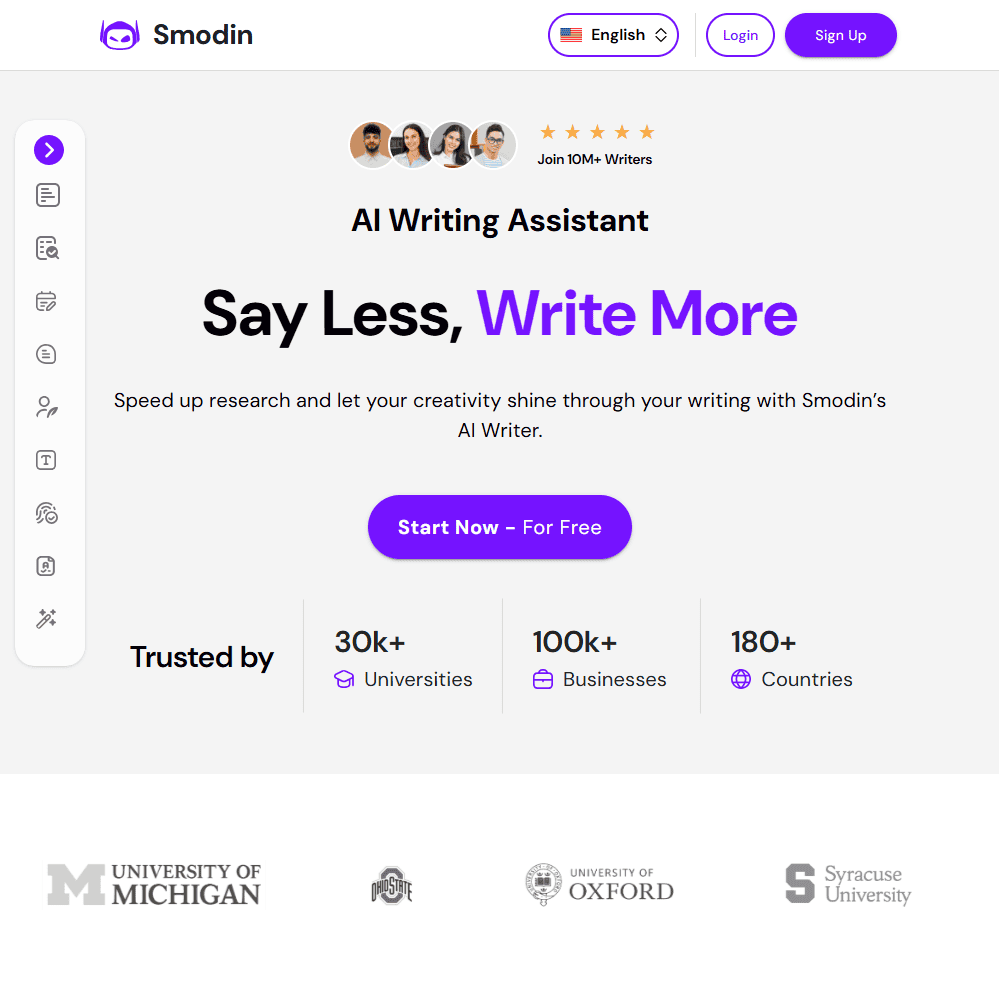
If you’ve been looking for an all-in-one academic writing assistant, chances are you’ve come across Smodin. It’s a multi-purpose AI tool designed for students, educators, and professionals who need help generating essays, rewriting content, checking for plagiarism, or detecting AI-written text. But what is Smodin, really? At its core, Smodin is an AI-powered writing suite that combines tools like an AI writer, AI detector, plagiarism checker, translator, and citation generator—all into one intuitive platform.
In this Smodin AI review, I’ll break down everything from its key features and ease of use to how it compares with other tools like Grammarly or Quillbot. If you’re wondering whether this tool is actually helpful or just another AI gimmick, keep reading—I’ll share my personal experience, where it shines, and where it falls short.
Smodin AI Key Features & Capabilities
Smodin offers a surprising amount of depth once you dig in. The homepage can be overwhelming at first because of all the available tools, but here are the standout features worth knowing:
- ✅ AI Writer / Author: Smodin’s core writing tool helps generate essays, blogs, stories, product descriptions, and even reference letters. You can select a tone, customize the output length, and even give it citations to work from. It handles long-form and short-form content, although formatting can feel clunky at times.
- ✅ Paragraph Rewriter: A simple but effective tool that lets you recreate and rephrase content using different strength levels. It supports rewriting up to 12,000 characters per input.
- ✅ Plagiarism Checker: Built-in plagiarism detection with access to web sources, Google Scholar, and citation generation in APA, MLA, and other formats. This is especially useful for academic writing.
- ✅ AI Detector: The AI content detector scans your content to highlight AI-generated patterns—helpful for teachers, editors, or writers trying to stay human-sounding.
- ✅ Omni (Homework Helper): A question-answering tool that uses credits to solve complex questions with step-by-step breakdowns. More useful for students than professionals.
- ✅ Multilingual Translator: Supports 50+ languages with up to 6,000 characters per text and unlimited usage across all plans.
- ✅ Citation Generator: Quickly create properly formatted citations in various styles—especially helpful for academic users.
Smodin is packed with tools that can seriously streamline academic or professional writing tasks. But it tries to do a lot at once, which can lead to a bloated UI and a bit of a learning curve. I liked the AI writer for structured essays and blog drafts, but found the UI less intuitive than alternatives like Jasper. The plagiarism checker and citation generator, however, are rock solid.
Ease of Use & User Experience
Sign-In & Setup Process Getting started with Smodin is straightforward. You can sign up via Google, Apple, or email. There’s a free plan with limited credits that gives you a taste of the main tools, but you’ll need to upgrade quickly if you want to unlock the full range.
UI & Workflow The Smodin dashboard is split into different tools like “Author,” “Rewriter,” and “AI Detector.” It’s functional, but not the most modern or minimalist. Switching between tools is fast, but it doesn’t feel fully integrated—more like a suite of standalone tools under one login.
Customization Options The AI Writer lets you choose output length, tone, and even embed citations automatically. In the Rewriter mode, you can select different rewrite strengths or target AI detection removal. However, it doesn’t let you deeply train a custom brand voice or save templates, which limits its use for ongoing marketing work.
I appreciated that I could jump into most tools without a huge learning curve, but I found myself bouncing between tabs more than I’d like. If Smodin added a unified editor or workspace view, it’d make a big difference.
Smodin AI Comparison to Competitors
Smodin positions itself as an all-in-one platform, but how does it stack up against other AI tools?
🔹 Smodin vs Quillbot
Quillbot shines when it comes to paraphrasing and grammar correction, and its interface is more polished. However, Smodin offers a broader set of tools—AI writing, detection, plagiarism checking, and citation generation—all from one dashboard. If you want an academic-focused suite, Smodin wins. But for quick paraphrasing and fluency tweaks, Quillbot is faster and more refined.
🔹 Smodin vs Grammarly
Grammarly is far better for grammar suggestions, tone analysis, and real-time editing in documents. Smodin falls short here but gives you essay writing, AI detection, and plagiarism tools that Grammarly doesn’t offer. If you’re a student or researcher, Smodin.io makes more sense. If you’re a professional writer, Grammarly likely fits better.
🔹 Similar to Smodin
- Jasper AI – Better for marketers and long-form blog writing.
- Writesonic – Similar in content generation, with more SEO features.
- Scalenut – Great for blog outlines and keyword planning.
- Copy.ai – More UI-polished but not academic-friendly.
I wouldn’t use Smodin for copywriting or SEO-heavy content, but for research-based academic writing or assignments, it covers a lot in one place. That’s where it really stands out.
Smodin Pricing & Subscription Plans
💰 Is Smodin Free?
Yes—there’s a limited free plan allowing up to 3 AI generations per week.
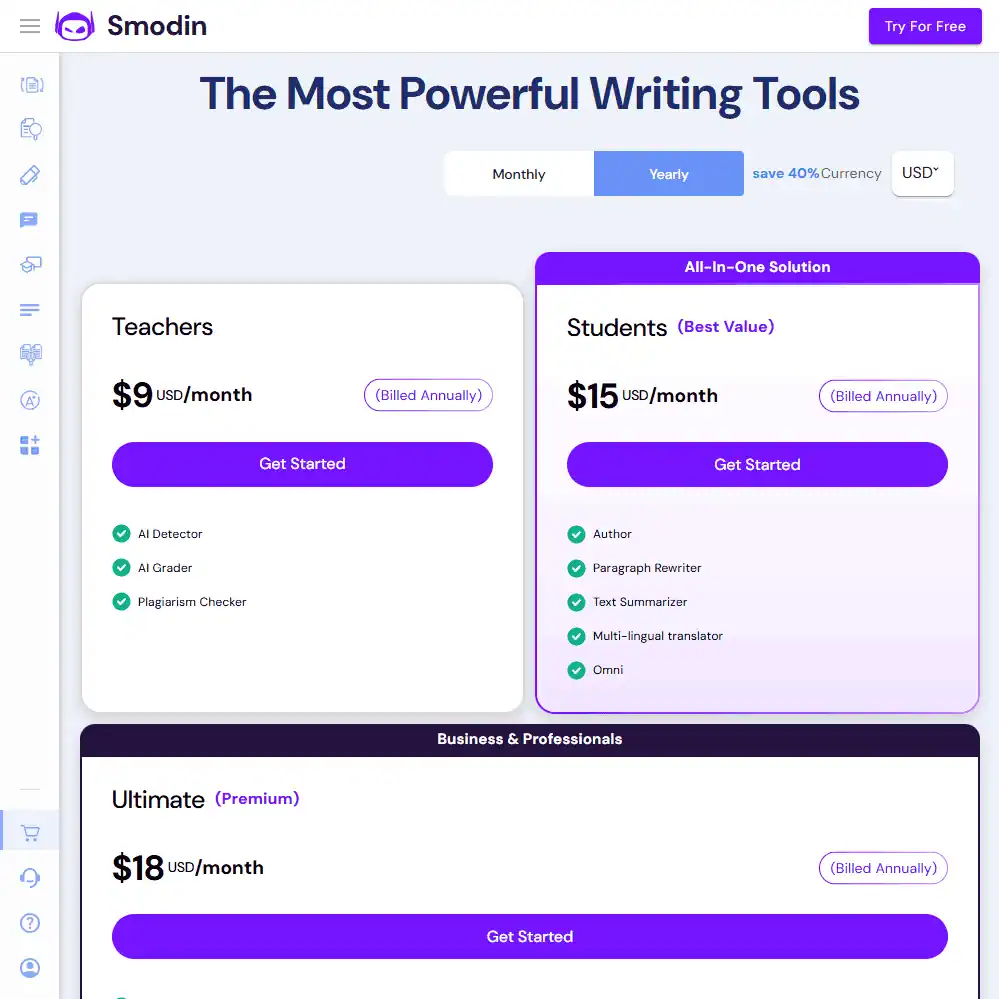
💰 Paid Plans (Billed Annually)
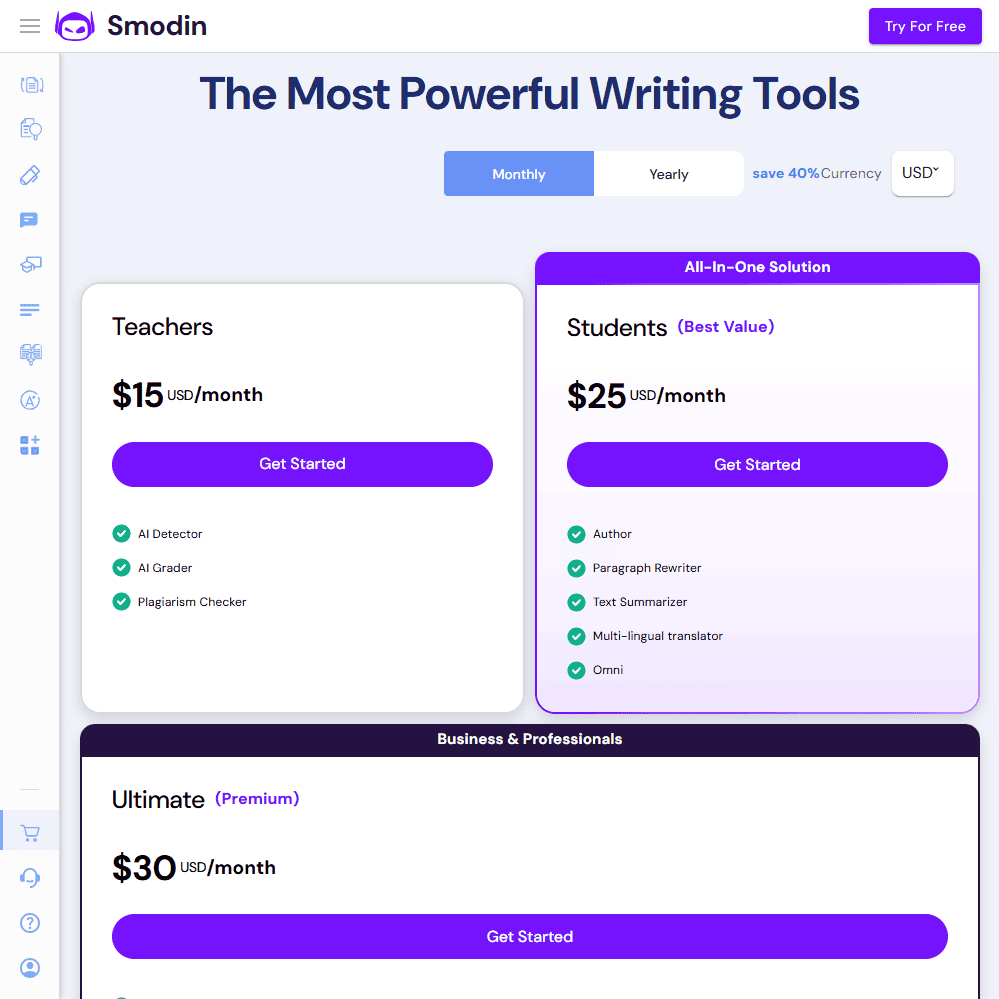
- Teachers: $9/month – Includes Smodin AI detector, grader, and plagiarism checker
- Students: $15/month – Adds full AI writing tools like Author, Rewriter, Omni, etc
- Ultimate: $18/month – Full access to all tools + improved limits
💰 Refund Policy
No official refund policy listed on-site. Plan carefully.
Final Verdict – Who Is Smodin AI Best For?
Smodin is a robust AI-powered writing suite built for academia more than marketing. From essay generation to citation formatting and plagiarism detection, it’s designed to streamline the writing process—especially for students, teachers, and researchers.
Who Should Use Smodin?
✅ Students & Researchers – Helpful for thesis, essays, and reference management
✅ Teachers – Use tools like the AI grader and AI detector for grading and review
✅ Academic Writers – Combines citation tools and fact-checking for research accuracy
Who Should Look Elsewhere?
❌ SEO Writers & Bloggers – Lacks strong SEO optimization tools
❌ Marketing Teams – No collaboration, brand voice, or CMS integrations
❌ Users Needing UI Polish – Interface feels dated and disconnected
Frequently Asked Questions (FAQs)
Is Smodin legit for academic writing?
Yes, Smodin is legit and widely used by students and educators. It includes tools for citation generation, plagiarism detection, and essay writing.
How accurate is the Smodin AI detector?
Smodin’s AI content detector can catch patterns from tools like ChatGPT, though it may show false positives for perfectly structured human content.
Does Smodin offer a free plan?
Yes, Smodin has a free version that allows you to generate up to three pieces of content per week. It’s limited but useful for basic testing.
Specification: Smodin AI Review
| Basic Specifications | ||||||||||||||||||
|---|---|---|---|---|---|---|---|---|---|---|---|---|---|---|---|---|---|---|
|
||||||||||||||||||
| Pricing & Plans | ||||||||||||||||||
|
||||||||||||||||||
| Core Features | ||||||||||||||||||
|
||||||||||||||||||
| User Experience & Interface | ||||||||||||||||||
|
||||||||||||||||||
| Integrations & Compatibility | ||||||||||||||||||
|
||||||||||||||||||
| Automation & Workflows | ||||||||||||||||||
|
||||||||||||||||||
| Security & Compliance | ||||||||||||||||||
|
||||||||||||||||||
| Customer Support & Community | ||||||||||||||||||
|
||||||||||||||||||
Photos: Smodin AI Review
User Reviews
Be the first to review “Smodin AI Review”












There are no reviews yet.