
Jenni AI Review
$30.00
When it comes to AI-powered writing assistants, most tools focus on blog writing, copywriting, and marketing content—but what about students, researchers, and academics? That’s where Jenni AI comes in.
So what is Jenni AI? Unlike traditional AI writing tools like Jasper or Copy.ai, this AI writing tool is built specifically for academic writing, research papers, and essays. It doesn’t just generate text—it provides citations, reference management, AI-powered PDF analysis, and paraphrasing tools to help you streamline the writing process without compromising on academic integrity.
But does it actually work? In this Jenni AI review, I’ll walk you through its features, ease of use, pricing, and how it compares to other writing tools. I’ve tested the tool myself to see where it excels and where it falls short.
Key Features: Where Jenni AI Stands Out
At first glance, Jenni AI offers all the standard AI writing features, but it goes a step further with tools designed specifically for researchers and students. Here’s what I found after using it:
AI Autocomplete: Smart Writing Assistance
If you’ve ever sat staring at a blank screen, waiting for inspiration, Jenni’s AI autocomplete might help. As you type, the tool predicts and suggests relevant sentences to help you expand your thoughts and improve flow.
- It works like a real-time co-writer, helping structure ideas without taking over the writing process.
- I found it particularly useful for breaking through writer’s block, but sometimes the suggestions felt generic and needed manual tweaking.
- Compared to Jasper AI, Jenni’s suggestions feel more structured for academic writing rather than marketing or SEO content.
Citations & Reference Management: A Researcher’s Dream?
One of Jenni AI’s biggest selling points is its ability to generate citations in real-time. If you’ve used citation generators before, you know they can be clunky and require manual input.
- Jenni automatically cites sources as you write, supporting over 1,700 citation styles (APA, MLA, Harvard, Chicago, etc.).
- You can upload PDFs, research papers, or URLs, and Jenni will extract references from them.
- In my experience, this feature worked surprisingly well, but sometimes it pulled irrelevant citations, requiring manual corrections.
💡 Is this better than Grammarly? Yes, because Grammarly doesn’t offer in-text citation generation—you’d have to do it manually.
Paraphrasing & Rewriting Tools
If you struggle with rewording sentences without changing meaning, Jenni AI has a built-in paraphrasing tool.
- It allows you to rewrite text in different tones (formal, casual, academic).
- This was particularly helpful for refining research papers, but I found that it lacks the granular sentence-level control that Quillbot offers.
AI-Powered Research & PDF Analysis
A feature I didn’t expect to love was the AI chat assistant for research papers.
- You can upload a PDF, and Jenni will summarize key points, answer questions, and generate insights from it.
- For students dealing with long academic papers, this could be a huge time-saver.
- However, it doesn’t always interpret data correctly, so I’d double-check its summaries before relying on them.
Multilingual Support
If you write in multiple languages, Jenni AI supports over 30 languages, including English (US & UK), Spanish, German, French, and Chinese.
- This is useful for international students, but not as advanced as Grammarly’s tone and style customization.
Plagiarism Detection? Not Quite
Unlike Grammarly or Turnitin, Jenni AI doesn’t have a built-in plagiarism checker. While it aims to generate original content, you’ll still need an external tool to verify originality.
Ease of Use: How Does Jenni AI Feel to Use?
An AI writing tool is only as good as its interface and user experience. From the moment I accessed the Jenni AI login, I found the setup process to be simple and beginner-friendly. However, I did notice that while basic functions are intuitive, some advanced tools (like in-depth citation formatting and PDF interactions) have a slight learning curve. A guided tutorial or more onboarding prompts could make the experience even smoother. Overall, Jenni AI delivers a streamlined user experience with a focus on academic writing—but some features might take a bit of exploring to use effectively.
Here’s what using Jenni AI felt like:
Signing Up & Getting Started
- No credit card required for the free plan.
- You get 200 AI-generated words per day before hitting a paywall.
- The sign-up process is straightforward—no complicated onboarding, just a simple “Start Writing” button.
User Interface & Writing Workflow
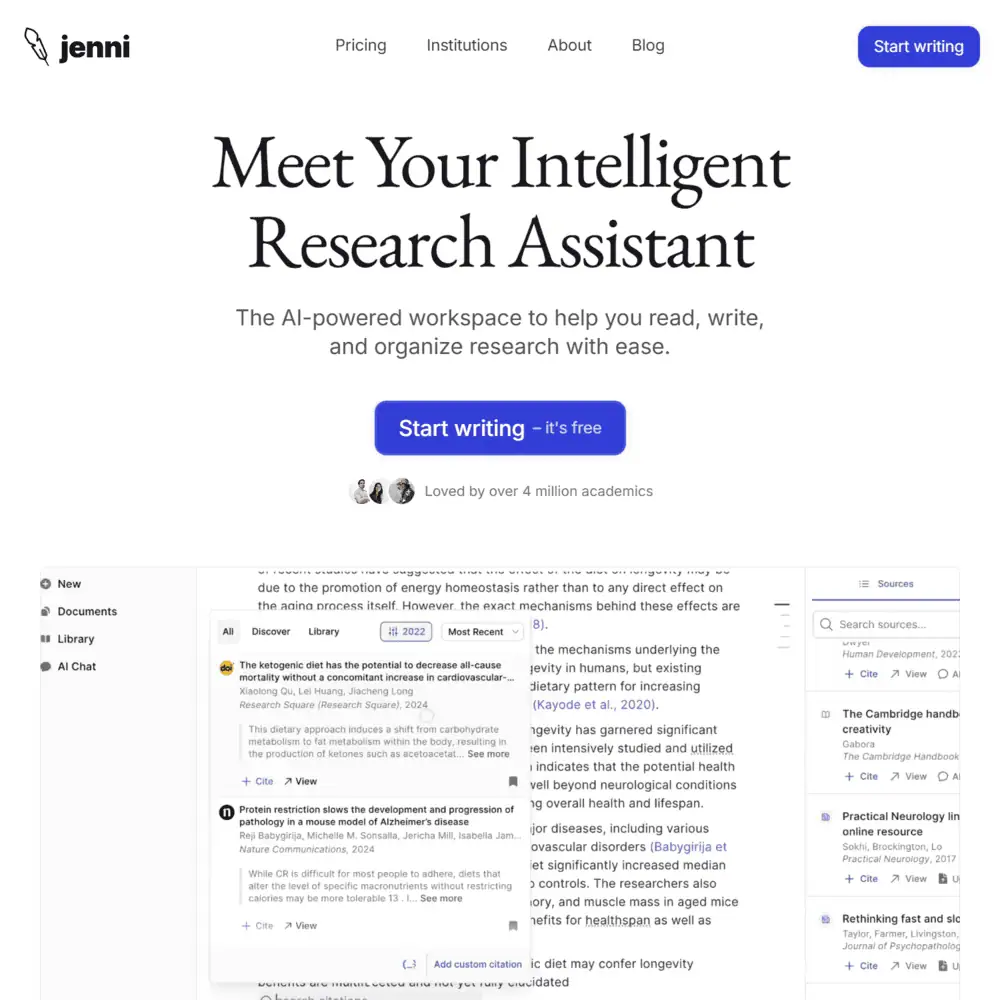
The Jenni AI interface is clean, distraction-free, and optimized for long-form writing.
- Left sidebar: Document organization, reference library, and research papers.
- Main editor: Similar to Google Docs but with AI-powered features built-in.
- Right panel: AI suggestions, citations, and reference options.
Compared to Jasper AI or Copy.ai, Jenni feels more structured for academic writing, but not as visually polished as Grammarly.
Customization: Can You Adjust the AI’s Tone?
The Jenni AI writing tool allows some customization, like:
✔️ Adjusting citation styles
✔️ Selecting different tones for paraphrasing
❌ No deep brand voice customization (unlike Jasper AI)
💡 Who is this best for? If you need to adjust your writing for different academic formats, Jenni AI is a good fit—but if you’re a marketer or business writer, Jasper or Grammarly might be better.
Jenni AI vs. Competitors: How Do the Alternatives Compare?
When it comes to AI writing assistants, there’s no shortage of competition. So, where does Jenni AI stand compared to the likes of Grammarly, Jasper, and Quillbot?
Jenni AI vs. Paperpal
One of the most relevant comparisons for Jenni AI is Paperpal, another AI-powered research and academic writing assistant. Both tools are designed for students, researchers, and academic professionals, but they take different approaches.
| Feature | Jenni AI | Paperpal |
|---|---|---|
| AI Research Assistant | ✅ Yes | ✅ Yes |
| Academic Writing Focus | ✅ Yes | ✅ Yes |
| Citation & Reference Management | ✅ Yes | ✅ Yes |
| Grammar & Language Refinement | ⚠️ Basic | ✅ Advanced |
| Plagiarism Detection | ❌ No | ✅ Yes |
| Paraphrasing & Rewriting | ✅ Yes | ✅ Yes |
| Free Plan | ✅ Yes | ❌ No (Only Free Trial) |
✔ Best for: Academic writing and AI-assisted research workflows.
❌ Lacks: Paperpal’s advanced grammar checking and plagiarism detection.
If you need an AI tool to help with research and citations, Jenni AI is a solid pick. But if plagiarism checking and language refinement are priorities, Paperpal might be the better choice.
Jenni AI vs. Writesonic
If you’re looking for AI-generated content outside of academic writing, then Writesonic is a more versatile alternative. While Jenni AI is built for research and academic content, Writesonic excels in blog writing, marketing content, and AI-generated SEO articles.
| Feature | Jenni AI | Writesonic |
|---|---|---|
| Academic Writing & Citations | ✅ Yes | ❌ No |
| SEO & Marketing Content | ❌ No | ✅ Yes |
| AI Research & PDF Analysis | ✅ Yes | ❌ No |
| Paraphrasing & Rewriting | ✅ Yes | ✅ Yes |
| Plagiarism Checker | ❌ No | ✅ Yes |
| Brand Voice Customization | ❌ No | ✅ Yes |
| AI Writing Templates | ⚠️ Basic | ✅ 100+ Templates |
✔ Best for: Academic and research-based writing.
❌ Lacks: Writesonic’s SEO and marketing capabilities.
If you’re a student or researcher, Jenni AI is the better option. But if you need SEO content, brand voice customization, or AI-powered marketing copy, Writesonic is a stronger choice.
Jenni AI vs. ChatGPT: Which AI Writing Tool Is Right for You?
While both Jenni AI and ChatGPT offer AI-powered writing assistance, they cater to different user needs. Here’s how they stack up:
| Feature | Jenni AI | ChatGPT (Pro w/ GPT-4 Turbo) |
|---|---|---|
| Academic Writing Focus | ✅ Yes | ❌ No (General AI) |
| In-Text Citations & References | ✅ Yes (Auto-Generated) | ✅ Yes (When Browsing is Enabled) |
| PDF & Document Analysis | ✅ Yes (Built-In PDF Integration) | ✅ Yes (Via File Upload Feature) |
| Paraphrasing & Rewriting | ✅ Yes | ✅ Yes |
| Plagiarism Checker | ❌ No | ❌ No |
| SEO & Marketing Writing | ❌ No | ✅ Yes |
| AI Research Assistant | ✅ Yes (Research & Citation Support) | ✅ Yes (When Browsing is Enabled) |
| Casual & Conversational AI | ❌ No | ✅ Yes |
| Programming & Coding Assistance | ❌ No | ✅ Yes |
| Offline Mode | ❌ No | ✅ Yes (ChatGPT Desktop & Mobile) |
✔ Best for: Academic writing, structured research, and automated citations.
✔ ChatGPT’s Edge: More versatile AI with document analysis, research, and broader creative writing capabilities.
Jenni AI is built for structured academic writing, citations, and research-based workflows, making it a solid choice for students, researchers, and essay writing. However, ChatGPT can now analyze PDFs, generate references when browsing is enabled, and assist with general research, making it much more versatile. That said, Jenni AI still wins for citation accuracy—it’s specifically designed to format sources correctly in APA, MLA, Chicago, and Harvard styles, whereas ChatGPT’s citations need manual verification.
Who Should Use Jenni AI vs. ChatGPT?
Use Jenni AI if:
✅ You need an AI built specifically for academic research, structured writing, and citations.
✅ You want automatic, properly formatted in-text citations without needing external tools.
✅ Your work requires thesis writing, essays, or literature reviews.
Use ChatGPT if:
✅ You need an all-purpose AI assistant for general research, document analysis, and writing tasks.
✅ You want SEO, creative content, marketing copy, or coding support.
✅ You prefer an AI that can work offline and integrate with various workflows (e.g., Notion, Slack, business tools).
While ChatGPT offers broader functionality, Jenni is tailored for academia. If your primary focus is structured academic writing with formatted citations, Jenni AI still holds an edge. However, ChatGPT’s browsing and document analysis features make it a viable alternative—especially for research-heavy tasks. TL;DR: ChatGPT is more flexible, while Jenni AI is more specialized. If you need 100% academic compliance with automated citations, the Jenni AI writing tool is worth considering. Otherwise, ChatGPT is a more well-rounded tool for general writing and research needs.
Jenni AI Pricing: Is It Worth It?
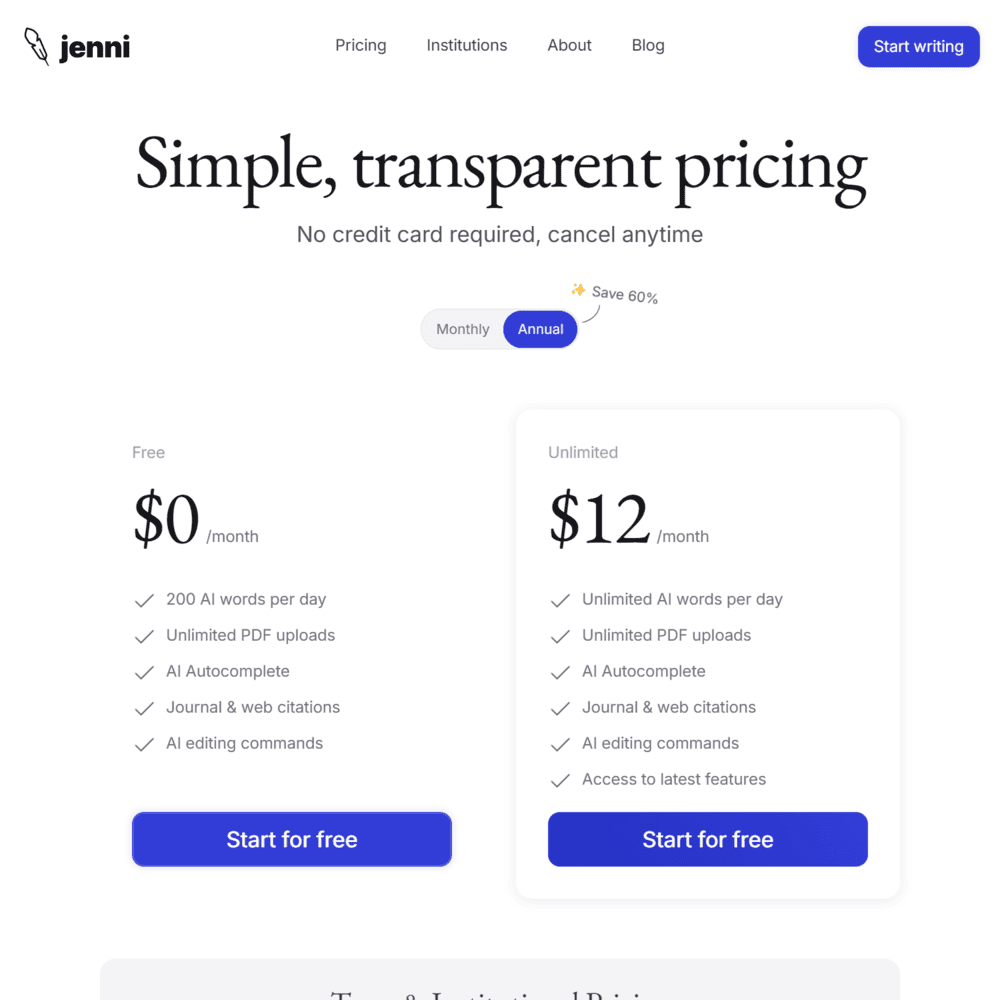
| Plan | Price | Key Features |
|---|---|---|
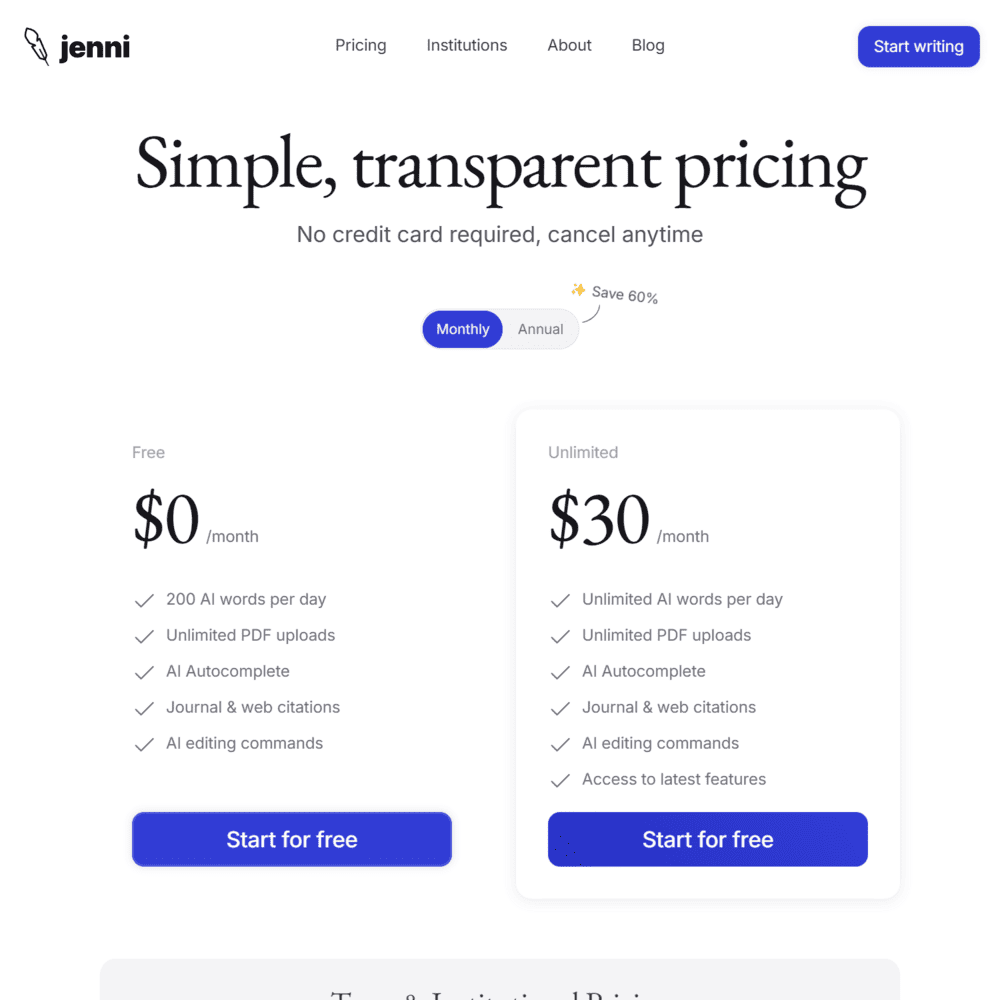
| Free Plan | $0/month | 200 AI words/day, unlimited PDF uploads, AI autocomplete, citations. |
| Unlimited Plan | $12/month (annual billing) | Unlimited AI words, unlimited PDF uploads, AI autocomplete, journal/web citations, AI editing. |
| Unlimited Plan (Monthly) | $30/month | Same as annual, but pricier if paid monthly. |
✔ Jenni AI Free Plan? Yes, but it’s severely limited (200 words per day).
✔ Student Discounts? No, but pricing is already affordable for students.
❌ Refund Policy? No clear refund policy is mentioned.
💡 Compared to Jasper ($39/month) or Grammarly ($30/month), Jenni AI is cheaper—but keep in mind that it lacks plagiarism detection and deep grammar tools.
Final Verdict: Is Jenni AI Worth Using?
After testing Jenni AI, I can see its strengths—but it’s definitely not for everyone.
If you’re a student, researcher, or academic writer, the Jenni AI writing tool offers strong citation formatting, paraphrasing, and structured writing support. Features like PDF analysis and in-text citations set it apart from general AI writing tools, making it an efficient research assistant.
However, if you need SEO content, brand voice customization, or plagiarism detection, Jenni AI won’t cut it. It’s not designed for bloggers, marketers, or business professionals. For those needs, Jasper AI, ChatGPT, or Grammarly Premium would be better alternatives.
Overall, Jenni AI is a great fit for academic-focused users, but it’s not an all-in-one AI writing solution.
Frequently Asked Questions (FAQs)
Is Jenni AI free?
Yes, Jenni offers a free plan, but it’s limited to 200 AI words per day. If you need unlimited AI writing, citations, and research tools, you’ll have to upgrade to the $12/month plan.
How does Jenni AI compare to Grammarly?
Unlike Grammarly, Jenni focuses on academic writing, with features like AI citations, paraphrasing tools, and PDF research summarization. However, Grammarly excels in grammar checking, plagiarism detection, and professional writing assistance.
Is Jenni AI detectable by AI detectors?
Like most AI writing tools, Jenni AI-generated content may be detectable if heavily relied upon. However, because it focuses on research assistance rather than full AI writing, it’s less likely to trigger AI detection tools compared to ChatGPT or Jasper AI.
Specification: Jenni AI Review
| Basic Specifications | ||||||||||||||||||
|---|---|---|---|---|---|---|---|---|---|---|---|---|---|---|---|---|---|---|
|
||||||||||||||||||
| Pricing & Plans | ||||||||||||||||||
|
||||||||||||||||||
| Core Features | ||||||||||||||||||
|
||||||||||||||||||
| User Experience & Interface | ||||||||||||||||||
|
||||||||||||||||||
| Integrations & Compatibility | ||||||||||||||||||
|
||||||||||||||||||
| Automation & Workflows | ||||||||||||||||||
|
||||||||||||||||||
| Security & Compliance | ||||||||||||||||||
|
||||||||||||||||||
| Customer Support & Community | ||||||||||||||||||
|
||||||||||||||||||
Photos: Jenni AI Review
User Reviews
Be the first to review “Jenni AI Review”










There are no reviews yet.