ArtSpace.ai Review
$5.99
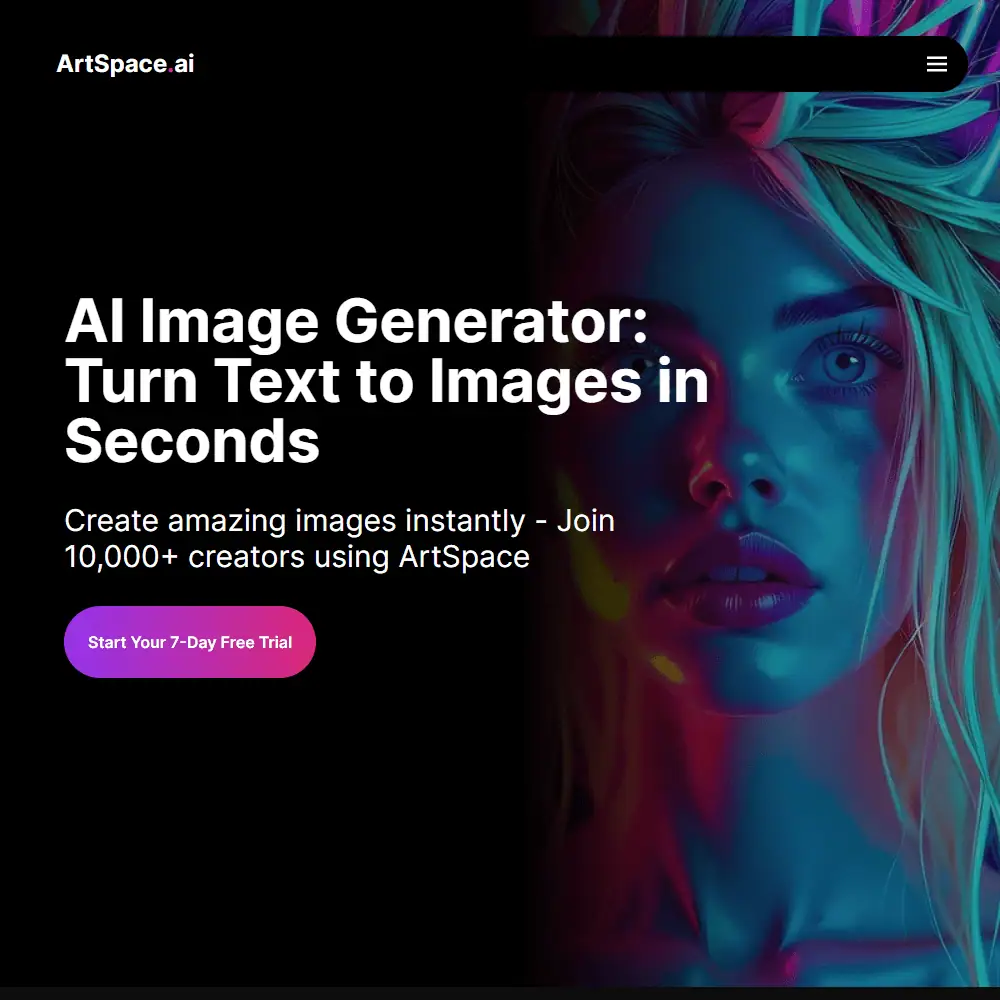
ArtSpace.ai is an AI-powered image generation platform designed to help creators turn text prompts into high-resolution artwork, fast. Whether you’re working on a book cover, product mockup, or just experimenting with visuals, ArtSpace offers a wide variety of tools—like inpainting, 4K upscaling, and background removal—to speed up your creative process without needing any design skills.
But what is ArtSpace.ai really like to use day to day? In this review, we’ll walk through its key features, interface, pricing, how it stacks up against other AI image tools, and whether it’s actually worth paying for.
If you’ve been browsing Reddit asking “Is ArtSpace AI legit?” or debating whether the ArtSpace AI lifetime deal is worth it, this hands-on breakdown will help you decide.
ArtSpace AI Key Features & Capabilities
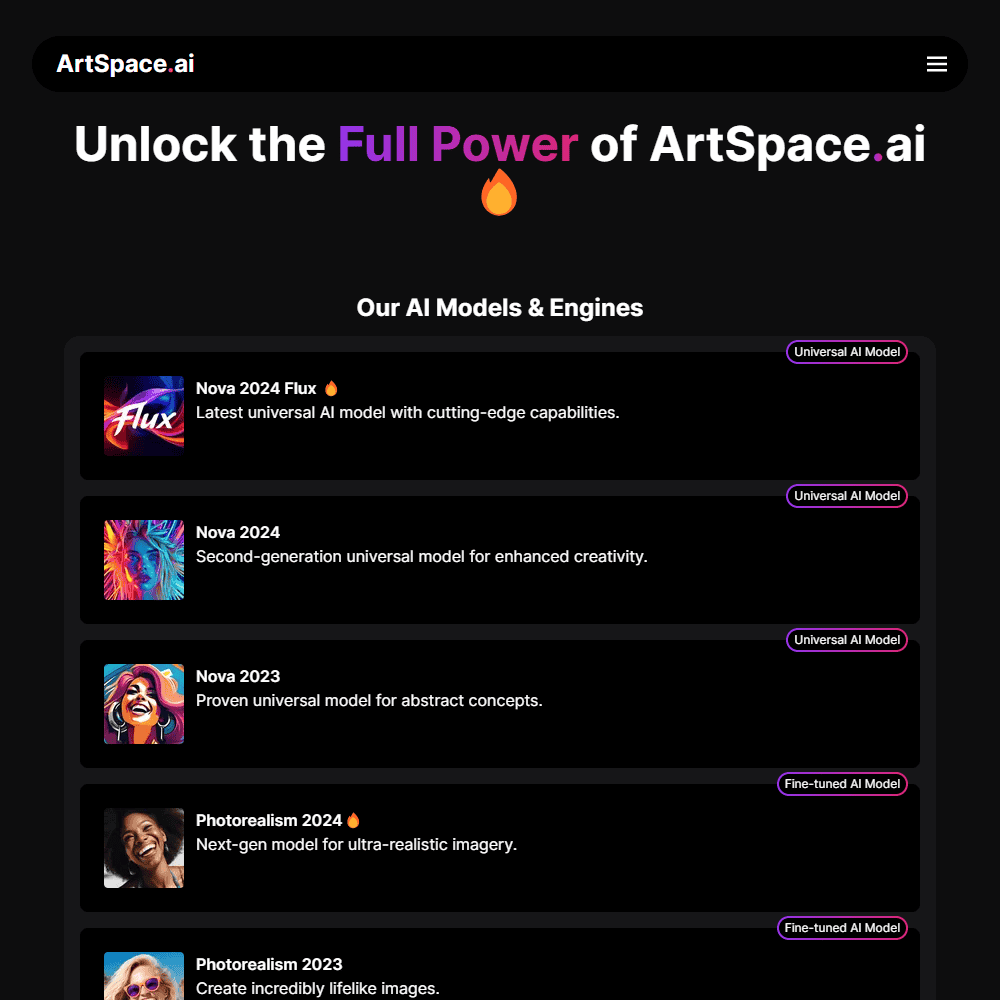
ArtSpace.ai combines a sleek interface with powerful AI art models like Nova 2024 Flux, Photorealism 2024, and Anime Alchemist, letting you generate highly stylized visuals or photorealistic images in just a few clicks. Here’s what you can expect:
- Text-to-Image Generation: Turn any written prompt into visuals using universal or fine-tuned AI engines.
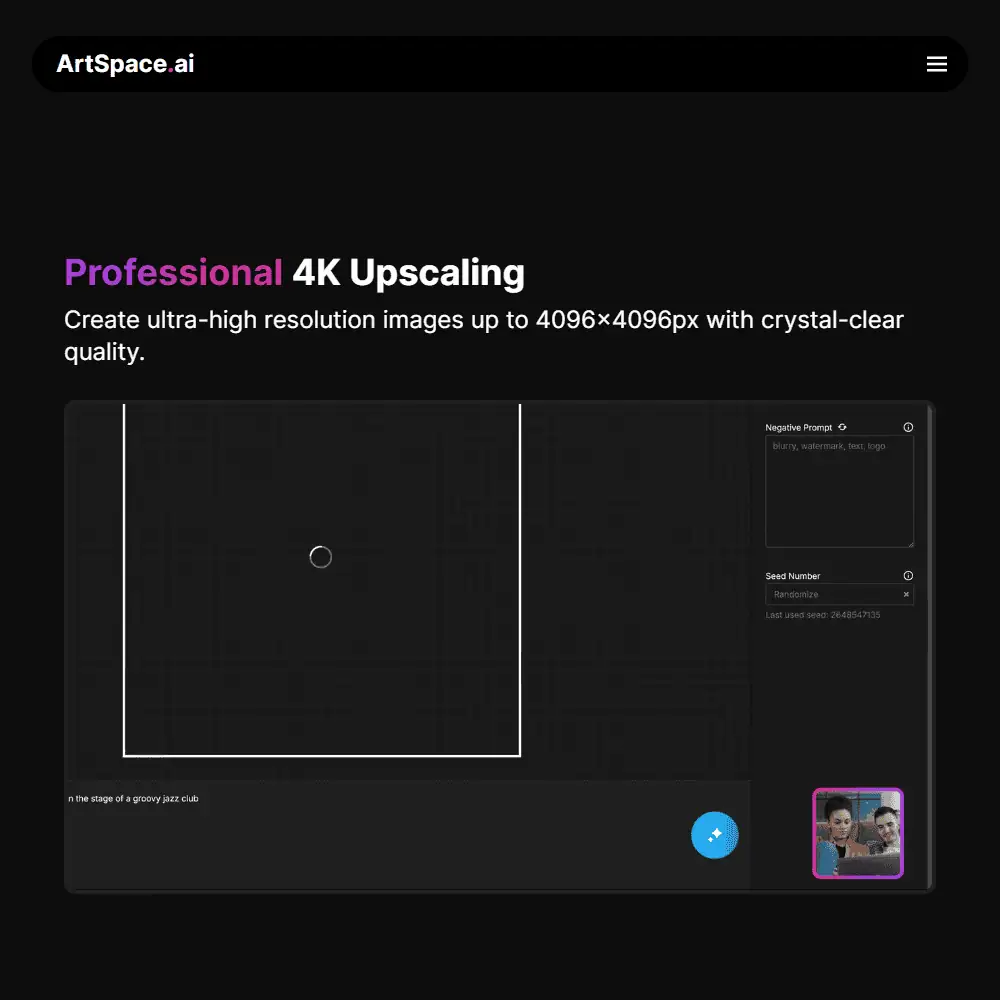
- Image Upscaling: 1-click 4K upscaling up to 4096x4096px for professional-grade resolution.
- Background Removal: Isolate objects instantly—great for product or portrait edits.
- Inpainting & Outpainting: Mask and edit specific areas or expand visuals beyond their canvas.
- Face Swap & Face Fix: Swap out faces or enhance facial features with smart filters.
- Style Presets: Choose from pre-built visual styles or build your own aesthetic workflow.
- Prompt Discovery: Reveal the prompt behind any image using their reverse prompt tool.
- Batch Generation: Create multiple assets with minimal clicks.
- Smart Content Filter: Optional NSFW filter for flexible creative control.
What stood out to me is how fast ArtSpace is—there’s no delay between prompt and image. The editor feels like it was made for creators who want maximum output without getting lost in menus. While it nails the essentials, I did find myself wanting more control over prompt weighting or camera angles like you’d get with MidJourney. That said, the quality of the upscaled results is solid, especially with the newer models like Flux and Photorealism 2024.
Ease of Use & User Experience
Getting started with ArtSpace.ai is refreshingly smooth. You can create an account and jump into image generation in under a minute—no complicated onboarding, no techy walkthroughs. The platform offers a 7-day free trial, so you can explore most features without committing.
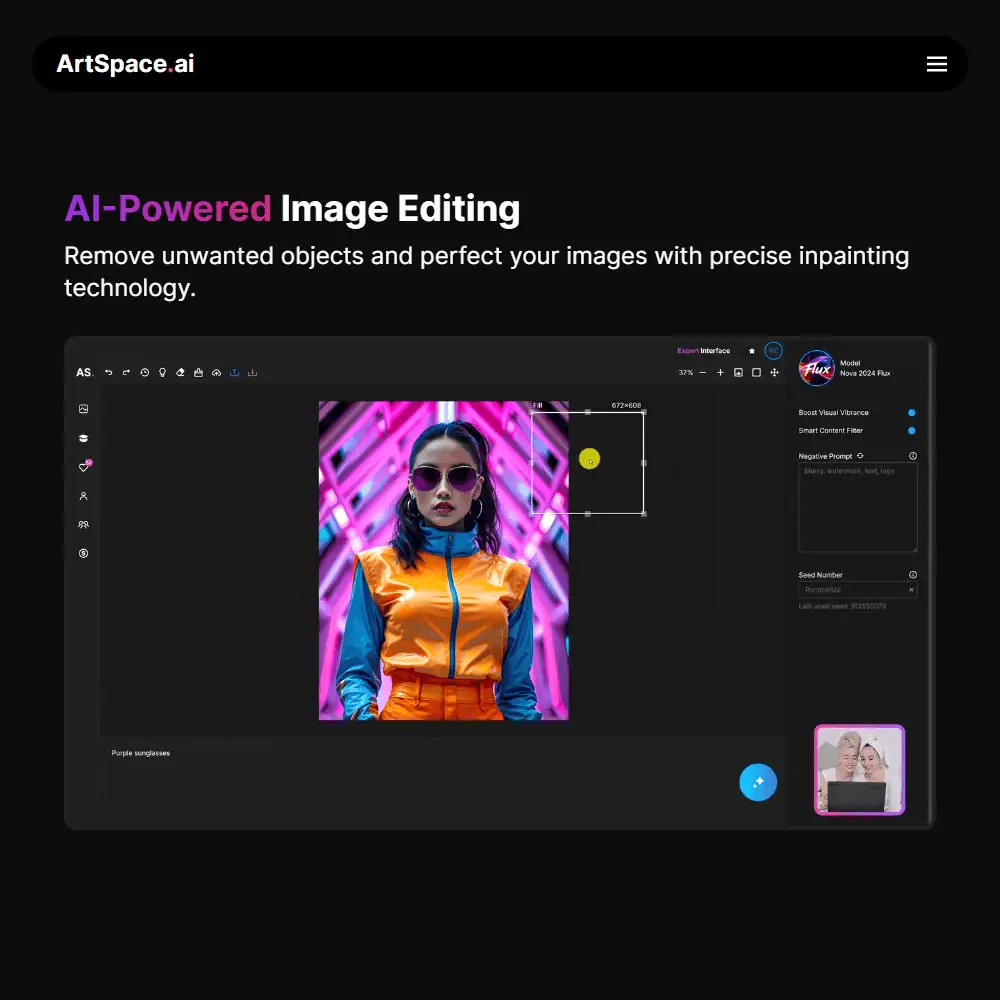
The UI is modern and intuitive, with an “infinite canvas” workspace that works well on both desktop and mobile. On the left panel, you’ll find quick access to your tools—upscale, background removal, drawing, face swap, and more. The right-side panel lets you tweak prompts, apply negative prompts, and toggle enhancements like Boost Visual Vibrance and Smart Content Filter. Customization is fairly decent:
- You can choose from multiple AI models depending on your style (anime, photorealism, abstract, etc.)
- Adjust resolution up to 4096×4096px
- Set seeds and toggle prompt filters
- Instantly edit or regenerate using inpainting or reimagine tools
I appreciated how beginner-friendly ArtSpace is—there’s no learning curve. But as someone who likes to fine-tune prompts with advanced controls like weight balancing or layer composition, I noticed those pro-level options are a bit limited. That said, for quick generation and batch content creation, it really shines.
ArtSpace.AI vs Midjourney – A Comparison to Competitors
When comparing ArtSpace.ai vs Midjourney, one major difference is in the overall user experience. Midjourney now offers a web-based platform in addition to its original Discord workflow, but it still leans heavily into advanced prompt control and aesthetic tuning. ArtSpace, in contrast, feels more beginner-friendly—offering a visual editor, batch-friendly rendering, and one-click tools like background removal and 4K upscaling.
Midjourney still has the edge in raw visual output and artistic coherence, especially for abstract or stylized prompts. But ArtSpace caters to a different crowd—those who want fast, high-res images with commercial licensing, without prompt engineering or external communities. Similar Tools to Consider:
- Leonardo AI – Better for model control and LoRA integration
- Playground AI – Good for layered editing, less intuitive UI
- StarryAI – Useful for NFT-style art but not ideal for pro workflows
ArtSpace fills a practical niche. I’d still use Midjourney when I’m focused purely on art direction, but for fast iteration, editing tools, and commercial use, ArtSpace offers a smoother ride—especially when you just want results without babysitting prompts.
ArtSpace AI Pricing & Subscription Plans
If you’ve been wondering if ArtSpace AI is worth it or if it’s legit, the pricing structure makes a compelling case. Whether you’re just starting out or scaling up a creative agency, ArtSpace.ai offers flexible plans for all levels.
Is ArtSpace AI Free?
ArtSpace does not offer a free forever plan. However, you can try it for 7 days with a free trial that includes full access to the platform.
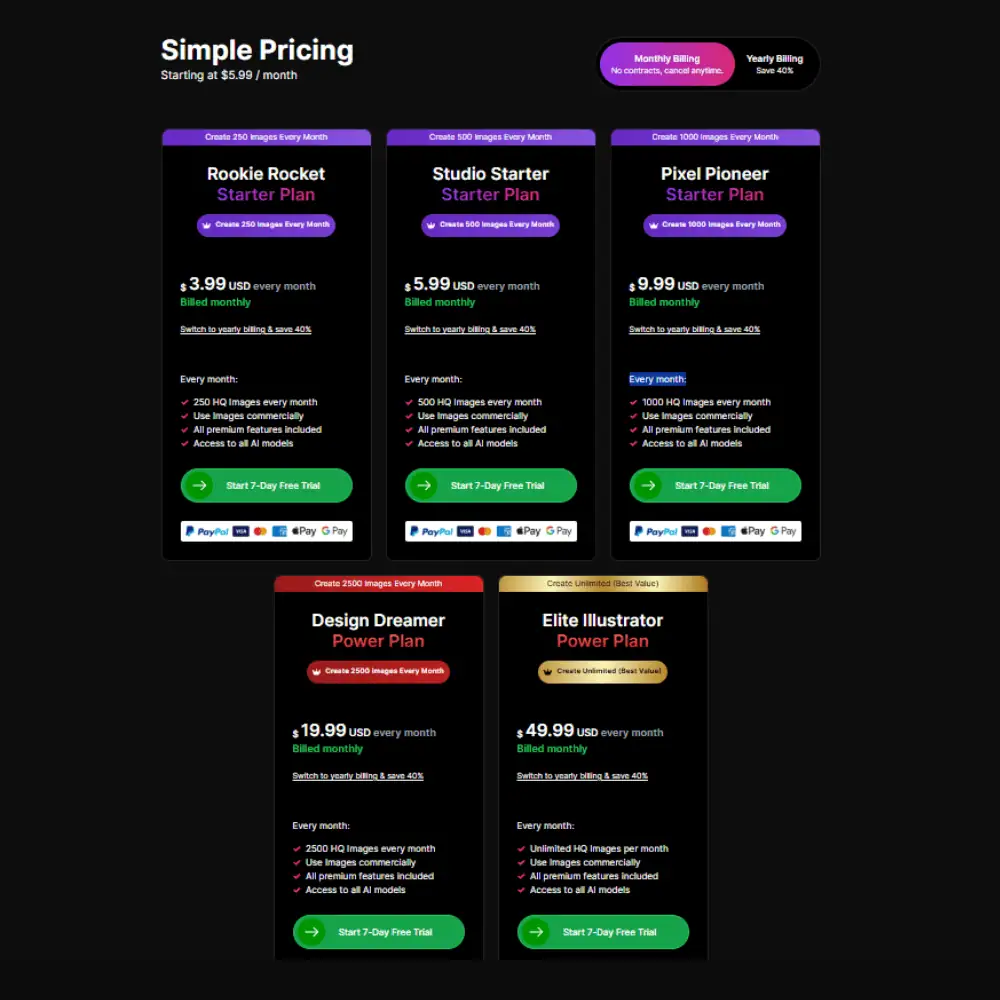
Here’s how the ArtSpace AI pricing breaks down across monthly, yearly, and lifetime access:
Starter Plans (Monthly & Yearly Billing)
- Rookie Rocket – $3.99/month or $2.39/month (billed yearly) → Create 250 images/month. Ideal for hobbyists looking to explore AI-generated space art or experiment with different art space AI styles.
- Studio Starter – $5.99/month or $3.59/month (billed yearly) → Get 500 images/month. Best suited for casual creators using the ArtSpace AI app for social media graphics, character concepts, or mockups.
- Pixel Pioneer – $9.99/month or $5.99/month (billed yearly) → Generates 1000 images/month. Great for professionals exploring infinite AI art space styles, including anime, photorealism, and stylized concept art.
Power Plans (Higher Output)
- Design Dreamer – $19.99/month or $11.99/month (yearly billing) → Includes 2,500 HQ image generations/month. All models and premium editing tools unlocked, including upscaling and inpainting. If you’re asking is ArtSpace AI any good for volume work—this is where it starts to shine.
- Elite Illustrator – $49.99/month or $29.99/month billed yearly → Unlimited generations per month. Ideal for those creating art for clients, merch, or full-scale design workflows. This plan is a clear step above most AI space art tools in output flexibility.
ArtSpace AI Lifetime Deal (Limited Offer)
Yes, there’s an ArtSpace AI lifetime deal — and it’s actually worth it. For a one-time payment, you unlock lifetime access without any recurring fees. Perfect for those tired of juggling subscriptions.
| Plan | Price | Output | Best For |
|---|---|---|---|
| Rookie Rocket | $57 | 250/month | Hobbyists exploring AI artspace or dabbling with space art AI creations. |
| Pixel Pioneer | $127 | 1000/month | Designers & small business owners who want reliable volume. |
| Elite Illustrator | $287 | Unlimited | Studios & agencies needing full-scale, NSFW-friendly generation and commercial output. |
If you’re active on ArtSpace AI Reddit or exploring ArtSpace AI reviews, this deal is frequently praised as one of the best IAAS (Infinite AI Art Space) models available.
Refund Info
The trial lets you try before you commit. There’s no hard upsell, and you can cancel anytime. Refund details weren’t explicitly listed, so it’s best to reach out to ArtSpace AI support via their live chat for specifics.
ArtSpace AI Review Final Verdict & Recommendations
After testing dozens of image generators, ArtSpace.ai stands out for its balance of power, polish, and flexibility. It’s more than just another AI art space app — it’s a complete creative toolkit that handles everything from NSFW art generation to 4K upscaling, face swapping, and inpainting, all inside a snappy interface with zero-generation delay.
If you’re asking “Is ArtSpace AI any good?” — yes, if you value ease of use, multiple models, and private usage control. It’s ideal for illustrators, YouTubers, agencies, and indie creators alike. While it doesn’t have the massive community of tools like Midjourney, it makes up for it with commercial freedom, infinite AI art space potential, and lifetime pricing options that genuinely undercut most competitors.
If you’re torn between platforms, check ArtSpace AI vs Midjourney discussions on Reddit or YouTube — the verdict usually favors ArtSpace for solo creators and power users who value control, privacy, and affordability.
Frequently Asked Questions (FAQs)
Is ArtSpace AI worth it for professional creators?
Yes — ArtSpace AI is a strong fit for professionals who want fast image generation, 4K upscaling, commercial usage rights, and privacy. Unlike tools locked behind Discord, ArtSpace.ai gives you direct access via browser and supports NSFW content with a smart filter, making it suitable for a wide range of creative work.
What makes ArtSpace AI different from Midjourney?
While Midjourney has shifted to a web interface, it still leans heavily on community-based workflows. ArtSpace AI, on the other hand, is built for solo creators and teams who want more control, batch image generation, and private galleries. If you’re comparing ArtSpace AI vs Midjourney, ArtSpace offers better commercial terms and simpler access with no Discord required.
Does ArtSpace AI offer a lifetime deal?
Yes! ArtSpace.ai has an exclusive lifetime deal that lets you pay once and use all features forever. Plans range from 250 to unlimited monthly images, making it one of the most affordable long-term options among AI art generators. Just look for the “Lifetime Deal” section on their site — it’s frequently promoted and well worth it.
Specification: ArtSpace.ai Review
| Basic Specifications | ||||||||||||||||||||||||||||||
|---|---|---|---|---|---|---|---|---|---|---|---|---|---|---|---|---|---|---|---|---|---|---|---|---|---|---|---|---|---|---|
|
||||||||||||||||||||||||||||||
| Pricing & Plans | ||||||||||||||||||||||||||||||
|
||||||||||||||||||||||||||||||
| Core Features | ||||||||||||||||||||||||||||||
|
||||||||||||||||||||||||||||||
| User Experience & Interface | ||||||||||||||||||||||||||||||
|
||||||||||||||||||||||||||||||
| Integrations & Compatibility | ||||||||||||||||||||||||||||||
|
||||||||||||||||||||||||||||||
| Automation & Workflows | ||||||||||||||||||||||||||||||
|
||||||||||||||||||||||||||||||
| Security & Compliance | ||||||||||||||||||||||||||||||
|
||||||||||||||||||||||||||||||
| Customer Support & Community | ||||||||||||||||||||||||||||||
|
||||||||||||||||||||||||||||||
Photos: ArtSpace.ai Review
User Reviews
Be the first to review “ArtSpace.ai Review”




There are no reviews yet.